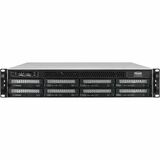
TerraMaster - NAS server
Enterprise-class 8-bay networked storage server
Highly scalable storage server, designed to meet the requirements of enterprise virtualization, data-intensive applications and service continuity.

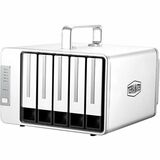
TerraMaster D5 - hard drive array
Large Storage Capacity
TerraMaster's 5-bay D5 Thunderbolt9 3 is compatible with 3.5" SATA disks and 2.5" SSDs, allowing professionals to capitalise on a total storage capacity of up to 90TB. As a result, you can be assured the device gives you the tools you need to overcome any storage challenge.
Lightning Speed!
The D5 Thunderbolt 3 is equipped with a 40-Gbps lightning speed interface, and the read and write support attains speeds of up to 1,035 MB/s (test conditions: 5 HDDs, RAID 0 mode). The device is compatible with daisy chaining across multiple Thunderbolt™ 3 devices, and each one can be realized using the Thunderbolt interface.
Dedicated DP Interface
Given its HD DP digital interface, video editors can connect the D5 Thunderbolt™ 3 to a 4K HD display to satisfy their needs.
Multi-Screen Display
Capitalising on the Thunderbolt™ 3 and DP interfaces, the D5 Thunderbolt™ 3 supports multi-screen display with up to 3 screens. This is an ideal solution for multitaskers, especially when efficiency is the end goal.
Multiple RAID Supports
The D5 Thunderbolt™ 3 can operate with RAID 0, 1, 5, and 10, as well as JBOD disk array modes for all your application needs. This underpins the all-important concern for guaranteed data security, and it ensures that your storage capacity is utilised in the most efficient way possible.
Professional and Safe
Replacing lost content is inconvenient, costly, and, ultimately, unworkable for all professionals. Therefore, with the D5 Thunderbolt™ 3, TerraMaster has not comprised on its use of state-of-the-art storage technologies to ensure data safety and security. Now, freed from concerns about inadequately protected data, users can focus on what matters to you.
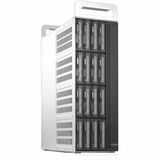
TerraMaster D16 - hard drive array
Lightninging-Fast
Drawing on a pair of Thunderbolt 3 interfaces (40 Gbps) and a hardware RAID controller, the D16 Thunderbolt 3 can operate at transfer speeds of 2817 MB/s under RAID 0 array mode. Under RAID 6, the device can achieve a speed of 2480 MB/s.
Enjoy Rapid Video Workflows
The time needed for virtually every aspect of the post-production workflow falls when using the D16 Thunderbolt 3. At lightning speed, users can transfer several hours of footage from a Blackmagic® device to Adobe® Premiere Pro. In turn, with uncompressed HD 10-bit and 12-bit video, users can edit the ProRes 422 (HQ), ProRes 4444 XQ, and other data streams. Thumbnails and preview rendering are significantly more responsive when using large items with numerous high-definition clips.
Compact design
D16 has a compact design that saves a lot of space, making it suitable for small video production teams and designers with limited desktop room. D16 has a specially designed handle that makes it easy to carry, facilitating the work of video production teams by greatly increasing convenience when out and about.
Peace as a priority
To support designers, a non-coded storage device must be quiet. D16 has a high-quality silent fan and specially optimized interior structure, that effectively increase the internal air flow of the device to reduce the working temperature of the hard disk while greatly reducing the resonance between device components. Even under full load, D16 can thus still maintain a satisfactory low noise level.
Large Storage Capacity
TerraMaster's 16-bay D16 Thunderbolt 3 is compatible with 3.5" SATA disks and 2.5" SSDs, allowing professionals to capitalise on a total storage capacity of up to 288TB. As a result, you can be assured the device gives you the tools you need to overcome any storage challenge.
High Scalability
Using one cable, Thunderbolt 3 enables users to daisy-chain more than five devices to their computer. As a result, users can achieve an enormous 1PB capacity by linking together six D16 Thunderbolt 3 devices.
Thunderbolt 3 and Thunderbolt 4 Compatibility (for Mac only)
If your Mac has Thunderbolt 3 and Thunderbolt 4 ports, you can capitalise on the D16 Thunderbolt 3 to achieve high-end transfer rates.
Create the Smartest Workspace
A key feature of Thunderbolt 3 is its bandwidth capacity, which has been doubled since Thunderbolt 2. At the same time, the D16 Thunderbolt 3 benefits from a HD DP digital interface and a pair of Thunderbolt 3 interfaces. By daisy-chaining two 4K displays (or one 5K display) to the D16 Thunderbolt 3, users can augment their workspace in the smartest and most suitable way for their professional needs. Additionally, using Thunderbolt 3 connections, users can even power a compatible notebook computer.
Multiple RAID Supports
The D16 Thunderbolt 3 can operate with RAID 0, 1, 5, 6, 50, and 10, as well as JBOD disk array modes for all your application needs. This underpins the all-important concern for guaranteed data security, and it ensures that your storage capacity is utilised in the most efficient way possible.
Professional and Safe
Replacing lost content is inconvenient, costly, and, ultimately, unworkable for all professionals. Therefore, with the D16 Thunderbolt 3, TerraMaster has not comprised on its use of state-of-the-art storage technologies to ensure data safety and security. Now, freed from concerns about inadequately protected data, users can focus on what matters to you.
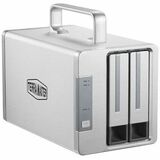
TerraMaster TD2 Thunderbolt 3 - hard drive array
Professional 8K Display
Using DisplayPort 1.4 and Thunderbolt 3 interfaces, you can link the TD2 Thunderbolt 3 to a single 8K or dual 4K displays. The device can serve up to 3 display screens.
HD Projection
Using a Thunderbolt 3 cable, you can project your phone's screen to a high-definition display. This will help you to streamline your workflow, moving seamlessly between your handset and your desktop.
Daisy-chaining
TD2 Thunderbolt 3 supports daisy-chained connections. You can connect to 5 other Thunderbolt 3 devices via a Thunderbolt 3 interface.
More Storage Space
TD2 Thunderbolt 3 is equipped with two SATA hard drive slots. You can install two 3.5-inch or 2.5-inch hard drives or SSDs using these slots, offering a maximum storage space of 32 TB.
Hardware RAID Controller
TD2 Thunderbolt 3 is equipped with a hardware RAID controller. Use this to switch between RAID 0, RAID 1, JBOD, and Single freely. The device also supports automatic rebuilding of RAID 1.
USB Interface Compatibility
As a truly universal device, the Thunderbolt 3 interface of TD2 Thunderbolt 3 is compatible with your computer's USB 3.0/3.1 interface.
Optimized for Video Professionals
With aluminum casing and a built-in, temperature-controlled smart fan, TD2 Thunderbolt 3 ensures total heat dissipation. Therefore, it maintains an optimal working performance - all the time.
Intelligent, Energy-saving Design
With its automatic power-on design, TD2 Thunderbolt 3 benefits from its intelligent approach to energy conservation. Once your computer is powered off or set to sleep, TD2 Thunderbolt 3 will automatically enter sleep mode. When you switch your computer back on, the device will exist sleep mode. During sleep, only the hard drive and the fan stop running, while other functions operate normally. In case of an accidental power outage, TD2 Thunderbolt 3 will power on automatically when the power supply is reconnected.
Exclusive worry-free warranty
Brand new replacement for 2 years, quick service in 24 hours!

TerraMaster D4-320 External Hard Drive Enclosure - 4bay USB 3.2 Gen2 10Gbps Type-C USB Storage Hot Swappable Plug and Play (Diskless)
New Upgrade, Refreshed Experience
As an upgrade to the classic D4-300, the D4-320 offers several revolutionary changes while maintaining affordability. Its new design concept offers a stylish and minimalist appearance that is more aesthetically pleasing, while its underlying technology offers a qualitative leap in terms of performance, allowing users to access outstanding functionality.
Speed Boost: 100% Faster
The D4-320 utilizes the USB3.2 Gen2 protocol to achieve a data transfer speed of up to 10 Gbps, twice the speed of the D4-300 (5 Gbps). When equipped with four hard drives, the actual read/write speed can thus be measured at up to 1,016 MB/s (combined read/write with WD Red 8TB x 4). Even with just one hard drive installed, the read speed effortlessly reaches 510 MB/s (WD Red 1TB SSD). Thus, whether using multiple hard drives operating in parallel or ensuring the efficient operation of a single hard drive, the D4-320 demonstrates exceptional performance.
Convenient Swapping of Hard Drives
The hard drive bracket introduced by the D4-320 offers revolutionary tool-free installation and removal of hard drives, making the whole process unprecedentedly simple by eliminating the need for cumbersome tools. In addition, the innovative Push-lock design created by TerraMaster allows gentle pressure to be used ensure a secure lock, effectively preventing detachment or disconnection, a design that not only ensures stable data transmission but also greatly enhances the efficiency of hard drive replacement. Installing a hard drive thus takes only a few seconds, providing additional convenience for users who frequently swap hard drives.
Better Heat Dissipation
The D4-320 is equipped with an intelligent, temperature-controlled, low-noise fan. The fan speed is constantly adjusted based on hard drive temperature, ensuring that the hard drives always operate within their optimal temperature range. In addition, the carefully designed internal structure of the device effectively enhances internal air pressure, further reducing the working temperature of the hard drives and significantly minimizing any resonance between the device components and hard drives. Even under a full load, the D4-320 thus maintains excellent low-noise performance, providing a quiet and comfortable working environment.
Reduced Noise: 50% Quieter
As desktop products are typically positioned close to users, their noise levels must be subject to strict requirements. During read/write processes using mechanical hard drives, the high-speed rotation of disks and heads can generate excess vibrations and noticeable noise, which may resonate within the product enclosure, further amplifying the overall sound level. To address this, engineers at TerraMaster have not only implemented additional vibration damping measures in this new generation of products but also have carefully designed numerous specialized sound-absorbing panels. The resulting innovative designs significantly reduce noise levels: based on rigorous testing, the new generation of products demonstrates a remarkable reduction in noise of up to 50% as compared to the previous generation's products. In standby mode, the noise level dips below 21 dB(A), creating an exceptionally quiet use environment.
Test conditions: 4 SATA HDD/SSD in standby mode; test environment level 17.3 dB(A) at a test distance of 1 meter
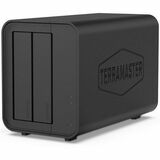
TerraMaster D5 Hybrid HDD NVMe Enclosure - USB 3.2 Gen 2 10Gbps Type C 5Bay USB Storage Supports RAID 0/1/Single/JBOD Exclusive 2+3 RAID Hybrid Disk Array
Innovative Storage
The D5 Hybrid is the industry's first hybrid direct-attached disk enclosure. It can accommodate up to 2 SATA HDDs/SSDs and 3 M.2 2280 NVMe SSDs, combining the advantages of HDDs'massive capacity and SSDs' high-speed performance simultaneously! The great benefits of hybrid storage comes from using HDDs for storing infrequently accessed cold data, and SSDs for the more frequently accessed hot data. With the complimentary TPC Backupper backup software from TerraMaster, you can effortlessly schedule backups of hot data to HDDs, enhancing the security of your data.
Automatic Backup
TPC Backupperis an extremely user-friendly Windows PC backup tool that allows you to schedule the backup of folders and disk partitions on your Windows PC to TerraMaster USB devices or NAS network storage servers.To start automatic backups, simply connect the device to your computer, install the TPC Backupper client, and set up a scheduled backup task.This straightforward and reliable backup solution enables you to concentrate on your work, while in the background the TerraMaster D5 Hybrid concentrates on its work to protect your crucial data. TPC Backupper supports both incremental and differential backup strategies and is compatible with Windows 8/8.1/10/11.Download Now
10Gbps Transfer Bandwidth
The D5 Hybrid features the USB3.2 Gen2 protocol, providing a high data transfer bandwidth of up to 10Gbps.The read speeds using M.2 SSDs can reach up to 980MB/s (SAMSUNG 980 NVMe M.2 SSD x 1), using SATA SSDs up to 960MB/s (WD Red 1 TB SSD x2, RAID 0), and using HDD the actual read speed is still an impressive 521MB/s (WD Red 8TB NAS HDD x2, RAID 0).
Superior Compatibility
The D5 Hybrid features a USB Type-C interface, offering excellent compatibility with various protocols, including USB 3.0, USB 3.1, USB 3.2, USB4, Thunderbolt 3, and Thunderbolt 4. A complimentary 0.8m USB Type-C cable is included. The interface is compatible with Windows 7 and later, macOS X 10.6 and later, and Linux Ubuntu 16/18/20.
Compact Size and Large Capacity
The D5 Hybrid can accommodate up to 5 disks and supports many different disk types, including 3.5-inch SATA HDD, 2.5-inch SATA HDD/SSD, and M.2 2280 NVMe SSD . It supports up to 22TB HDD or up to 8TB NVMe M.2 SSD, giving it a storage capacity of up to 68TB within this compact 2-bay enclosure.
Note: Incompatible hard disks may lead to connection interruptions, slow speeds, or disk recognition issues. Before purchasing, be sure to check the TerraMaster hard disk compatibility list.
2+3 Array Mode
The D5 Hybrid utilizes the unique 2+3 array mode of TerraMaster. With two SATA HDDs/SSDs, you can configure various array modes such as RAID 0, RAID 1, JBOD, Single Disk, catering to the cold data storage needs in different applications. The three NVMe M.2 SSDs support only the single-disk mode. It is recommended to store frequently accessed hot data on NVMe M.2 SSDs for faster transfer speeds.
Easier Hard Disk Replacement
The D5 Hybrid is designed with a tool-free hard disk tray, removing the need for any tool during hard disk installation.The D5 Hybrid Halso features TerraMaster's unique Push-Lock design, which automatically locks the hard disk on insertion to prevent it from coming loose or going offline. As a result, itis extremely convenient for users who need to replace hard disks frequently for data exchange, as their installation takes less than 10 seconds.
Easy Installation of M.2 SSD
To facilitate the installationM.2 SSDs, TerraMaster has specially designed a side sliding cover for the D5 Hybrid chassis, which is simply pushed aside to install M.2 SSDs. TerraMaste