STARTECH
STARTECH MSTCDP122DP USB TYPE-C TO MULTI MONITOR DP SPLITTER USB-C TO DP MST HUB
Mfg Part Number: MSTCDP122DP , Item #: 2602565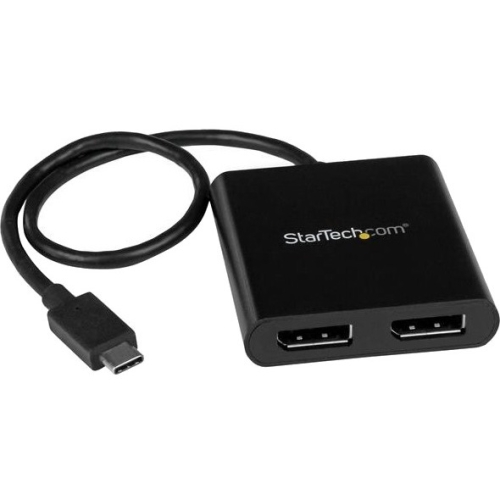
Image may not reflect the actual item.
Price: $67.99
Quantity:

In Stock: 18
Last Updated: Mar 20, 2026
No Sales Tax except these states
 , PO and Wire.
This USB-C to DisplayPort MST Hub lets you connect two DisplayPort monitors to your USB Type-C Windows device, conveniently helping you to maximize your productivity. Multitasking Made Easy With devices becoming more portable than ever, you can be limited to fewer video outputs and confined to your small integrated screen. This multi-stream transport hub solves that problem by enabling you to connect two separate displays to your USB-C computer, making multitasking much easier. Using this USB-C to dual DisplayPort monitor adapter, you can mirror your display onto additional monitors or stream independent content to each display, which makes it the ideal accessory for travel or hot-desking. Astonishing Picture Quality MST technology uses your existing video card to minimize the use of system resources, while delivering UHD 4K resolutions for two monitors or displays simultaneously. With support for HD 1080p and UHD 4K, the dual-monitor splitter is perfect for all high-resolution applications such as graphic design and CAD drawing. Hassle-Free Setup Multi-stream transport offers an easy setup, by natively working on any Windows device that supports DP Alt Mode over USB Type-C. This USB-C dual-monitor adapter is Thunderbolt 3 compatible, and offers plug-and-play installation with no drivers or software required. Additionally, this DP MST hub is powered by the USB-C port, meaning no external power cords are necessary. MSTCDP122DP is backed by a StarTech.com 3-year warranty, and free lifetime technical support. More from the Manufacturer

Main Specification
| General Information | |
| Manufacturer | StarTech.com |
| Manufacturer Part Number | MSTCDP122DP |
| Manufacturer Website Address | http://www.startech.com |
| Brand Name | StarTech.com |
| Product Name | USB-C to DisplayPort Multi-Monitor Splitter - 2-Port MST Hub |
| Packaged Quantity | 1 Each |
| Product Type | Signal Splitter |
| Video | |
| Maximum Video Resolution | 3840 × 2160 |
| Interfaces/Ports | |
| DisplayPort | Yes |
| USB | Yes |
| Number of DisplayPort Outputs | 2 |
| Physical Characteristics | |
| Color Family | Black |
| Product Color | Black |
| Height | 0.6" |
| Width | 2.3" |
| Length | 15.2" |
| Weight (Approximate) | 1.55 oz |
| Miscellaneous | |
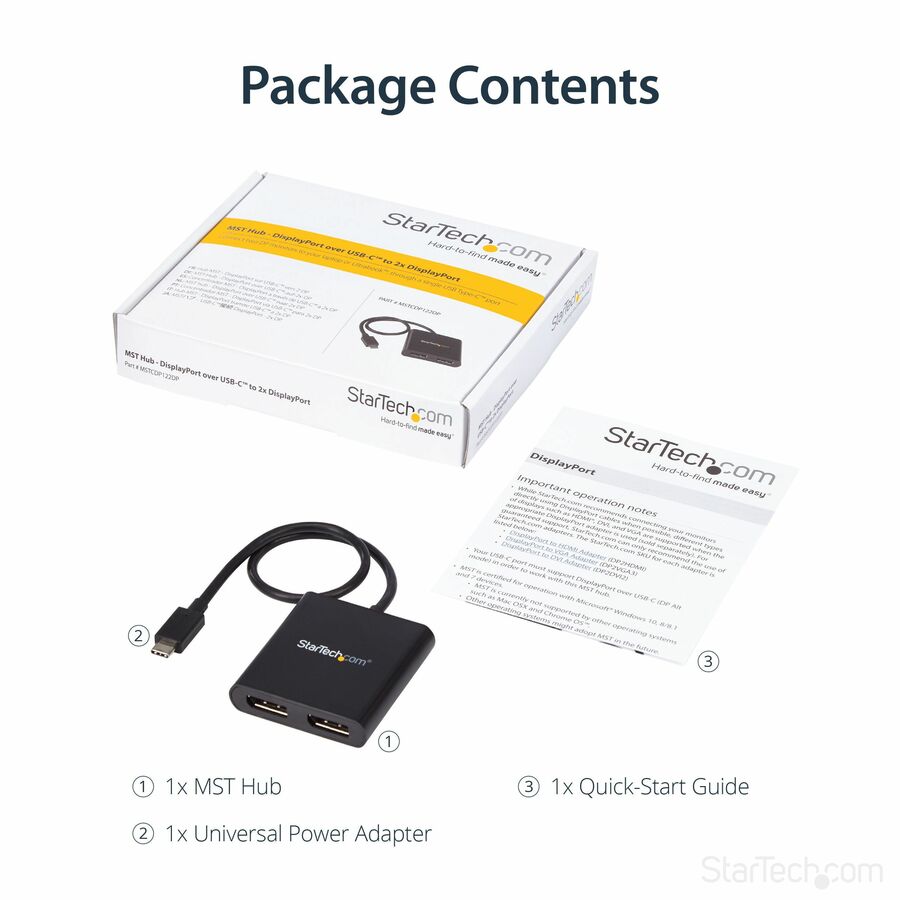
| Package Contents |
|
| Country of Origin | China |
| Environmentally Friendly | Yes |
| Environmental Certification | EU RoHS |
| Environmental Compliance | Restriction of Hazardous Substances (RoHS) 2 |
| Environmental Compliance | Waste Electrical and Electronic Equipment Directive (WEEE) |
| Environmental Compliance | Registration, Evaluation, Authorization and Restriction of Chemicals (REACH) |
| End of Life Manual Availability | Yes |
| EU RoHS Declaration URL | https://media.startech.com/cms/pdfs/mstcdp122dp_rohs.pdf |
| REACH Declaration URL | https://media.startech.com/cms/pdfs/mstcdp122dp_rohs.pdf |
| REACH free of SVHC | Yes |
| WEEE Statement | https://media.startech.com/cms/pdfs/mstcdp122dp_weee.pdf |
| Warranty | |
| Limited Warranty | 3 Year |


 WARNING:: The plastic used in cable products can expose you to lead and lead components,
chemicals known to the State of California to cause cancer, birth defects, or other reproductive harm.
For more information go to www.P65Warnings.ca.gov
WARNING:: The plastic used in cable products can expose you to lead and lead components,
chemicals known to the State of California to cause cancer, birth defects, or other reproductive harm.
For more information go to www.P65Warnings.ca.gov
