STARTECH
SV231TDVIUA StarTech.com 2 Port Triple Monitor DVI USB KVM Switch with Audio & USB 2.0 Hub
Mfg Part Number: SV231TDVIUA , Item #: 1500813
Image may not reflect the actual item.
Price: $240.01
+ Free Shipping
Quantity:

In Stock: 11
Last Updated: Mar 08, 2026
No Sales Tax except these states
 , PO and Wire.
The SV231TDVIUA 2-Port Triple Monitor DVI USB KVM Switch allows 2 PCs (each with 3 DVI video outputs) to share monitors, 1 microphone and set of speakers, 1 keyboard and 1 mouse, as well as an additional USB 2.0 peripheral such as an external hard drive, thumb drive, printer, or webcam. The Triple DVI KVM switch enables you to switch back and forth between 2 multi DVI PCs at the touch of a button, while maintaining professional-level video quality on all monitors at resolutions up to 1920x1200. The triple monitor DVI switch also features an integrated USB hub port which allows USB 2.0 peripherals to be shared between attached systems, eliminating duplicate peripheral costs and offering the convenience of sharing stored data between PCs. The SV231TDVIUA 2-Port Triple Head DVI KVM Switch is TAA compliant and backed by a StarTech.com 3-year warranty with free lifetime technical support. PLEASE NOTE: While the DVI connector on this KVM is DVI-I, the KVM only supports single-link DVI-D (digital only) video sources. It is recommended wherever possible to use DVI-D cables across all PC to KVM and KVM to console connections. More from the Manufacturer

Main Specification
| General Information | |
| Manufacturer | StarTech.com |
| Manufacturer Part Number | SV231TDVIUA |
| Manufacturer Website Address | http://www.startech.com |
| Brand Name | StarTech.com |
| Product Name | 2 Port Triple Monitor DVI USB KVM Switch with Audio & USB 2.0 Hub |
| Packaged Quantity | 1 Each |
| Product Type | KVM Switchbox |
| Technical Information | |
| Number of Computers Supported | 2 |
| Video | |
| Graphic Mode | WUXGA |
| Maximum Video Resolution | 1920 x 1200 |
| Interfaces/Ports | |
| USB | Yes |
| DVI | Yes |
| Number of USB Ports | 6 |
| Number of DVI Ports | 9 |
| Power Description | |
| Input Voltage | 220 V AC |
| Input Voltage | 110 V AC |
| Input Voltage Range | 110V AC to 240V AC |
| Physical Characteristics | |
| Color Family | Black |
| Product Color | Black |
| Form Factor | Desktop |
| Form Factor | Rack-mountable |
| Height | 2.9" |
| Width | 6.3" |
| Depth | 3.9" |
| Weight (Approximate) | 1.99 lb |
| Miscellaneous | |
| Package Contents |
|
| Environmentally Friendly | Yes |
| Environmental Compliance | Restriction of Hazardous Substances (RoHS) |
| Environmental Compliance | Waste Electrical and Electronic Equipment Directive (WEEE) |
| Country of Origin | Taiwan |
| TAA Compliant | Yes |
| Warranty | |
| Limited Warranty | 3 Year |
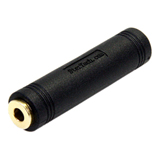
Connector Adapters
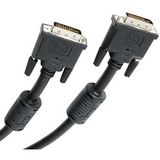
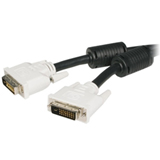
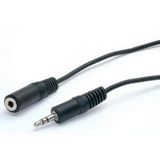
Connector Cables





Similar Products:



 WARNING:: The plastic used in cable products can expose you to lead and lead components,
chemicals known to the State of California to cause cancer, birth defects, or other reproductive harm.
For more information go to www.P65Warnings.ca.gov
WARNING:: The plastic used in cable products can expose you to lead and lead components,
chemicals known to the State of California to cause cancer, birth defects, or other reproductive harm.
For more information go to www.P65Warnings.ca.gov
