Brother
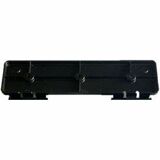
Brother LBX083001 POCKETJET SNAP-IN HOLDER MOUNT FOR POCKETJET 7 8
Mfg Part Number: LBX083001 , Item #: 5144936
Image may not reflect the actual item.
Price: $30.92
Quantity:

More to Come
Last Updated: May 30, 2026
No Sales Tax except these states
 , PO and Wire.
The snap-in holder is used to hold the printer in place using the right-side holding tab and the left side snap-in tabs. Installing the printer is done easily by inserting the printer under the right-side holding tab and lowering past the left-side snap-in tabs.
Main Features
- Pair with Hinge Plate The snap-in holder also has rear and front stiffening walls for reinforcing the holder's rigidity. The back of the holder has hinge pins for use with the hinge plate (LBX088001).
- For Use With:PJ722, PJ723, PJ762, PJ763, PJ763MFi, PJ773 PocketJet 7 mobile thermal printer
Printer Parts & Components
 WARNING:: The plastic used in cable products can expose you to lead and lead components,
chemicals known to the State of California to cause cancer, birth defects, or other reproductive harm.
For more information go to www.P65Warnings.ca.gov
WARNING:: The plastic used in cable products can expose you to lead and lead components,
chemicals known to the State of California to cause cancer, birth defects, or other reproductive harm.
For more information go to www.P65Warnings.ca.gov