STARTECH
STARTECH S251BMU3FP ENCRYPTED HARD DRIVE ENCLOSURE FINGERPRINT ACCESS 2.5 SATA
Mfg Part Number: S251BMU3FP , Item #: 4136156
Image may not reflect the actual item.
Price: $64.99
Quantity:

In Stock: 39
Last Updated: Sep 13, 2026
No Sales Tax except these states
 , PO and Wire.
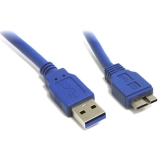
Protect your sensitive data from unauthorized access wherever you go, with this encrypted hard drive enclosure for 2.5" SATA SSDs and HDDs. It encrypts the data on your hard drive and utilizes the latest biometric technology to limit users through fingerprint access. Secure Protection for Your Data The external SSD/HDD enclosure provides reliable protection against data leaks through secure data encryption. It utilizes hardware-based 256-bit encryption, based on the Advanced Encryption Standard (AES-256), one of the most secure encryption methods. Fingerprint Access With the encrypted hard drive enclosure, you can limit data access to pre-authorized individuals, by storing up to eight fingerprints for fingerprint access. There is also one master password making it easy to configure, manage and change fingerprint profiles. Easy and Versatile Portable Storage Add portable external data storage to your USB-A or USB-C laptop or tablet with the encrypted SSD / HDD enclosure (two cables included). The enclosure is powered by the USB port on your device, so no external power is required. Your 2.5" SATA drive (7mm to 9.5 mm in height) slides easily into the sleek and durable aluminum enclosure, ventilated to help ensure an optimum operating temperature. Take the compact enclosure with you anywhere you go - to the office, hospital, lab, or out in the field, to access your data securely. Fast Performance The encrypted drive enclosure supports USB 3.0 transfer speeds up to 5Gbps. The 2.5" SATA hard drive enclosure supports SATA I/II/III, ensuring you can achieve high performance while accessing your SATA SSD externally. The TAA compliant S251BMU3FP is backed by a StarTech.com 5-year warranty and free lifetime technical support.

Main Specification
| General Information | |
| Manufacturer | StarTech.com |
| Manufacturer Part Number | S251BMU3FP |
| Manufacturer Website Address | http://www.startech.com |
| Brand Name | StarTech.com |
| Product Name | Encrypted Hard Drive Enclosure - Fingerprint Access - For 2.5" SATA |
| Packaged Quantity | 1 Each |
| Product Type | Drive Enclosure |
| Technical Information | |
| Number of Hard Drives Supported | 1 |
| Number of Solid State Drive Supported | 1 |
| I/O Expansions | |
| Number of Total Expansion Bays | 1 |
| Number of 2.5" Bays | 1 |
| Network & Communication | |
| Wireless LAN | No |
| UASP Support | No |
| Interfaces/Ports | |
| Drive Interface | SATA/600 |
| Host Interface | USB 3.1 (Gen 1) Micro-B |
| Physical Characteristics | |
| Color Family | Black |
| Product Color | Black |
| Product Material | Aluminum |
| Product Material | Plastic |
| Cooling Fan | No |
| Form Factor | External |
| Height | 0.7" |
| Width | 4.7" |
| Depth | 3" |
| Weight (Approximate) | 3.40 oz |
| Miscellaneous | |
| Package Contents |
|
| Country of Origin | Taiwan |
| TAA Compliant | Yes |
| Environmentally Friendly | Yes |
| Environmental Compliance | Waste Electrical and Electronic Equipment Directive (WEEE) |
| Environmental Compliance | Restriction of Hazardous Substances (RoHS) |
| Environmental Compliance | Registration, Evaluation, Authorization and Restriction of Chemicals (REACH) |
| Warranty | |
| Limited Warranty | 2 Year |
Connector Cables

STARTECH
(USB3AUB15CMS)
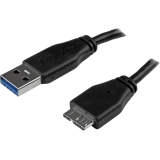
StarTech.com 15cm (6in) Short Slim SuperSpeed USB 3.0 A to Micro B Cable - M/M
StarTech.com 15cm (6in) Short Slim SuperSpeed USB 3.0 A to Micro B Cable - M/M
$13.70

$44.99

$19.57


 WARNING:: The plastic used in cable products can expose you to lead and lead components,
chemicals known to the State of California to cause cancer, birth defects, or other reproductive harm.
For more information go to www.P65Warnings.ca.gov
WARNING:: The plastic used in cable products can expose you to lead and lead components,
chemicals known to the State of California to cause cancer, birth defects, or other reproductive harm.
For more information go to www.P65Warnings.ca.gov