
Image may not reflect the actual item.
Price: $185.07
+ Free Shipping
Quantity:

More to Come
Last Updated: Sep 17, 2026
No Sales Tax except these states
 , PO and Wire.
TRENDnet's 2-Port Dual Monitor DVI KVM Switch, model TK-232DV, allows you to control two computers with one set of console controls. Experience HD resolutions with no driver installation required. The TK-232DV is designed for dual monitor systems with USB mouse and keyboard connections. This dual monitor KVM switch also features a two-port USB hub to share storage devices or printers between computers.

- products.The TK-222DVK 2-Port DVI KVM Switch Kit is backed and supported with 2 years of TRENDnet Manufacturer Protection.
- NDAA COMPLIANT: With our NDAA compliant KVM Switches, you can plan and install networking solutions that Government customers demand today (U.S. and Canada Only)
- HD+: Supports resolutions higher that 1080p HD (up to 2560 x 1600 pixels)
- 2-WAY AUDIO: Full audio support maximizes work station productivity
- CONSOLE CONNECTORS: Emulation Technology supports most advanced keyboard and mouse designs
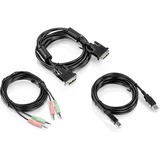
- CABLES INCLUDED: All required cabling included
- DVI-D MONITOR: Designed to connect to a monitor's DVI port and supports a 60 Hz refresh rate
- COMPUTER PORTS: Requires free USB and DVI ports from connected computer
Main Specification
| General Information | |
| Manufacturer | TRENDnet |
| Manufacturer Part Number | TK-232DV |
| Manufacturer Website Address | http://www.trendnet.com |
| Brand Name | TRENDnet |
| Product Model | TK-232DV |
| Product Name | 2-Port Dual Monitor DVI KVM Switch |
| Product Type | KVM Switchbox |
| Technical Information | |
| Number of Computers Supported | 2 |
| Number of Local Users Supported | 1 |
| Video | |
| Maximum Video Resolution | 2048 x 1536 |
| Interfaces/Ports | |
| USB | Yes |
| DVI | Yes |
| Number of USB Ports | 6 |
| Number of DVI Ports | 6 |
| Power Description | |
| Input Voltage | 120 V AC |
| Input Voltage | 230 V AC |
| Input Voltage Range | 100V AC to 240V AC |
| Physical Characteristics | |
| Form Factor | Desktop |
| Height | 3" |
| Width | 7" |
| Depth | 9" |
| Weight (Approximate) | 1.98 lb |
| Miscellaneous | |
| Package Contents |
|
| Country of Origin | Taiwan |
| TAA Compliant | Yes |
| Warranty | |
| Limited Warranty | 2 Year |
Connector Cables


 WARNING:: The plastic used in cable products can expose you to lead and lead components,
chemicals known to the State of California to cause cancer, birth defects, or other reproductive harm.
For more information go to www.P65Warnings.ca.gov
WARNING:: The plastic used in cable products can expose you to lead and lead components,
chemicals known to the State of California to cause cancer, birth defects, or other reproductive harm.
For more information go to www.P65Warnings.ca.gov
