COMNET
COMNET CNFE2MC2C/M 100Mbps Media Converter with 2 Contact Closures Small Size
Mfg Part Number: CNFE2MC2C/M , Item #: 3461108
Image may not reflect the actual item.
Price: $755.64
+ Free Shipping
Quantity:

More to Come
Last Updated: Jun 25, 2026
No Sales Tax except these states
 , PO and Wire.
The ComNet™ CNFE2MC2C/M Ethernet media converter is designed to transmit and receive 10/100 Mbps data and bi-directional contact relay over multimode or single mode optical fiber using sold-separately SFP* modules to select distance and connector type. The electrical interface will AutoNegotiate to a 10 Mbps, or 100 Mbps Ethernet rate without any adjustments. The optical interface operates at a 100 Mbps Ethernet rate.

Main Specification
| General Information | |
| Manufacturer | ACRE |
| Manufacturer Part Number | CNFE2MC2C/M |
| Manufacturer Website Address | http://www.acre-co.com |
| Brand Name | ComNet |
| Product Model | CNFE2MC2C/M |
| Product Name | 10/100 Mbps Ethernet Media Converter |
| Product Type | Transceiver/Media Converter |
| Interfaces/Ports | |
| Total Number of Ports | 1 |
| Network (RJ-45) | Yes |
| DVI | No |
| USB | No |
| Parallel Port | No |
| Digital Audio | No |
| Digital Audio/Video | No |
| Management Port | No |
| Number of Network (RJ-45) Ports | 1 |
| Media & Performance | |
| Media Type Supported | Twisted Pair |
| Maximum Distance Supported | 80 km |
| I/O Expansions | |
| Total Number of Expansion Slots | 1 |
| Expansion Slot Type | SFP |
| Number of SFP Slots | 1 |
| Network & Communication | |
| Ethernet Technology | Fast Ethernet |
| Network Technology | 10/100Base-TX |
| Network Technology | 100Base-FX |
| Power Description | |
| Input Voltage | 220 V AC |
| Input Voltage | 110 V AC |
| Physical Characteristics | |
| Form Factor | Rail-mountable |
| Height | 1.1" |
| Width | 3.7" |
| Depth | 4.1" |
| Miscellaneous | |
| Package Contents |
|
| Certifications & Standards |
|
| Environmentally Friendly | Yes |
| Environmental Compliance | Restriction of Hazardous Substances (RoHS) |
| Environmental Compliance | Waste Electrical and Electronic Equipment Directive (WEEE) |
| Country of Origin | United States |
| Warranty | |
| Limited Warranty | Lifetime |
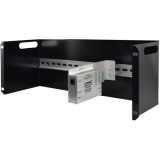
Mounting Kits
 WARNING:: The plastic used in cable products can expose you to lead and lead components,
chemicals known to the State of California to cause cancer, birth defects, or other reproductive harm.
For more information go to www.P65Warnings.ca.gov
WARNING:: The plastic used in cable products can expose you to lead and lead components,
chemicals known to the State of California to cause cancer, birth defects, or other reproductive harm.
For more information go to www.P65Warnings.ca.gov
