STARTECH
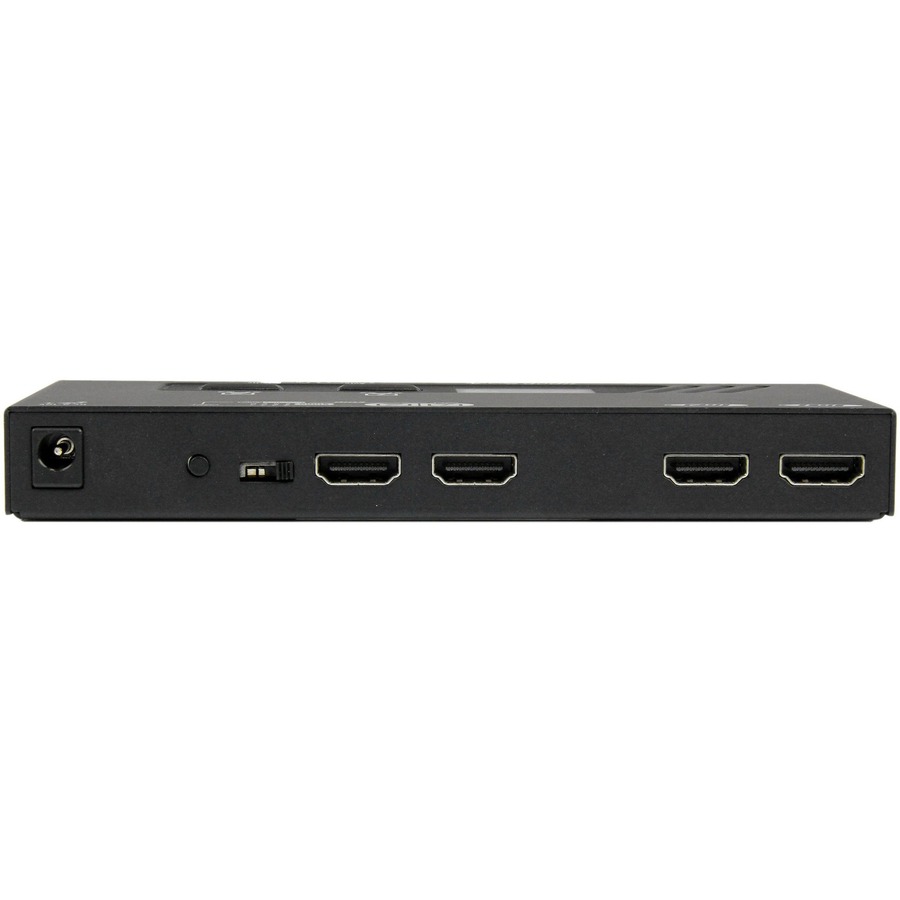
VS222HDQ StarTech.com 2X2 HDMI Matrix Switch w/ Automatic and Priority Switching - 1080p
Mfg Part Number: VS222HDQ , Item #: 1680522
Image may not reflect the actual item.
Price: $154.99
+ Free Shipping
Quantity:

In Stock: 191
Last Updated: Apr 09, 2026
No Sales Tax except these states
 , PO and Wire.
Save time and hassle by automatically switching between your HDMI audio/video sources, using the VS222HDQ 2X2 HDMI Matrix Switcher.This easy-to-use HDMI Matrix switch ensures seamless transition while switching video and display sources, with EDID copymaintaining your video resolution. Seamless Signal Selection Ensure seamless transition while switching video sources, with EDID copymaintaining native resolution with support for 1080p. Video connection emulation ensures the settings on any connected computers are not disrupted while switching to a different video source. Effortless Control Save time by connecting two HDMI video source devices to two independent HDMI displays instead of manually connecting individual cables. Mounting hardware is also included for a tidy, professional installation. Versatile Switching Options Enjoy hassle-free operation with four different switching modes: Automatic port selection: Enables your most recently activated video source to be displayed automatically. Priority port selection:Prioritizes input number two above input number one. If the video source connected to input number two is activated that source will be displayed. Matrix port selection:Independently switch two displays between two video sources. Manual port selection:Enables you to manually select your HDMI source with easy-to-use front panel buttons. This product is TAA compliant and backed by a Startech.com 2 warranty with lifetime technical support More from the Manufacturer

Main Specification
| General Information | |
| Manufacturer | StarTech.com |
| Manufacturer Part Number | VS222HDQ |
| Manufacturer Website Address | http://www.startech.com |
| Brand Name | StarTech.com |
| Product Name | 2X2 HDMI Matrix Switch w/ Automatic and Priority Switching - 1080p |
| Packaged Quantity | 1 Each |
| Product Type | Audio/Video Switchbox |
| Technical Information | |
| Connectivity Technology | Cable |
| Number of Input Devices Supported | 2 |
| Device Supported | Set-top Box |
| Device Supported | Blu-ray Disc Player |
| Device Supported | Gaming Console |
| Device Supported | Display |
| Number of Displays Supported | 2 |
| Video | |
| Graphics Modes | Full HD |
| Maximum Video Resolution | 1920 x 1200 |
| Interfaces/Ports | |
| HDMI In | Yes |
| HDMI Out | Yes |
| Number of HDMI Inputs | 2 |
| Number of HDMI Outputs | 2 |
| Media & Performance | |
| Maximum Operating Distance | 32.81 ft |
| Physical Characteristics | |
| Color Family | Black |
| Product Color | Black |
| Form Factor | Rack-mountable |
| Height | 0.8" |
| Width | 2.6" |
| Depth | 6.2" |
| Weight (Approximate) | 10.23 oz |
| Miscellaneous | |
| Package Contents |
|
| Environmentally Friendly | Yes |
| Country of Origin | Taiwan |
| TAA Compliant | Yes |
| Warranty | |
| Limited Warranty | 2 Year |


 WARNING:: The plastic used in cable products can expose you to lead and lead components,
chemicals known to the State of California to cause cancer, birth defects, or other reproductive harm.
For more information go to www.P65Warnings.ca.gov
WARNING:: The plastic used in cable products can expose you to lead and lead components,
chemicals known to the State of California to cause cancer, birth defects, or other reproductive harm.
For more information go to www.P65Warnings.ca.gov
