STARTECH
SV565UTPHDU StarTech.com USB HDMI over Cat 5e / Cat 6 KVM Console Extender w/ 1080p Uncompressed Video - 330ft (100m)
Mfg Part Number: SV565UTPHDU , Item #: 1647257
Image may not reflect the actual item.
Price: $1,039.99
Quantity:

In Stock: 98
Last Updated: Sep 12, 2026
No Sales Tax except these states
 , PO and Wire.
The SV565UTPHDU USB HDMI® KVM Extender lets you control a PC from up to 330ft (100m) away over a single Cat 5e or Cat 6 cable connection, with uncompressed 1080p HDMI video and access to up to 3 connected USB devices. A flexible solution for powering large high-definition displays remotely, this HDMI USB extender supports uncompressed 1080p or 1920x1200 video resolutions at maximum distance. Additional features such as 3Dsupport, HDCP, CEC and Lip Sync pass-through enable you to display your content exactly as you need it on the remote display. This versatile KVM console extender can be connected to a single system, or cascaded to an existing KVM switch for remote operation of multiple systems, and features 3 USB 2.0 ports on the remote end, allowing you to connect a keyboard, mouse, printer or other peripherals. Since the extender uses Cat 5e (or better) network cable, you have the option to use existing infrastructure wiring, which helps avoid the hassle and expense of running bulky video cables. Backed by a StarTech.com 2-year warranty and free lifetime technical support. More from the Manufacturer

Main Specification
| General Information | |
| Manufacturer | StarTech.com |
| Manufacturer Part Number | SV565UTPHDU |
| Manufacturer Website Address | http://www.startech.com |
| Brand Name | StarTech.com |
| Product Name | KVM Console/Extender |
| Packaged Quantity | 1 Kit |
| Product Type | KVM Console/Extender |
| Technical Information | |
| Connectivity Technology | Wired |
| Number of Computers Supported | 1 |
| Number of Local Users Supported | 1 |
| Maximum Operating Distance | 330 ft |
| Video | |
| Graphic Mode | WUXGA |
| Maximum Video Resolution | 1920 x 1200 |
| Interfaces/Ports | |
| Network (RJ-45) | Yes |
| USB | Yes |
| HDMI | Yes |
| Number of HDMI Ports | 2 |
| Number of Network (RJ-45) Ports | 2 |
| Number of USB Ports | 6 |
| Power Description | |
| Input Voltage | 240 V AC |
| Input Voltage | 120 V AC |
| Input Voltage Range | 100V AC to 240V AC |
| Power Consumption | 15 W |
| Physical Characteristics | |
| Color Family | Black |
| Product Color | Black |
| Transmitter Height | 1.20" |
| Transmitter Width | 4.40" |
| Transmitter Depth | 6.90" |
| Receiver Height | 1.20" |
| Receiver Width | 4.40" |
| Receiver Depth | 6.90" |
| Transmitter Weight (Approximate) | 1.87 lb |
| Receiver Weight (Approximate) | 1.87 lb |
| Miscellaneous | |
| Package Contents |
|
| Certifications & Standards |
|
| Environmentally Friendly | Yes |
| Country of Origin | Canada |
| Warranty | |
| Limited Warranty | 2 Year |
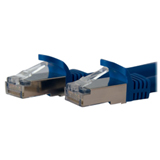
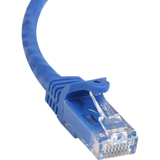
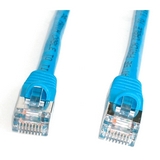
Connector Cables



 WARNING:: The plastic used in cable products can expose you to lead and lead components,
chemicals known to the State of California to cause cancer, birth defects, or other reproductive harm.
For more information go to www.P65Warnings.ca.gov
WARNING:: The plastic used in cable products can expose you to lead and lead components,
chemicals known to the State of California to cause cancer, birth defects, or other reproductive harm.
For more information go to www.P65Warnings.ca.gov
