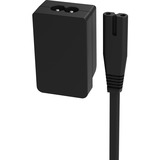
THE OFFICIAL 1.8M AIRTAME EXTENSION CORD
Airtame offers the Extension Cord, a power extension accessory kit for the Airtame 2 power supply unit. Included in the accessory pack is an IEC adapter for the Airtame 2 Power Supply Unit (PSU) and an extension cord with standard regional plug. Extending the power on the DC side of the PSU using a USB extender can cause significant power drops, increasing the probability that the Airtame 2 will not receive enough power to function properly. The
Extension Cord accessory extends the power on the AC side of the PSU by using standard IEC C7/C8 connections to provide the most optimal and flexible power extension. This accessory provides the benefit of a more flexible setup in three ways: 1) The 1.8m (approx. 6 feet) extension cord triples the reach of the power cable of the Airtame 2 Aircord. 2) Using the IEC adapter to extend the power means the PSU can be placed more freely and help get around physical constraints, e.g., lack of space behind a TV setup. 3) Achieve ultimate flexibility - if you need to extend the cable by more than the 1.8m that comes in the accessory pack, it's easy to attach the IEC(C8) adapter (included in this pack) to the Airtame PSU in order to connect a standard IEC (C7) power cable of your choice.

1 YEAR (ADDITIONAL/RENEWAL) SOFTWARE FOR AIRTAME HYBRID CONFERENCING SOLUTION

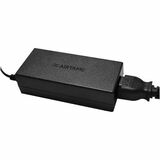
AIRTAME HYBRID CONFERENCING SOLUTION POWER SUPPLY BOX. 1-YEAR WARRANTY
The Power Adapter is not included with the purchase of an Airtame Hub device. Built-in POE+ is the standard power option for the device.
AIRTAME HYBRID - CREDIT FOR RENEWAL OF 1 LICENSE, 1 YEAR. FOR AIRTAME HUB HYBRID
AIRTAME CORE FOR EDUCATION CUSTOMERS - CREDIT FOR RENEWAL OF 1 LICENSE, 1 YEAR
AIRTAME CORE LICENSE FOR EDUCATION CUSTOMERS - 1 LICENSE, 1 YEAR DURATION
AIRTAME HYBRID LICENSE - 1 LICENSE, 1 YEAR DURATION. FOR AIRTAME HUB HYBRID HARD

Micro USB to Ethernet
- Quicker Airtame setup with automatic device configuration
- Easier Airtame management with Airtame Cloud connection

AIRTAME HUB WIRELESS PRESENTATION AND DIGITAL SIGNAGE SYSTEM, 3-YEAR AIRTAME COR

AIRTAME 3 HARDWARE INCLUDING A 3 YEAR CORE LICENSE AND 3 YEAR WARRANTY, FOR SCRE
Turn every screen into a communication tool
Airtame 3 makes it easy to share your screen and show relevant signage content - without switching inputs or plugging in cables. The Airtame device connects to any display via HDMI and supports Power over Ethernet (PoE+) for a stable, hardwired setup. Built for shared spaces like classrooms, meeting rooms, and common areas, Airtame 3 gives teams a consistent way to present and communicate. You can manage screens remotely through Airtame Cloud, push out updates, and schedule content across locations.
Screen sharing
Screen share from any device, Laptop, tablet, or phone
Share browser tab, window, or whole screen
Share directly from the browser without an app
Native protocols (Miracast, AirPlay, Google Cast)
Video and Audio sharing
Digital signage
Make playlists of 3rd party signage content
Integrations to Google Slides, PowerPoint, Canva, Power BI, and many more
Customize the home screen with meeting room status and instructions for sharing
Schedule content to appear at certain times
Support vertical aspect ratios
Remote management
Access Airtame screens from anywhere in the world
Schedule power management and automatic firmware updates
Troubleshoot signage using live view of the screen
Organize Airtame screens in groups
Receive device alert when devices go offline
Emergency Alerts
Interrupt screens sharing and video calls with emergency alerts
Supported with APIs for easy integration to CAP and custom setups
Already works with Raptop, CrisisGo, InformaCast, Omnilert, and more
Show custom All clear messages when the emergency is over
Trigger using Airtame Cloud
2 YEAR HYBRID LICENSE EXTENSION. THIS IS AN ADD-ON PRODUCT FOR AIRTAME 3 HYBRID
3 YEAR AIRTAME CORE LICENSE. CAN BE USED FOR VIRTUAL AIRTAME, OR AN UNLICENSED A
5 YEAR AIRTAME CORE LICENSE. CAN BE USED FOR VIRTUAL AIRTAME, OR AN UNLICENSED A
5 YEAR AIRTAME CORE FOR EDUCATION LICENSE RENEWAL
