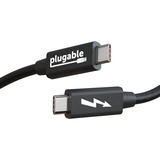
PLUGABLE WINDOWS TRANSFER CABLE PLUGABLE WINDOWS TBT TRANSFER CABLE
Transferring files from your old computer to your new computer has traditionally been measured in hours. And depending on the size of the transfer, it could easily take longer still.
With the new Thunderbolt Transfer Cable from Plugable (TBT-TRAN), you can transfer the contents of one computer to another at speeds of up to 10Gbps. That means 1TB of data can move between computers in minutes rather than hours.
Let's take a look at a couple of ways you can transfer files. Cloud Storage is a popular option. You simply upload everything to a service like Google Drive or OneDrive.
Depending on your connection to the World Wide Web, that's going to take somewhere between several hours and the entire day. Everything uploaded? Great, now you're ready to download to the new computer. Hopefully you planned accordingly, because you're looking at another large chunk of your day dedicated to the task.
Using an external hard drive is a fine route to take. Of course, if you don't already have a drive large enough to hold all of your data in one go, things can get complicated. And even if you do have a big enough drive, you're still spending a lot of time waiting around. Cable transfer really is the most efficient way to get everything moved over.
If it was as easy as just tethering two computers with a cord, then just any old cord would do. But the data cable only dictates the speed at which the data can flow. And while a well-built Thunderbolt cable is your fastest bet, you still need a software solution. The Plugable TBT-TRAN comes bundled with a license for Easy Computer Sync software by Bravura.
With Easy Computer Sync, and the included Thunderbolt data transfer cable pc to pc, securely transfer your important files between two Thunderbolt 3 / Thunderbolt 4 or USB4-equipped Windows computers. No external hard drive necessary, and after you've downloaded the software, you won't need an internet connection either. The product key is connected directly to the cable-so you won't lose it-and comes with unlimited transfers of unlimited data across an unlimited number of computers.
The TBT-TRAN is all about ease of use. If you have two Windows computers with Thunderbolt 4 / 3, or USB4 ports, you can transfer files between them.
Not compatible with USB-C ports without Thunderbolt or USB 2.0/3.0 ports.
And, while the TBT-TRAN is more than just a Thunderbolt cable, when you aren't using it to transfer files between computers, you can still use it as just a Thunderbolt cable (40 Gbps).

PLUGABLE WINDOWS TRANSFER CABLE PLUGABLE WINDOWS TBT TRANSFER CABLE
Transferring files from your old computer to your new computer has traditionally been measured in hours. And depending on the size of the transfer, it could easily take longer still.
With the new Thunderbolt Transfer Cable from Plugable (TBT-TRAN), you can transfer the contents of one computer to another at speeds of up to 10Gbps. That means 1TB of data can move between computers in minutes rather than hours.
Let's take a look at a couple of ways you can transfer files. Cloud Storage is a popular option. You simply upload everything to a service like Google Drive or OneDrive.
Depending on your connection to the World Wide Web, that's going to take somewhere between several hours and the entire day. Everything uploaded? Great, now you're ready to download to the new computer. Hopefully you planned accordingly, because you're looking at another large chunk of your day dedicated to the task.
Using an external hard drive is a fine route to take. Of course, if you don't already have a drive large enough to hold all of your data in one go, things can get complicated. And even if you do have a big enough drive, you're still spending a lot of time waiting around. Cable transfer really is the most efficient way to get everything moved over.
If it was as easy as just tethering two computers with a cord, then just any old cord would do. But the data cable only dictates the speed at which the data can flow. And while a well-built Thunderbolt cable is your fastest bet, you still need a software solution. The Plugable TBT-TRAN comes bundled with a license for Easy Computer Sync software by Bravura.
With Easy Computer Sync, and the included Thunderbolt data transfer cable pc to pc, securely transfer your important files between two Thunderbolt 3 / Thunderbolt 4 or USB4-equipped Windows computers. No external hard drive necessary, and after you've downloaded the software, you won't need an internet connection either. The product key is connected directly to the cable-so you won't lose it-and comes with unlimited transfers of unlimited data across an unlimited number of computers.
The TBT-TRAN is all about ease of use. If you have two Windows computers with Thunderbolt 4 / 3, or USB4 ports, you can transfer files between them.
Not compatible with USB-C ports without Thunderbolt or USB 2.0/3.0 ports.
And, while the TBT-TRAN is more than just a Thunderbolt cable, when you aren't using it to transfer files between computers, you can still use it as just a Thunderbolt cable (40 Gbps).
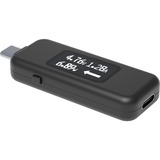
USB-C POWER METER TESTER 240W PLUGABLE USB-C POWER METER TESTER
For a multimeter, the Plugable USB-C Amperage and Voltage Tester (USBC-VAMETER3) manages to fit a lot of useful features into a sturdy little package. About the size of a USB flash drive, this bidirectional USB tester allows for full USB data passthrough while it monitors USB-C power and charging, measures voltage and amperage, even visualizes the directional flow of electrical current-all in real time.
Connect the USBC-VAMETER3 inline between a USB-C host system like a laptop, tablet, or cell phone and a charger to use it as a USB voltage meter or power consumption meter. An updated OLED screen means a brighter and easier-to-read display in any lighting conditions, and a new orientation button lets you flip the screen with a click.
How it works:
This meter is a transparent interposer-it should not interfere with the USB data (1.1 through 3.1 Gen 2), USB-C Alternate Mode video, or USB-C charging. The meter can be used in-line with USB-C docking stations, chargers, and other USB-C accessories. The meter is able to achieve this without interfering with normal USB-C operation as it only taps into the power (VBUS) and ground connections to measure values and leaves the data lines untouched.
Common uses:
Connecting between a USB-C host system like a laptop, tablet, or cell phone and a charger to monitor charge information.
Connecting between a USB-C host and docking station to monitor charge information.
Connecting between a USB-C host system and a USB-C bus powered accessory like an external hard drive, flash drive, etc to measure power draw of a device.
Testing for USB-C port spec compliance such as a VBUS hot condition, voltage drop under load, etc.
Important notes:
This meter is not meant to replace professional USB-C test equipment, it is designed for quick/easy measurements for users of any skill level.
Not compatible with Intel Thunderbolt 3 devices.
Specifications:
Meter is bidirectional and can be connected in any direction
Supports 4.5-50V, 50mA-6.5A operating range
Support USB-PD R3.1 Extended Power Range (101W-240W)
Supports all USB data (1.1 through 3.1 Gen 2)
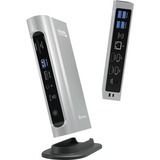
PLUGABLE TBT4 QUAD DOCK 100W THUNDERBOLT 4 QUAD DOCKING STATION
The Thunderbolt Certified 16-in-1 Quad docking station from Plugable delivers peak performance. The innovation starts with our display connections. Connect your 4K screens through 2x HDMI ports and 2x DisplayPort ports - a rare level of display flexibility in a Thunderbolt dock. But the real expansion picks up at the ports. Offering sixteen total ports to park your peripherals, including 7x USB ports, SD and microSD card readers, Audio, and 2.5Gbps Ethernet. It even adapts to your desk with an included stand for vertical or horizontal orientation options.
Quad Display
With this Thunderbolt 4 docking station Windows computers can use the 2x HDMI ports, and 2x DisplayPort ports to connect as many as 4x screens at up to 4K 60Hz. Can also be used a single, dual, or triple display docking station.
On Mac (Intel, M1 / M2 / M3 Pro/Max, M4/ Pro/Max CPU), extend your desktop to 2x screens using any combination of HDMI and/or DisplayPort. Macs with an M1 / M2 / M3 CPU only support one external display.
100W Power Delivery
The laptop Thunderbolt docking station offers USB Power Delivery up to 100W (98W certified) - no more climbing under the desk to get plugged in.
Not all laptop docking stations handle power the same. With the TBT4-UDZ, if your laptop needs less power, the docking station adjusts and only sends the optimal wattage.
And with 6x available USB ports, and one USB-C port, your devices will always have a place to connect.
Compatibility
The TBT4-UDZ is compatible with *Windows 10 and later and **macOS 11+.
Actual number of screens that can be extended depends on capabilities of the host computer. Be sure to see the Display Compatibility Chart below.
*On some Windows laptops, enabling four displays may require a Windows settings change to disable the internal screen.
**On Macs, additional monitors beyond specs below may not function, and/or will ""mirror"" rather than extend.
PLUGABLE TBT4 QUAD DOCK 100W THUNDERBOLT 4 QUAD DOCKING STATION
The Thunderbolt Certified 16-in-1 Quad docking station from Plugable delivers peak performance. The innovation starts with our display connections. Connect your 4K screens through 2x HDMI ports and 2x DisplayPort ports - a rare level of display flexibility in a Thunderbolt dock. But the real expansion picks up at the ports. Offering sixteen total ports to park your peripherals, including 7x USB ports, SD and microSD card readers, Audio, and 2.5Gbps Ethernet. It even adapts to your desk with an included stand for vertical or horizontal orientation options.
Quad Display
With this Thunderbolt 4 docking station Windows computers can use the 2x HDMI ports, and 2x DisplayPort ports to connect as many as 4x screens at up to 4K 60Hz. Can also be used a single, dual, or triple display docking station.
On Mac (Intel, M1 / M2 / M3 Pro/Max, M4/ Pro/Max CPU), extend your desktop to 2x screens using any combination of HDMI and/or DisplayPort. Macs with an M1 / M2 / M3 CPU only support one external display.
100W Power Delivery
The laptop Thunderbolt docking station offers USB Power Delivery up to 100W (98W certified) - no more climbing under the desk to get plugged in.
Not all laptop docking stations handle power the same. With the TBT4-UDZ, if your laptop needs less power, the docking station adjusts and only sends the optimal wattage.
And with 6x available USB ports, and one USB-C port, your devices will always have a place to connect.
Compatibility
The TBT4-UDZ is compatible with *Windows 10 and later and **macOS 11+.
Actual number of screens that can be extended depends on capabilities of the host computer. Be sure to see the Display Compatibility Chart below.
*On some Windows laptops, enabling four displays may require a Windows settings change to disable the internal screen.
**On Macs, additional monitors beyond specs below may not function, and/or will ""mirror"" rather than extend.

1M PLUGABLE USB4 240W EPR CABLE USB4 240W EPR CABLE 3.3FT
Incredibly fast 40Gbps data transfer speeds and support for two 4K screens or one 8K screen is just the start. With Extended Power Range (EPR), this cable is built with the future in mind and can deliver up to 240W. And because it's USB-IF Certified, it can be used as a Thunderbolt 3 cable in your Thunderbolt 3 dock - and that's true for USB4, and USB-C, too.
240W Extended Power Range
When we say this cord offers Extended Power Range (EPR), we mean it can carry up to 240W, unlike previous generations of cables that max out at 100W.
For many, this will be considered a fast charging option. And that's no surprise, because with 240W, you can power just about any laptop on the market, and what's to come.
As more devices begin to integrate EPR functionality, you'll find this cable has you future-proofed.
USB-IF Certified
Often overlooked, the cables connecting our computers to their peripherals have an important part to play. That's why our USB4 EPR cables are USB-IF Certified, it's the only official way to ensure you're getting complete compatibility and reliability. That means this data transfer cable with speeds up to 40Gbps, 240W 48V/5A EPR, is backward compatible with previous generations of Thunderbolt and USB.
Future-Proof with USB4
Thunderbolt 4, USB4, or USBC to USBC cable, what is it? All of the above. And a little more.
This cable is USB-IFcertified, and that comes with some incredible benefits. Thunderbolt 4, Thunderbolt 3, USB4, or USB-C, it doesn't matter, The Plugable Thunderbolt 4 EPR cable will work. Even at a full meter (3.3ft), you won't see a decrease in performance.
It should be noted that actual performance is determined by the capabilities of the host and peripheral(s).
1M PLUGABLE USB4 240W EPR CABLE USB4 240W EPR CABLE 3.3FT
Incredibly fast 40Gbps data transfer speeds and support for two 4K screens or one 8K screen is just the start. With Extended Power Range (EPR), this cable is built with the future in mind and can deliver up to 240W. And because it's USB-IF Certified, it can be used as a Thunderbolt 3 cable in your Thunderbolt 3 dock - and that's true for USB4, and USB-C, too.
240W Extended Power Range
When we say this cord offers Extended Power Range (EPR), we mean it can carry up to 240W, unlike previous generations of cables that max out at 100W.
For many, this will be considered a fast charging option. And that's no surprise, because with 240W, you can power just about any laptop on the market, and what's to come.
As more devices begin to integrate EPR functionality, you'll find this cable has you future-proofed.
USB-IF Certified
Often overlooked, the cables connecting our computers to their peripherals have an important part to play. That's why our USB4 EPR cables are USB-IF Certified, it's the only official way to ensure you're getting complete compatibility and reliability. That means this data transfer cable with speeds up to 40Gbps, 240W 48V/5A EPR, is backward compatible with previous generations of Thunderbolt and USB.
Future-Proof with USB4
Thunderbolt 4, USB4, or USBC to USBC cable, what is it? All of the above. And a little more.
This cable is USB-IFcertified, and that comes with some incredible benefits. Thunderbolt 4, Thunderbolt 3, USB4, or USB-C, it doesn't matter, The Plugable Thunderbolt 4 EPR cable will work. Even at a full meter (3.3ft), you won't see a decrease in performance.
It should be noted that actual performance is determined by the capabilities of the host and peripheral(s).
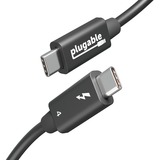
3.3FT PLUGABLE TBT4 240W EPR CABLE THUNDERBOLT 4 240W EPR CABLE
Incredibly fast 40Gbps data transfer speeds and support for two 4K screens or one 8K screen is just the start. With Extended Power Range (EPR), this cable is built with the future in mind and can deliver up to 240W. And because it's Thunderbolt Certified, it can be used as a Thunderbolt 3 cable in your Thunderbolt 3 dock-and that's true for USB-C and USB4, too.
240W Extended Power Range
When we say this cord offers Extended Power Range (EPR), we mean it can carry up to 240W, unlike previous generations of cables that max out at 100W.
For many, this will be considered a usb c charger cable fast charging option. And that's no surprise, because with 240W, you can power just about any laptop on the market, and those to come.
As more devices begin to integrate EPR functionality, you'll find this cable has you future-proofed.
Thunderbolt Certified
Often overlooked, the cables connecting our computers to their peripherals have an important part to play. That's why our Thunderbolt 4 EPR cables are Thunderbolt Certified, it's the only official way to ensure you're getting complete compatibility and reliability. That means this data transfer cable with speeds up to 40Gbps, 240W 48V/5A EPR, is backward compatibility with previous generations of Thunderbolt and USB.
Future-Proof with Thunderbolt 4
Thunderbolt 4, USB4, or USBC to USBC cable, what is it? All of the above. And a little more.
This cable is Thunderbolt 4 certified, and that comes with some incredible benefits. Thunderbolt 4, Thunderbolt 3, USB4, or USB-C, it doesn't matter, the Plugable Thunderbolt 4 EPR cable will work. Even at a full meter (3.3ft), you won't see a decrease in performance.
It should be noted that actual performance is determined by the capabilities of the host and peripheral(s).
3.3FT PLUGABLE TBT4 240W EPR CABLE THUNDERBOLT 4 240W EPR CABLE
Incredibly fast 40Gbps data transfer speeds and support for two 4K screens or one 8K screen is just the start. With Extended Power Range (EPR), this cable is built with the future in mind and can deliver up to 240W. And because it's Thunderbolt Certified, it can be used as a Thunderbolt 3 cable in your Thunderbolt 3 dock-and that's true for USB-C and USB4, too.
240W Extended Power Range
When we say this cord offers Extended Power Range (EPR), we mean it can carry up to 240W, unlike previous generations of cables that max out at 100W.
For many, this will be considered a usb c charger cable fast charging option. And that's no surprise, because with 240W, you can power just about any laptop on the market, and those to come.
As more devices begin to integrate EPR functionality, you'll find this cable has you future-proofed.
Thunderbolt Certified
Often overlooked, the cables connecting our computers to their peripherals have an important part to play. That's why our Thunderbolt 4 EPR cables are Thunderbolt Certified, it's the only official way to ensure you're getting complete compatibility and reliability. That means this data transfer cable with speeds up to 40Gbps, 240W 48V/5A EPR, is backward compatibility with previous generations of Thunderbolt and USB.
Future-Proof with Thunderbolt 4
Thunderbolt 4, USB4, or USBC to USBC cable, what is it? All of the above. And a little more.
This cable is Thunderbolt 4 certified, and that comes with some incredible benefits. Thunderbolt 4, Thunderbolt 3, USB4, or USB-C, it doesn't matter, the Plugable Thunderbolt 4 EPR cable will work. Even at a full meter (3.3ft), you won't see a decrease in performance.
It should be noted that actual performance is determined by the capabilities of the host and peripheral(s).

PLUGABLE 8-IN-1 USB C DOCKING STATION FOR IPAD WITH STAND, 100W PASS-THROUGH CHA
Your mobile device is nearly (if not more) powerful than your laptop. And, while its portability is impressive, that doesn't mean you shouldn't add an HDMI screen, a couple of USB 3.0 ports, SD expansion, 100W pass-through charging, and a trusty audio jack when you're working at a desk.
The Little Screen Becomes the Big Screen The Plugable USB-C Docking Station with Tablet Stand or Phone Stand (UDS-7IN1) adds functionality to your Windows tablet, M1 or M2 iPad Air or iPad Pro. Let's start with your screen, when it comes time to get actual work done, the pinch and zoom will only get you so far. Extend to a bigger screen with a 4K 30Hz capable HDMI port. It's like going from fun-sized to full-sized.
8-IN-1 Your content is looking real sharp on that big, 4K screen, but a bigger screen is just the start. What if you could add a real keyboard? And a real mouse? Then you'd be ready to get some real work done.
In addition to the 4K HDMI port, this hub lets you power up with 100W pass-through charging (91W output), add a mouse and keyboard (or whatever you need) to the two USB 3.0 (5Gbps) ports, expand with SD and MicroSD ports, and tune out with the audio jack.
Hub and Stand in One As a hub, you get port expansion. As a stand, you get solid aluminum construction that manages to be incredibly durable and still light enough to carry with you. But don't let its potential for portability fool you, the UDS-7IN1 still has just enough heft to hoist your iPad Pro 12.9. And the feeling of quality continues through to the henges, too. With enough tension to stay put when you tap away at the screen, you might be surprised by the satisfying slide you experience when adjusting the stand for the perfect angle. And if you do decide to take it with you, the UDS-7IN1 folds flat enough to fit in your bag.
PLUGABLE 8-IN-1 USB C DOCKING STATION FOR IPAD WITH STAND, 100W PASS-THROUGH CHA
Your mobile device is nearly (if not more) powerful than your laptop. And, while its portability is impressive, that doesn't mean you shouldn't add an HDMI screen, a couple of USB 3.0 ports, SD expansion, 100W pass-through charging, and a trusty audio jack when you're working at a desk.
The Little Screen Becomes the Big Screen The Plugable USB-C Docking Station with Tablet Stand or Phone Stand (UDS-7IN1) adds functionality to your Windows tablet, M1 or M2 iPad Air or iPad Pro. Let's start with your screen, when it comes time to get actual work done, the pinch and zoom will only get you so far. Extend to a bigger screen with a 4K 30Hz capable HDMI port. It's like going from fun-sized to full-sized.
8-IN-1 Your content is looking real sharp on that big, 4K screen, but a bigger screen is just the start. What if you could add a real keyboard? And a real mouse? Then you'd be ready to get some real work done.
In addition to the 4K HDMI port, this hub lets you power up with 100W pass-through charging (91W output), add a mouse and keyboard (or whatever you need) to the two USB 3.0 (5Gbps) ports, expand with SD and MicroSD ports, and tune out with the audio jack.
Hub and Stand in One As a hub, you get port expansion. As a stand, you get solid aluminum construction that manages to be incredibly durable and still light enough to carry with you. But don't let its potential for portability fool you, the UDS-7IN1 still has just enough heft to hoist your iPad Pro 12.9. And the feeling of quality continues through to the henges, too. With enough tension to stay put when you tap away at the screen, you might be surprised by the satisfying slide you experience when adjusting the stand for the perfect angle. And if you do decide to take it with you, the UDS-7IN1 folds flat enough to fit in your bag.
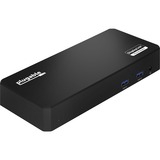
PLUGABLE USB C TRIPLE DISPLAY DOCKING STATION W/ LAPTOP CHARGING
The Plugable UD-3900PDZ is a universal USB-C docking station designed for enterprise deployment, remote work, and hybrid office environments. Supporting up to three HDMI displays, 100W laptop charging, wired networking, and six USB 3.0 devices all through a single USB-C cable this dock enables flexible, clutter-free workstations across a wide range of laptop brands and operating systems.
Key Features:
Display Support, made clear:
1x HDMI (Alt Mode): Direct connection to the host GPU via USB C DisplayPort Alternate Mode. Ideal for video playback, general applications, and low latency use.
2x HDMI (DisplayLink): USB-based graphics for extending additional monitors even on systems that natively support only one display (like M1/M2 Macs). Great for office tasks, web use, and productivity workflows. Not recommended for high frame rate video, 3D design, or gaming.
Built for Deployment
This DisplayLink docking station for multi-monitor support is tested across Dell, HP, Lenovo, and Apple MacBooks and is ideal for organizations standardizing across mixed fleets. Using DisplayLink, IT teams can deploy this dock at scale with pre-installed drivers or silent installation tools. Windows typically auto-installs the driver when connected for the first time.
This dock is optimized for modern USB-C laptops and is not compatible with:
macOS versions 10.13.6 and older
Phones, iPads, or Android tablets
Systems with ASMedia USB 3.1 controllers (do not support Alt Mode)
Desktop computers (not recommended)
HDCP/Blu-ray playback not supported. Not for use with non-DisplayLink USB graphics (e.g., MCT, j5create).
In the Box
UD-3900PDZ Dock (Compact Form Factor: 7.87""L × 3.3""W × 1.2""H, suitable for desk deployment), 0.8m USB-C cable, 135W power adapter (US plug)
Backed by Plugable's Compatibility Guarantee, 2-Year Warranty, and Lifetime North American-based support. A scalable, reliable, IT-ready docking solution for modern workforces.
PLUGABLE USB C TRIPLE DISPLAY DOCKING STATION W/ LAPTOP CHARGING
The Plugable UD-3900PDZ is a universal USB-C docking station designed for enterprise deployment, remote work, and hybrid office environments. Supporting up to three HDMI displays, 100W laptop charging, wired networking, and six USB 3.0 devices all through a single USB-C cable this dock enables flexible, clutter-free workstations across a wide range of laptop brands and operating systems.
Key Features:
Display Support, made clear:
1x HDMI (Alt Mode): Direct connection to the host GPU via USB C DisplayPort Alternate Mode. Ideal for video playback, general applications, and low latency use.
2x HDMI (DisplayLink): USB-based graphics for extending additional monitors even on systems that natively support only one display (like M1/M2 Macs). Great for office tasks, web use, and productivity workflows. Not recommended for high frame rate video, 3D design, or gaming.
Built for Deployment
This DisplayLink docking station for multi-monitor support is tested across Dell, HP, Lenovo, and Apple MacBooks and is ideal for organizations standardizing across mixed fleets. Using DisplayLink, IT teams can deploy this dock at scale with pre-installed drivers or silent installation tools. Windows typically auto-installs the driver when connected for the first time.
This dock is optimized for modern USB-C laptops and is not compatible with:
macOS versions 10.13.6 and older
Phones, iPads, or Android tablets
Systems with ASMedia USB 3.1 controllers (do not support Alt Mode)
Desktop computers (not recommended)
HDCP/Blu-ray playback not supported. Not for use with non-DisplayLink USB graphics (e.g., MCT, j5create).
In the Box
UD-3900PDZ Dock (Compact Form Factor: 7.87""L × 3.3""W × 1.2""H, suitable for desk deployment), 0.8m USB-C cable, 135W power adapter (US plug)
Backed by Plugable's Compatibility Guarantee, 2-Year Warranty, and Lifetime North American-based support. A scalable, reliable, IT-ready docking solution for modern workforces.
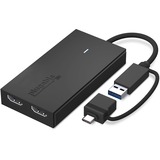
PLUGABLE USBC - HDMI ADAPTER DUAL MONITOR VIDEO GRAPHICS ADAPTER
Adding more screens to your computer should not be complicated and even if your system lacks enough video ports the Plugable Universal Video Graphics Adapter for USB 3.0 to HDMI Adapter (UGA-HDMI-2S) keeps things simple. With a single USB to HDMI Adapter for Monitor expand a single USB connection to two monitors. An affordable HDMI splitter for dual monitor solution compared to a docking station.
Expandable Displays
With the single UGA-HDMI-2S, easily connect two HDMI monitors. With multiple USB to HDMI Adapter for Mac can be combined for up to 4 displays. On Windows machines, combine multiple adapters to add up to 8 monitors. On a Mac, combine multiple adapters to add up to 4 monitors.
Full HD Compatibility
Connect multiple 1920x1080p @60hz monitors through a USB 3.0 port or USB-C, or even a Thunderbolt port. Extend or mirror multiple monitors even when adding multiple HDMI dual monitor adapter.
Connection Options
This dual monitor adapter can connect to a USB 3.0, USB-C, or Thunderbolt port. It can even work when connected to a USB 3.0 hub. The USB-C adapter is key-chained to the graphics adapter so it's always on hand.
The Fine Print
Silicon Motion software is a versatile software that enables you to be more productive by adding additional displays through USB 3.0 ports. The HDMI adapter for dual monitors does not support the playback of HDCP-protected content on streaming sites like Netflix and Hulu. Have specific app that you would like to see if it is compatible with the dual monitor adapter? Contact our support team for assistance.
PLUGABLE USBC - HDMI ADAPTER DUAL MONITOR VIDEO GRAPHICS ADAPTER
Adding more screens to your computer should not be complicated and even if your system lacks enough video ports the Plugable Universal Video Graphics Adapter for USB 3.0 to HDMI Adapter (UGA-HDMI-2S) keeps things simple. With a single USB to HDMI Adapter for Monitor expand a single USB connection to two monitors. An affordable HDMI splitter for dual monitor solution compared to a docking station.
Expandable Displays
With the single UGA-HDMI-2S, easily connect two HDMI monitors. With multiple USB to HDMI Adapter for Mac can be combined for up to 4 displays. On Windows machines, combine multiple adapters to add up to 8 monitors. On a Mac, combine multiple adapters to add up to 4 monitors.
Full HD Compatibility
Connect multiple 1920x1080p @60hz monitors through a USB 3.0 port or USB-C, or even a Thunderbolt port. Extend or mirror multiple monitors even when adding multiple HDMI dual monitor adapter.
Connection Options
This dual monitor adapter can connect to a USB 3.0, USB-C, or Thunderbolt port. It can even work when connected to a USB 3.0 hub. The USB-C adapter is key-chained to the graphics adapter so it's always on hand.
The Fine Print
Silicon Motion software is a versatile software that enables you to be more productive by adding additional displays through USB 3.0 ports. The HDMI adapter for dual monitors does not support the playback of HDCP-protected content on streaming sites like Netflix and Hulu. Have specific app that you would like to see if it is compatible with the dual monitor adapter? Contact our support team for assistance.
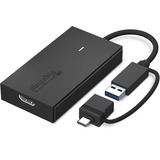
PLUGABLE USBC HDMI ADAPTER USBC USB3 - HDMI VIDEO ADAPTER
Extend Your Monitor the fast, simple, and affordable way. The Plugable UGA-HDMI-S makes it easy to add an HDMI display to almost any laptop or desktop without the cost or complexity of a full docking station. With a hybrid 2-in-1 cable that works with both USB 3.0 Type-A and USB-C ports, including USB4 and Thunderbolt 3/4, you never need to worry about carrying multiple adapters or matching the right connector to your computer. It works with the ports you have today and the devices you'll upgrade to in the future.
Add a 2560x1440 at 60Hz Quad HD display to enhance clarity and expand your workspace for productivity tasks like spreadsheets, presentations, dashboards, and creative work. Because the HDMI to USB cable adds a dedicated HDMI port, your other USB ports remain free for peripherals. And if you need even more screen space, the HDMI to USB adapter for monitor can scale to large multi-monitor setups by using multiple adapters. Windows and ChromeOS systems can support up to eight extended displays, while macOS supports up to four, making it ideal for professionals who need multiple screens for analysis, development, design, remote work, or research.
Powered by Silicon Motion (SMI) technology, the adapter provides dependable performance across operating systems. Windows users benefit from automatic driver installation through Windows Update, while macOS users complete a simple one-time InstantView driver installation. Compatible with Windows 10 and 11, macOS 10.14 and later (including M1, M2, M3, M4 and M5 systems), and ChromeOS 100 and newer. Not compatible with DisplayLink software or HDCP-protected content such as Netflix or Hulu.
Designed to work with a wide range of laptops including MacBook Pro/Air, Dell XPS, HP Spectre, Lenovo ThinkPad, Microsoft Surface, and many more, this adapter is a reliable solution for expanding screen real estate in home offices, classrooms, and corporate environments. Corporate users should note that some IT-managed systems may restrict driver installation. The adapter may use a small amount of CPU resources under heavy load, but this is typically not noticeable in normal use.
The UGA-HDMI-S includes the adapter with hybrid cable, a quick start guide, a two-year warranty, and support from Plugable's US-based technical team. If you're looking for an easy, affordable way to add a high-quality display to your computer, the UGA-HDMI-S provides a flexible and dependable solution for everyday productivity.
PLUGABLE USBC HDMI ADAPTER USBC USB3 - HDMI VIDEO ADAPTER
Extend Your Monitor the fast, simple, and affordable way. The Plugable UGA-HDMI-S makes it easy to add an HDMI display to almost any laptop or desktop without the cost or complexity of a full docking station. With a hybrid 2-in-1 cable that works with both USB 3.0 Type-A and USB-C ports, including USB4 and Thunderbolt 3/4, you never need to worry about carrying multiple adapters or matching the right connector to your computer. It works with the ports you have today and the devices you'll upgrade to in the future.
Add a 2560x1440 at 60Hz Quad HD display to enhance clarity and expand your workspace for productivity tasks like spreadsheets, presentations, dashboards, and creative work. Because the HDMI to USB cable adds a dedicated HDMI port, your other USB ports remain free for peripherals. And if you need even more screen space, the HDMI to USB adapter for monitor can scale to large multi-monitor setups by using multiple adapters. Windows and ChromeOS systems can support up to eight extended displays, while macOS supports up to four, making it ideal for professionals who need multiple screens for analysis, development, design, remote work, or research.
Powered by Silicon Motion (SMI) technology, the adapter provides dependable performance across operating systems. Windows users benefit from automatic driver installation through Windows Update, while macOS users complete a simple one-time InstantView driver installation. Compatible with Windows 10 and 11, macOS 10.14 and later (including M1, M2, M3, M4 and M5 systems), and ChromeOS 100 and newer. Not compatible with DisplayLink software or HDCP-protected content such as Netflix or Hulu.
Designed to work with a wide range of laptops including MacBook Pro/Air, Dell XPS, HP Spectre, Lenovo ThinkPad, Microsoft Surface, and many more, this adapter is a reliable solution for expanding screen real estate in home offices, classrooms, and corporate environments. Corporate users should note that some IT-managed systems may restrict driver installation. The adapter may use a small amount of CPU resources under heavy load, but this is typically not noticeable in normal use.
The UGA-HDMI-S includes the adapter with hybrid cable, a quick start guide, a two-year warranty, and support from Plugable's US-based technical team. If you're looking for an easy, affordable way to add a high-quality display to your computer, the UGA-HDMI-S provides a flexible and dependable solution for everyday productivity.
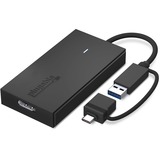
PLUGABLE USB3 USBC - DP ADAPTER USBC DISPLAYPORT GRAPHICS ADAPTER
PLUGABLE USB3 USBC - DP ADAPTER USBC DISPLAYPORT GRAPHICS ADAPTER

PLUGABLE USB4 HUB, 5-IN-1 THUNDERBOLT 4 HUB WITH 60W CHARGING, INCLUDES 1X USB-C
Fast and Reliable Wins the Race
Built around a Goshen Ridge chipset from Intel, the USB4-HUB3A gives you access to everything USB4 has to offer. That means high speed-each port is capable of data transfer speeds up to 40Gbps, the maximum rate available through a USB port. But data isn't the only thing flowing through these ports. Thanks to intelligent power handling, you'll also get up to 15W of charging power for your connected devices, evenly distributed across the ports to ensure a balanced load. And because this USB4 dock ships with the latest certified firmware from Intel, you can count on smooth operation.
USB4 and More
Because the USB 4 hub is Thunderbolt certified and built around a Goshen Ridge chipset, your USB-C, Thunderbolt 3, Thunderbolt 4, and USB4 devices are supported, too. And don't worry if you're not sure what your system supports. The USB4-HUB3A will detect your computer's capabilities and adjust accordingly.
The Beauty of 8K Is on Display
Don't limit yourself to the confines of a little laptop screen. With this multiport hub, connect up to two 4K 60Hz displays or one 8K 30Hz display to a USB4 or Thunderbolt 4 PC or a Thunderbolt 3 or USB4 Mac. It even comes with a USB-C to HDMI 2.0 adapter to make connecting that second screen all the easier. It's worth noting that external display support is dependent on host computer's capabilities.
