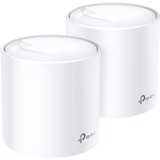
TP-Link NT Deco X60(2-pack) AX3000 Whole Home Mesh WiFi System Retail
Connect More, Cover Everything.
AX3000 Whole Home Mesh WiFi System
Deco X60
Game-Changer: WiFi 6 Mesh
Armed with WiFi 6 technology, Deco whole home mesh WiFi is designed to deliver a huge boost in coverage, speed, and total capacity. Get on the latest mesh WiFi to enjoy the future network that loads faster and connects more.
1-PACK
Cover up to 3,000 sq. ft
2-PACK
Cover up to 5,800 sq. ft.
With clearer and stronger signals enhanced by BSS Color and Beamforming, Deco X60 boosts broader whole home WiFi with great performance. Wireless connections and optional Ethernet backhaul work together to link Deco units, providing even faster network speeds and truly seamless coverage. Want more coverage? Simply add another Deco.
Seamless Roaming with One WiFi Name
TP-Link Mesh means Deco units work together to form one unified network. Your phone or tablet automatically connects to the fastest Deco as you move through your home, creating a truly seamless WiFi experience.
6 Streams: Greater Experience, Less Lag
With six simultaneous data streams, there's more than enough bandwidth for connected devices. This means to enjoy more responsive gaming or 8K streaming with flawless video and clear audio even when multiple devices transmitting data at the same time.
Your Home, Our Care
Customize your home network with enhanced security using a kit of features built in TP-Link HomeCareTM. Whether protecting your sensitive data or limiting the access of kids and guests, HomeCareTM provides you the tools you need to fully manage your network.
Robust Parental Controls
Block inappropriate content and restrict time spent online
Built-In Antivirus
Protect all connected devices in your home from online threats
Quality of Service
Prioritize devices and applications for faster performance when needed
Setup Just Got a Lot Easier
Unbox Deco, install the app and then simply follow the on-screen directions. Deco app will take care of the rest, getting your network up and running in minutes.
Connect Deco to your cable modem and power on both devices
Download and launch the Deco app; just follow the in-app directions to finish the setup steps
Simply power on the next Deco; it will automatically join the network
WiFi Made Easy | Easy Management
Manage your WiFi at home or away on the Deco app, including seeing all connected devices, prioritizing your own, setting up a guest network, and more.
Voice ControlPair with Alexa to control Deco X60 with simple voice commands. Enjoy the convenient life.

TP-Link NT Deco X60(2-pack) AX3000 Whole Home Mesh WiFi System Retail
Connect More, Cover Everything.
AX3000 Whole Home Mesh WiFi System
Deco X60
Game-Changer: WiFi 6 Mesh
Armed with WiFi 6 technology, Deco whole home mesh WiFi is designed to deliver a huge boost in coverage, speed, and total capacity. Get on the latest mesh WiFi to enjoy the future network that loads faster and connects more.
1-PACK
Cover up to 3,000 sq. ft
2-PACK
Cover up to 5,800 sq. ft.
With clearer and stronger signals enhanced by BSS Color and Beamforming, Deco X60 boosts broader whole home WiFi with great performance. Wireless connections and optional Ethernet backhaul work together to link Deco units, providing even faster network speeds and truly seamless coverage. Want more coverage? Simply add another Deco.
Seamless Roaming with One WiFi Name
TP-Link Mesh means Deco units work together to form one unified network. Your phone or tablet automatically connects to the fastest Deco as you move through your home, creating a truly seamless WiFi experience.
6 Streams: Greater Experience, Less Lag
With six simultaneous data streams, there's more than enough bandwidth for connected devices. This means to enjoy more responsive gaming or 8K streaming with flawless video and clear audio even when multiple devices transmitting data at the same time.
Your Home, Our Care
Customize your home network with enhanced security using a kit of features built in TP-Link HomeCareTM. Whether protecting your sensitive data or limiting the access of kids and guests, HomeCareTM provides you the tools you need to fully manage your network.
Robust Parental Controls
Block inappropriate content and restrict time spent online
Built-In Antivirus
Protect all connected devices in your home from online threats
Quality of Service
Prioritize devices and applications for faster performance when needed
Setup Just Got a Lot Easier
Unbox Deco, install the app and then simply follow the on-screen directions. Deco app will take care of the rest, getting your network up and running in minutes.
Connect Deco to your cable modem and power on both devices
Download and launch the Deco app; just follow the in-app directions to finish the setup steps
Simply power on the next Deco; it will automatically join the network
WiFi Made Easy | Easy Management
Manage your WiFi at home or away on the Deco app, including seeing all connected devices, prioritizing your own, setting up a guest network, and more.
Voice ControlPair with Alexa to control Deco X60 with simple voice commands. Enjoy the convenient life.
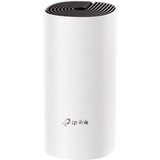
TP-Link NT Deco M4(1-pack)_ISP AC1200 Whole Home Mesh Wi-Fi Unit (ISP Version)
Fast. Stable. Everywhere.
Whole Home Mesh WiFi System
AC1200 Dual-Band WiFi
Experience WiFi Like Never Before
Deco M4 uses TP-Link Mesh technology to cover your entire home in powerful WiFi. Multiple units seamlessly work together to create a home network like nothing you've ever experienced.
WiFi Dead-Zone KillerSeamless Roaming
Connects up to 100 Devices
Two Modes in One
Easy Setup
Parental Controls
Works with All Deco Models
WiFi Dead-Zone Killer
Deco M4 is the simplest way to guarantee a strong Wi-Fi signal in every corner of your home up to 5,500 square feet (3-pack). Wireless connections and optional Ethernet backhaul work together to link Deco units, providing even faster network speeds and truly seamless coverage. Want more coverage? Simply add another Deco.
Seamless Roaming with One Wi-Fi Name
TP-Link Mesh means Deco units work together to form one unified network. Your phone or tablet automatically connects to the fastest Deco as you move through your home, creating a truly seamless Wi-Fi experience.
No More Buffering
Network speeds three times faster than previous generation routers, thanks to 802.11ac wireless technology, make Deco capable of providing a lag-free connection to up to 100 devices.
Single-applicationconnections for up to 100 devices
2-in-1 Router and Access Point Modes
Flexible and multifunctional, the Deco M4 includes a variety of features allowing it to serve as a router or access point. Just choose the mode for your actual network demands and experience the maximum wireless flexibility.
Router (Default)
Instantly generate a private wireless network.
Access Point
Create Wi-Fi access for any existing wired network.
Wi-Fi Made Easy | App-Based Setup
Installing Deco M4 is fast and easy. Just unpack the system, download the Deco app and follow its onscreen directions.
Easy Management
Manage your Wi-Fi at home or away in the Deco app, including seeing the connected devices, prioritizing your devices, setting up a guest network and more.
Voice ControlPair with Alexa to control Deco M4 with simple voice commands. Enjoy the convenient life.
Robust Parental Controls
Simple, intuitive parental controls make it easy to keep your children safe while they're online.
User Profiles
Easily create a profile for each family member and set custom time limits and online time allowances.
Filter Levels
Keep your family safe online with one-touch security settings that block websites based on age-appropriateness.
Time Limits
Set limits on how much time each person in your family can spend online.

TP-Link AC TL-WPA7517 KIT AV1000 Gigabit Powerline ac Wi-Fi Kit Retail
Extend AC750 Wi-Fi to Every Room Using Existing Electrical System
AV1000 Gigabit Powerline ac Wi-Fi Kit
TL-WPA7517 KIT
Extend Wired and Wireless Network Using Electrical System
TL-WPA7517 KIT transforms your home's existing electrical circuit into a Gigabit network, and brings wired and wireless network to anywhere there is a power outlet.
- No need for drilling or wire installation
- Network passes through walls and floors
- Expand coverage by adding more extenders
- Powerline adapters must be deployed in sets of two or more and be connected to the same electrical circuit
AC750 Dual Band Wi-Fi
AV1000 Speeds and 300 Meters Range
Using advanced HomePlug AV2 technology, TL-WPA7517 KIT ensures stable and high-speed Wi-Fi and wired connection, providing data transmissions of up to 1000 Mbps over the electrical wiring for ranges up to 300 meters. Stream in HD, game online and download large files without interruption thanks to reliable powerline links.
AC750 Wi-Fi for an Advanced Online Experience
With the 802.11ac Wi-Fi technology, the TL-WPA7517 operates a dual band Wi-Fi network (simultaneous 300 Mbps on 2.4 GHz and 433 Mbps on 5 GHz) with more bandwidth and less interference, maximizing the performance of your powerline network.
433Mbps on 5GHz300Mbps on 2.4GHz
One Tap for a Unified Network | One-Touch Wi-Fi Configuration
Instantly copies your network name and password from your router for easy setup.
Wi-Fi Auto-Sync
Automatically applies any setting changes across the network. Your existing Wi-Fi settings will synchronize to the new extender instantly.
Connect the TL-PA7017 to your router.
Plug the TL-WPA7517 into a wall socket in the room you need network.
Let's enjoy the wired or wireless internet service.
Gigabit Ethernet for Fast Wired Connections
One Gigabit Ethernet port provides reliable high-speed wired connection for a bandwidth intensive device, such as game consoles, smart TVs, STB and more, or connects multiple devices by adding a switch. Two Ethernet cables are included in the box.
Powerline Management on Your Smartphone
Manage your powerline Wi-Fi through tpPLC app from your smartphone (Android, iOS), or download new tpPLC Utility on PCs to manage the powerline network.
- View real-time powerline speed
- LED control (also controlled by LED On/Off button)
- Guest network
TP-Link AC TL-WPA7517 KIT AV1000 Gigabit Powerline ac Wi-Fi Kit Retail
Extend AC750 Wi-Fi to Every Room Using Existing Electrical System
AV1000 Gigabit Powerline ac Wi-Fi Kit
TL-WPA7517 KIT
Extend Wired and Wireless Network Using Electrical System
TL-WPA7517 KIT transforms your home's existing electrical circuit into a Gigabit network, and brings wired and wireless network to anywhere there is a power outlet.
- No need for drilling or wire installation
- Network passes through walls and floors
- Expand coverage by adding more extenders
- Powerline adapters must be deployed in sets of two or more and be connected to the same electrical circuit
AC750 Dual Band Wi-Fi
AV1000 Speeds and 300 Meters Range
Using advanced HomePlug AV2 technology, TL-WPA7517 KIT ensures stable and high-speed Wi-Fi and wired connection, providing data transmissions of up to 1000 Mbps over the electrical wiring for ranges up to 300 meters. Stream in HD, game online and download large files without interruption thanks to reliable powerline links.
AC750 Wi-Fi for an Advanced Online Experience
With the 802.11ac Wi-Fi technology, the TL-WPA7517 operates a dual band Wi-Fi network (simultaneous 300 Mbps on 2.4 GHz and 433 Mbps on 5 GHz) with more bandwidth and less interference, maximizing the performance of your powerline network.
433Mbps on 5GHz300Mbps on 2.4GHz
One Tap for a Unified Network | One-Touch Wi-Fi Configuration
Instantly copies your network name and password from your router for easy setup.
Wi-Fi Auto-Sync
Automatically applies any setting changes across the network. Your existing Wi-Fi settings will synchronize to the new extender instantly.
Connect the TL-PA7017 to your router.
Plug the TL-WPA7517 into a wall socket in the room you need network.
Let's enjoy the wired or wireless internet service.
Gigabit Ethernet for Fast Wired Connections
One Gigabit Ethernet port provides reliable high-speed wired connection for a bandwidth intensive device, such as game consoles, smart TVs, STB and more, or connects multiple devices by adding a switch. Two Ethernet cables are included in the box.
Powerline Management on Your Smartphone
Manage your powerline Wi-Fi through tpPLC app from your smartphone (Android, iOS), or download new tpPLC Utility on PCs to manage the powerline network.
- View real-time powerline speed
- LED control (also controlled by LED On/Off button)
- Guest network
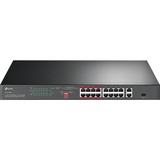
TP-Link SWT TL-SL1218P 16PT 10 100Mbps + 2PT Gigabit Rackmount SWT w 16PT PoE+
Professional 16-Port 10/100 Mbps + 2-Port Gigabit Rackmount Switch with 16-Port PoE+
Plug and Play, with PoE Transmission for Surveillance up to 250 m
TL-SL1218P
Dedicated 16-Port PoE+ Switch (150 W Budget) for Numerous Applications
Compliance with the 802.3af/at PoE+ standard supports up to 30 W on each PoE port. The total 150 W PoE power budget for the 16× PoE+ ports makes it has wide range of applications, such as surveillance, offices, dormitories, and small businesses. It is fully compatible with IP cameras, access points, IP phones, computers, printers, and etc.
Ideal for IP Surveillance-Up to 250 m Transmission
With extend mode, the PoE transmission distance reaches up to 250 m-perfect for IP Camera deployment in large areas.
Ideal for IP Surveillance -Higher Performance and Security
Priority Mode and Isolation Mode make surveillance smoother and safer.
Priority Video Quality Guaranteed
Quality of sensitive applications like video monitoring in critical business areas is guaranteed by offering higher priority options for ports 1-8 when one-touch Priority Mode is on.
One-Click Traffic Separation for Ports 1-16
With one click, Isolation Mode easily divides traffic for ports 1-16 to avoid snooping and tampering. This enables the switch to isolate broadcast storm, improving LAN security and data transmission.
Smooth HD Video Monitoring
2× gigabit RJ45 ports and 1× combo gigabit SFP slot ensure smooth streaming even when 16× HD IP cameras work simultaneously.
Plug and Play
Intelligent Power Management to Prevent Power Overload
When your total power consumption exceeds 150 W, Intelligent Power Management automatically cuts lower priority ports power to ensure high-priority ports power supply. This protects the device from power overload operation. It also automatically detects the required PoE power for your device and protects your non-PoE equipment from being damaged.
Wide Operating Temperature with Good Heat Dissipation
Durable metal casing and professional heat dissipation design ensure the wide operating temperature (0-50?) with reliability.
Multiple Application Scenarios
The TL-SL1218P is fully compatible with PoE devices, such as IP cameras, access points, and IP phones. It also works with non-PoE wired devices, such as PCs, printers, and IPTV.
Surveillance
Works with IP Cameras
ConferenceCall Works with IP Phones
Wi-Fi Coverage
Works with Omada EAPs
Wired Connections
Works with PCs and Printers
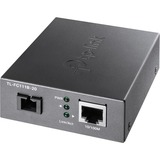
TP-Link Network TL-FC111B-20 10 100Mbps WDM Media Converter Retail
What This Product Does
TL-FC111B-20 is a 100M media converter, providing a 100M RJ-45 port and a 100M SC fiber port, which can convert between electrical and optical signals. And long-distance data transmission through optical fiber can be applied to commercial scenarios such as park security monitoring and wireless networking.
How This Product Works
TL-FC111B-20 adopts WDM (wavelength division multiplexing) technology, helping send and receive data at a distance of up to 20km (12.4 miles) over only one fiber, which saves half of the cable deployment cost for customers. TL-FC111B-20 transmits data at 1310nm wavelength and receives data at 1550nm wavelength on optical fiber. The TL-FC111A-20 works in the other end as a pair by receiving data at a wavelength 1310nm and sending data at wavelength 1550nm.
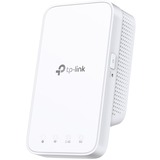
TP-Link NT RE300 AC1200 Mesh Wi-Fi Range Extender 2.4GHz band and 5GHz band
The AC1200 Mesh Wi-Fi Range Extender connects to your router wirelessly, strengthening and expanding its signal into areas it can't reach on its own, achieving speeds of 300Mbps on the 2.4GHz band and 867Mbps on the 5GHz band.
Dual Band Connection
Separate 2.4GHz and 5GHz Wi-Fi bands allow more devices to connect to your network without reducing performance.
High Speed Mode
Use both Wi-Fi bands to establish one super-high-speed connection, ideal for HD streaming & gaming.
Adaptive Path Selection
Keep your network running at top-speed by automatically choosing the fastest connection path to the router.
Access Control
Allow or restrict internet access for certain devices for specifiable amounts of time
OneMeshTM
RE300 is more than a traditional range extender. It can create a Mesh network by connecting to a OneMeshTM Router for seamless whole-home coverage. Enjoy a Mesh network without having to replace your existing router by simply updating your OneMeshTM router's firmware.
Wi-Fi Dead-Zone Killer
Eliminate weak signal areas with Wi-Fi coverage for the whole house.
Smart Roaming
Enjoy uninterrupted streaming, surfing, and more-even when moving around your home.
One Wi-Fi Name
Stay connected to the same network name in every room.
Easy Setup and Unified Management
Push the WPS button to set up a Mesh network you can manage from the Tether app or web UI.
Perfect Location at a Glimpse
An intelligent Signal light helps you quickly find the best location to install the range extender.
Features
Ease of Use
- Intuitive Web UI- Ensures quick and simple installation without hassle
- Fast Encryption - One-touch WPA wireless security encryption with the WPS button
- Hassle-free Management with Tether App - Network management is made easy with the TP-Link Tether App, available on any Android or iOS device
- Online Upgrade - Keeps you informed of the latest firmware and allows onling updating on the web UI
- Ultimate Wireless Speed - Combined wireless speeds of up to 300Mbps (over 2.4GHz) and 867Mbps (over 5GHz)
- Support 802.11ac - Provides a data transfer rate 3 times faster than 802.11n for each stream
- Adaptive Path Selection - Keep your network running at top-speed by automatically choosing the fastest connection path to the router
- Simultaneous Dual Band - Separate Wi-Fi bands enable more devices to connect to your network without a drop in performance
- Reliable Connection - Internal antennas for optimal Wi-Fi coverage and reliable wireless connections
TP-Link NT RE300 AC1200 Mesh Wi-Fi Range Extender 2.4GHz band and 5GHz band
The AC1200 Mesh Wi-Fi Range Extender connects to your router wirelessly, strengthening and expanding its signal into areas it can't reach on its own, achieving speeds of 300Mbps on the 2.4GHz band and 867Mbps on the 5GHz band.
Dual Band Connection
Separate 2.4GHz and 5GHz Wi-Fi bands allow more devices to connect to your network without reducing performance.
High Speed Mode
Use both Wi-Fi bands to establish one super-high-speed connection, ideal for HD streaming & gaming.
Adaptive Path Selection
Keep your network running at top-speed by automatically choosing the fastest connection path to the router.
Access Control
Allow or restrict internet access for certain devices for specifiable amounts of time
OneMeshTM
RE300 is more than a traditional range extender. It can create a Mesh network by connecting to a OneMeshTM Router for seamless whole-home coverage. Enjoy a Mesh network without having to replace your existing router by simply updating your OneMeshTM router's firmware.
Wi-Fi Dead-Zone Killer
Eliminate weak signal areas with Wi-Fi coverage for the whole house.
Smart Roaming
Enjoy uninterrupted streaming, surfing, and more-even when moving around your home.
One Wi-Fi Name
Stay connected to the same network name in every room.
Easy Setup and Unified Management
Push the WPS button to set up a Mesh network you can manage from the Tether app or web UI.
Perfect Location at a Glimpse
An intelligent Signal light helps you quickly find the best location to install the range extender.
Features
Ease of Use
- Intuitive Web UI- Ensures quick and simple installation without hassle
- Fast Encryption - One-touch WPA wireless security encryption with the WPS button
- Hassle-free Management with Tether App - Network management is made easy with the TP-Link Tether App, available on any Android or iOS device
- Online Upgrade - Keeps you informed of the latest firmware and allows onling updating on the web UI
- Ultimate Wireless Speed - Combined wireless speeds of up to 300Mbps (over 2.4GHz) and 867Mbps (over 5GHz)
- Support 802.11ac - Provides a data transfer rate 3 times faster than 802.11n for each stream
- Adaptive Path Selection - Keep your network running at top-speed by automatically choosing the fastest connection path to the router
- Simultaneous Dual Band - Separate Wi-Fi bands enable more devices to connect to your network without a drop in performance
- Reliable Connection - Internal antennas for optimal Wi-Fi coverage and reliable wireless connections

TP-Link SWT TL-SL1311MP 11PT Switch with 8Port PoE+ 8\xE710 100 Mbps RJ45 Ports
TL-SL1311MP is an unmanaged switch with 8 10/100 Mbps ports, 2 1000 Mbps ports, and 1 SFP slot that requires no configuration, and provides 8 PoE (Power over Ethernet) ports. It can automatically detect and supply power with all IEEE 802.3af/at compliant Powered Devices (PDs). In this situation, the electrical power is transmitted along with data in one single cable allowing you to expand your network to where there are no power lines or outlets, where you wish to fix devices such as APs, IP Cameras or IP Phones, etc.
Power Over Ethernet
8 10/100 Mpbs Auto-Negotiation RJ45 ports (port 1 to port 8) of the switch support Power over Ethernet (PoE) function. These PoE ports can automatically detect and supply power with those IEEE 802.3af/at compliant Powered Devices (PDs).
Overload Arrangement
TL-SL1311MP has the priority function which will help protect the system when the system power is overloaded. If all PoE PDs power consumption is ≥ 124 W, a priority will be arranged among the PoE ports, then the system will cut off the power of the lowest-priority port.
Intelligent Power Management
Priority (port 1 > port 2 > port 3>... > port 8): This function will help protect the system when the system power is overloaded. For example, port 1, 2, 3 and 5 is using 25 W respectively (maximum power per port is 30 W); the system power is 100 W in total. If there is an additional PD inserted to port 4 with 30 W, and then the system will cut off the power of port 5 because of the overloaded power, this means port 1, 2, 3 will use 25 W respectively and port 4 will use 30 W, no power will be supplied to port 5.
Highlight Performance
- Up to 250 m PoE power supply and data transmission under Extend Mode.
- Isolation Mode easily divides traffic for port 1-8 to avoid snooping and tampering, which improves LAN security and performance.
- With PoE Auto Recovery, the switch will constantly detect the data transmission with PoE-powered devices (PD). When the switch finds that a PD stops sending data packets to the switch for a long period, the switch will reboot it automatically.
TL-SL1311MP is easy to install and use. It requires no configuration and installation. With desktop and wall mountable design, outstanding performance and quality, the TP-Link 8-Port 10/100Mbps + 3-Port Gigabit Desktop Switch with 8-Port PoE+TL-SL1311MP is a great selection for expanding your network.

TP-Link Network TL-FC111A-20 10 100Mbps WDM Media Converter Retail
What This Product Does
TL-FC111A-20 is a 100M media converter, providing a 100M RJ-45 port and a 100M SC fiber port, which can convert between electrical and optical signals. And long-distance data transmission through optical fiber can be applied to commercial scenarios such as park security monitoring and wireless networking.
How This Product Works
TL-FC111A-20 adopts WDM (wavelength division multiplexing) technology, helping send and receive data at a distance of up to 20km (12.4 miles) over only one fiber, which saves half of the cable deployment cost for customers. TL-FC111A-20 transmits data at 1550nm wavelength and receives data at 1310nm wavelength on optical fiber. The TL-FC111A-20 works in the other end as a pair by receiving data at wavelength 1550nm and sending data at wavelength 1310nm.
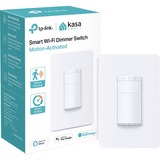
TP-Link NT ES20M Kasa Smart Wi-Fi Dimmer Switch Motion-Activated Retail
Smart night light hidden in plain sight
Stay steady at night with the motion-activated sensors picking up ambient light and movement.
Your Ambiance, Your Way
Make the vibe as dim or as bright as you want, whether it is via the Kasa Smart app or the Kasa Smart Light Switch.
Your Control, Your Way
Control the Kasa Smart Light Switch using the Kasa Smart App, your preferred smart assistant or the pleasing tactile controls.
Smart Control
Set different light triggers based on your daily routine. Create smart modes that match your life with an easy-to-use app.
Intelligent Green Energy Solution
Save money and the environment by keeping the lights on only when they are needed. The Kasa Smart Light Switch works with in-built motion and ambient light sensors to ensure that light is only on when it is needed.
Fade on and off
Set up this function to fade off your lights.
Perfect for slowly dimming the lights as your child drift to sleep.
Designed for Safety
This switch is UL Certified. UL94-V0 PC flame-retardant materials help minimize burning hazards.
Group
Combine your smart switch with other Kasa Smart devices for seamless control with a single tap on Kasa app.
Schedules
Easily create an automatic schedule for your appliances any day of the week following your daily routine.
Timer
Set a timer to turn off your connected device automatically as needed.

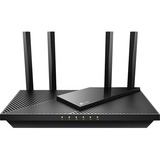
TP-Link RT Archer AX21 AX1800 Dual-Band Wi-Fi 6 Router 1.5GHz Retail
Explore the New Era of Wi-Fi
AX1800 Dual-Band Wi-Fi 6 Router
Archer AX21
Faster Speeds. More Connected Devices. Powerful Processing.
Dual-Band Wi-Fi 6
Up to 1.8 Gbps Speeds
Connect More, Stay Fast
Quad-Core CPU
Reduced Power Consumption
Refined Password Security
Wi-Fi 6 Upgrades Everything
The latest generation of Wi-Fi technology brings faster speeds, less lag, and higher capacity, enabling more simultaneous connections on your home network.
Dual-Band Wi-Fi 6 Up to 1.8 Gbps
Every application feels more fluid with drastically improved Wi-Fi speeds. Both 2.4 GHz band and 5 GHz band get upgraded to the latest generation-perfect for 4K streaming, online gaming, and fast downloading.
Extensive Wi-Fi Coverage with Advanced Technologies
Beamforming technology, high-power Front-End Module, and four high-gain antennas combine to adapt Wi-Fi coverage to perfectly fit your home and concentrate signal strength towards your devices.
Beamforming
High-Power FEM
4× Antennas
Connect More, Stay Fast
Easily handle dozens of devices streaming and gaming at the same time-OFDMA future-proofs your home networks by providing greater capacity to connect more devices.
OFDMA
OFDMA separates a single spectrum into multiple units and enables different devices to share one transmission stream, increasing efficiency and reducing latency.
1.5 GHz Quad-Core CPU | Powerful Processing for Minimal Latency
A powerful 1.5 GHz quad-core CPU generates minimal latency within your network even under heavy load of transmission. Every click for website links and online playback on your laptop and phone just responds quicker.
Traditional 2×2 AC Router
0.9 GHz
Single-Core CPU
Archer AX21
1.5 GHz
Triple-Core CPU
Versatile Connectivity | Easy File Sharing
Share music, movies, and documents easily on every device across your home network.
Full Gigabit Ports
Connect to your devices using a wired network for robust stability.
TP-Link OneMesh™ : Flexibly Create a Whole-Home Wi-Fi
OneMesh™ is a simple way to form a Mesh network with a single Wi-Fi name for seamless whole-home coverage. Just connect a OneMeshTM range extender to a OneMesh™ router. No more searching around for a stable connection.
Wi-Fi Dead-Zone KillerEliminate weak signal areas with Wi-Fi coverage for the whole house
Smart RoamingUninterrupted streaming when moving around your home
One Wi-Fi Name
No more switching Wi-Fi network names
Unified Management
Manage the whole-home Wi-Fi by managing the central node via Tether app/Web UI

TP-Link NT RE215 AC750 Mesh Wi-Fi Range Extender Dual-band Wi-Fi Retail
Expand Dual Band WiFi Everywhere | AC750 Mesh WiFi Extender | RE215 | Why you need a Mesh WiFi Extender?
- Can't get WiFi in your bedroom, balcony, bathroom
- Lose connection while walking around the house
- Thick walls and floors weaken your WiFi signal
- Get tired of too many network cables
Boost Whole Home WiFi with Your Existing Router
A single router has limited WiFi coverage and always causes WiFi dead zones. RE215 wirelessly connects to your existing router and expands its WiFi signal into areas it can't reach on its own. Enjoy your stable network experience wherever you're at your home.
WiFi keeps Strongest for Unlimited Moving
With TP-Link Mesh Technology, it's easy to form a Mesh network with a single WiFi name for seamless whole-home coverage. Just connect RE215 to a OneMesh™ router. Always enjoy the strongest WiFi when you're walking around and no need searching around for a stable connection.
- Smart Roaming
Uninterrupted streaming when moving around your home - One Wi-Fi Name
No more switching Wi-Fi network names - Easy Creation
OneMesh™ Router and OneMesh™ Range Extenders pair instantly - Unified Management
Manage the whole unified network all in one Tether app
Enjoy a Mesh Network with Your Existing Router
Want a Mesh network? Hesitate on whether to replace your existing router and buy a Mesh set?
TP-Link OneMesh™ resolves your dilemma.
1. Update your existing TP-Link router's firmware to OneMesh version-no need to replace it.
2. Connect the RE215 to the router.
3. Enjoy the Mesh network
Faster Dual Band WiFi Up to 750 Mbps
The RE215 delivers dual band (2.4GHz and 5GHz) to transmit WiFi signal, doubling the performance of single band. It enables you to keep more devices connected at the same time with its 2.4GHz 300 Mbps and 5GHz 433 Mbps dual bands, meeting all your different networking needs.
300 Mbps
2.4GHz Band
433 Mbps
5GHz Band
Advanced Features, Speeds Oriented | Adaptive Path Selection
Keeps your network running at top-speed by automatically choosing the fastest connection path to the router.
High Speed Mode
Uses one dedicated Wi-Fi band as backhaul and another dedicated Wi-Fi band as an access point to maximize the bandwidth on extender Wi-Fi.
Built-In Access Point Mode
RE215 is more than a wireless range extender.
Simply plug an Ethernet cable into its Ethernet port,and easily turn that wired internet connection into a 2×2 MIMO dual band wireless access point.
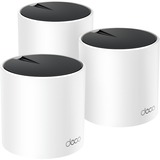
TP-Link NT Deco X55(3-pack) AX3000 Whole Home Mesh WiFi6 System Retail
Deco X55
Superior Mesh WiFi, Everywhere
AX3000 Whole Home Mesh WiFi 6 System
WIFI 6
AX3000
Seamless Coverage up to 6,500ft²
4-6+ Bedroom Houses
Connects Over 150 Devices
AI-Driven Mesh
HE160
Real-Time Cyber Security Protection
Ultra-Fast WiFi 6 Mesh
Armed with WiFi 6 technology, Deco whole home mesh WiFi is designed to deliver a huge boost in coverage, speed, and total capacity. Get on the latest mesh WiFi to enjoy the future network that loads faster and connects more.
- 4× Larger Capacity
- 3× Faster Speed
- 1024-QAM
- HE160 Doubling bandwidth
- Backwards Compatible
WiFi 6 Mesh | Whole-Home Coverage: WiFi Dead Zone Killer
With clearer and stronger signals enhanced by BSS Color and Beamforming, Deco X55 boosts broader whole home WiFi coverage with great performance. Wireless connections and optional Ethernet backhaul work together to link Deco units, providing even faster network speeds and truly seamless coverage. Want more coverage? Simply add another Deco.
- BSS Color Minimize WiFi Conflicts
- Beamforming Concentrate Signal Strength
AI-Driven Mesh: Always Learning, Constantly Optimizing
Armed with AI-Driven Mesh, Deco X55 delivers smart WiFi that follows you wherever you are, without interruption. It automatically learns your network environment, client quality, and user behaviors. Sophisticated algorithms account for various factors so that Deco X55 provides ideal mesh WiFi, unique to your home. Walk through your home and enjoy seamless streaming at the fastest possible speeds.
Seamless Roaming with One WiFi Name
TP-Link Mesh means Deco units work together to form one unified network. Your phone or tablet automatically connects to the fastest Deco as you move through your home, creating a truly seamless WiFi experience.
Let the Experts Secure Your Home
Customize your home network with enhanced security using TP-Link HomeShield's kit of built-in features. Whether you're identifying network security holes, limiting the time your children spend online, or blocking websites, HomeShield gives you the tools you need to fully manage your network.
Network ProtectionDetect cyber threats to keep your privacy and connected devices well protected.
Robust Parental Controls
Manage online time and block inappropriate content to keep families healthy online.
Quality of Service (QoS)
Prioritize your bandwidth needs to get a faster networking experience.
Comprehensive Reports
Gain full statistics and insights to help you know your home network better.
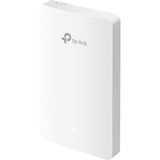
TP-Link NT EAP615-Wall AX1800 Wall Plate WiFi 6 Access Point Retail
Omada Software Defined Networking (SDN) platform integrates network devices, including access points, switches and gateways, providing 100% centralized cloud management. Omada creates a highly scalable network--all controlled from a single interface. Seamless wireless and wired connections are provided, ideal for use in hospitality, education, retail, offices, and more.
Hassle-Free Centralized Cloud Management
100% centralized cloud management of the whole network from different sites--all controlled from a single interface anywhere, anytime.
Zero-Touch Provisioning for Efficient Deplyment
100% centralized cloud management of the whole network from different sites--all controlled from a single interface anywhere, anytime. Omada zero-touch provisioning allows remotely deployment and configuration of multi-site networks, so there's no need to send out an engineer for on-site configuration. The Omada Cloud ensures efficient deployment with lower costs.
AI-Driven Technology for Stronger Performance and Easy Network Maintenance | Assign Different Management Roles
Multi-user privilege assignment is available to increase management efficiency and security. Multi-person management, multi-level permissions, and the ability to add admins as needed, enable flexible network operation and maintenance.
Easy and Intelligent Network Monitoring
Comprehensive Protection for the Whole Network The easy-to-use dashboard makes it easy to see your real-time network status; check network usage and traffic distribution; receive network condition logs, abnormal event warnings, and notifications; or even track key data for better business results. Network topology helps IP admins quickly see and troubleshoot connection at a glance.
Comprehensive Protection for the Whole Network | Multiple Factors Guarantee Higher Reliability
Reliable Connections Even with High-Density Clients Higher reliability of cloud service is guaranteed with 99.99% SLA availability, 24/7 automated fault detection, geographically isolated backup servers, and reliable product quality. Your network functions even if management traffic is interrupted.
Reliable Connections Even with High-Density Clients
Higher reliability of cloud service is guaranteed with 99.99% SLA availability, 24/7 automated fault detection, geographically isolated backup servers, and reliable product quality. Your network functions even if management traffic is interrupted. Equipped with enterprise chipsets, dedicated antennas, advanced RF functions, auto channel selection, and power adjustment, Omada Wi-Fi 6 and Wi-Fi 5 APs have high concurrency capacities for remarkable performance in high-density environments.
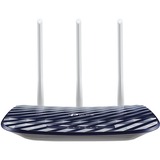
TP-Link NT Archer C20 WL Dual Band AC750 Wi-Fi Router 2.4GHz 5GHz Retail
AC 750 Wireless Dual Band Router | Upgrade to Fast AC Wi-Fi
Upgrade your network to fast, reliable AC Wi-Fi with the Archer C20 for smoother streaming on laptops, smart TVs and mobile devices. The dual 5 GHz (433 Mbps) and 2.4 GHz (300 Mbps) bands allow for more devices to be connected to your home network at once.
Reliable AC750 Wi-Fi Speeds
Sit back and stream your favorite movie. The router's AC750 Wi-Fi speed and dual 2.4GHz and 5 GHz bands create reliable connections so you can watch what you love without any interruptions.
Great Wi-Fi Range
Get connected and stay connected. The Archer C20's high-quality antennas deliver great Wi-Fi coverage and strong connectivity in your home.
Easy Setup and Use
Set up the Archer C20 in minutes thanks to its intuitive web interface and the powerful Tether app. Tether also lets you manage its network settings from any Android or iOS device, including parental controls and access control.
Guest Network
Parental Controls
IPv6 Supported
Easy Setup
Tether APP
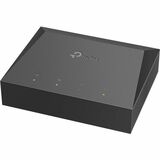
TP-Link NT XZ000-G3 1-port Gigabit GPON SFU Econet Chipset with G.984.x Retail
High-Speed GPON Service
Compliant with the ITU-T G.984 GPON standards, XZ000-G3 supports maximum data rates of up to 2.488Gbps downstream, 1.244Gbps upstream.
Make Fiber-to-the-Home Yours
TP-Link's XZ000-G3 is a Gigabit Passive Optical Network(GPON) terminal, ideal for Fiber-to-the-Home solution.
Full Gigabit Port
One GPON port and one Gigabit Ethernet port, the XZ000-G3 provides high-performance forwarding capabilities to ensure smooth VoIP, HD video streaming experiences.
Ease of Use
Quick and hassle-free installation

TP-Link CM Tapo C210P2 Pan Tilt Home Security Wi-Fi Camera 3MP 2Pack Retail
Secure, Smart, Easy.
Cover Every Corner.
Pan/Tilt Home Security Wi-Fi Camera
Detects motion and sends you alerts right away
Home burglary is the very thing we want to prevent. Set a camera towards the entrance of your home, garage, or basement to ensure the safety of your family and property. Receive a notification when the camera detects motion at home. It can be a notice of arriving package, or suspicious intrusion. Trigger light and sound effects to frighten away unwanted visitors.
Advanced night view helps guard you while you sleep
Sleep safe at night. Let your camera watch over your house while you're fast asleep. The 850 nm infrared night vision supports automatic color switch filter in low light conditions with a visual distance of up to 30 ft.
High definition video
Capture every detail in 3MP ultra-high definition. See exactly what happened in front of your camera any time that it was on. Know whether your kids are safe, well taken care of, or are getting into trouble.
Live view and two-way audio
When you take a trip, you can still make sure your fur babies aren't getting into trouble, or that your sitter is taking good care of them. Two-way audio allows you to tell them that you miss them (or to stop them from sharing your food).
Privacy mode and safe local storage ensures your privacy
You can turn on Privacy Mode, which can shut down the surveillance to further ensure the safety of privacy. Moreover, the local Micro SD card works to prevent any internet hacking incidents.
Privacy Mode
Shut down surveillance to protect your privacy whenever you want.
Local Storage
A microSD card stores up to 256 GB, equal to 512 hours (21 days) of footage.
Get a detailed look at your room
A wide range of coverage to capture every moment.
Share every memorable moment
Adorable and amusing moments are worth of sharing, especially with loved ones far away. Keep them in the loop on your day to day and part of your life with every precious second you share.