
Dell Toner Cartridge - Yellow
Cartridge delivers excellent print quality, sharp images and text - up to a 5,000 page yield.

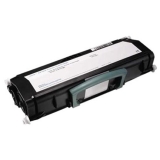
Dell Toner Cartridge - Black
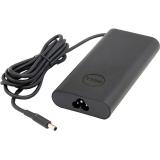
Dell Slim Pwr Adap 130W 3ft
Highlights
- Offers 130-Watts enough to power and charge your laptop
- Incorporates a rubber strap for easy cable management and a LED light ring on the DC connector
Redesigned around you
Dell has redesigned its adapters from end to end, so you can enjoy a more comfortable and consistent experience in everything you do.
- Neatly wrapped cords and cables fit snugly around the adapter for less bulk in your bag.
- The LED indicator lets you know it's on, and makes it easy to find in a dimly lit space.
- Every detail has been carefully considered - from soft, bendable cables to smooth, rounded corners.
Compatibility
- Genuine Dell-branded parts undergo rigorous testing by qualified engineers to ensure compatibility and reliability in your Dell system.
- Dell sustaining qualification process allows for testing and certification of the newest technology on your Dell system.
Quality
- Dell uses only OEM grade quality components.

Dell Imaging Drum
Free shipping! Dell genuine D20NH cyan imaging drum delivers excellent print quality, sharp images and text for 50000 pages.
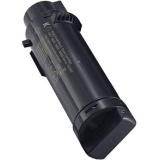
Dell Toner Cartridge - Black
- Part number on carton and label is NCH0D
- Compatible with Dell H625/ H825/ S2825 Printer
- Offers up to 1,200 page yield based on 5% page coverage
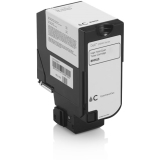
12K PG HIGH YIELD CYAN TONER CARTRIDGE YIELD U&R 9DJ63 FOR S5840
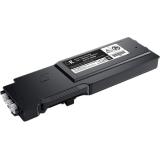
3K BLACK TONER CARTRIDGE 50Y0W 593-BBZX
Dell genuine OEM toner cartridges are made for your Dell Printer. Dell 50Y0W toner delivers excellent print quality, sharp images and text for 3000 pages.

DELL 130W USB-C AC ADAPTER
Fast charging, sleek design | Powerful efficiency
Power your laptop and charge its battery with 130 watts of power delivery. Featuring four power profiles (5V/9V/15V/20V) and AVS (Adjustable Voltage Supply) Mode, this adapter ensures safe, efficient charging for a wide range of devices.
Built with recycled materials
This adapter is designed with 95% post-consumer recycled plastic in the adapter case and socket, 98% recycled aluminum in the thermal shield, and 50% recycled copper in the cable[1].
Convenient connectivity
Experience flexible connectivity with a 3.2 ft power cord and a handy cable clip, keeping your workspace organized and clutter-free.

DELL PRO P 27 USB-C HUB CONFERENCING MONITOR - P2726DEB
See every detail, even in low light
The Sony Starvis 5MP sensor ensures professional-grade video clarity, while the QHD camera with HDR delivers balanced exposure, so you always look your best during virtual meetings.
Spotlight's on you
AI Auto Framing keeps you center-framed even as you move and shift, so the focus is always on you.
Effortless collaboration with secure access | Seamless platform compatibility
Certified for Microsoft Teams and Zoom, this monitor ensures reliable performance for all your virtual meetings.
Plus, launch Teams meetings instantly with the quick-access touch control.
Built-in privacy and security
With Windows Hello sign-in and a mechanical tilt and shutter, stay in control of your privacy while enjoying secure, password-free access for a seamless and worry-free collaboration experience.
Hear the difference
Experience crystal-clear voice quality with dual beamforming AI noise cancellation technology that filters out background noise, ensuring your voice is heard with precision during every call.
Complementing this, two 5W downfiring speakers provide clear sound for meetings and presentations.
Listen to the difference between a standard mic and our AI-based noise-cancelling mic below.
Connectivity meets productivity
Connect your accessories with a wide variety of ports, all in a clutter-free setup.
Single-cable solution
Transmit video, data, Ethernet, and up to 90W power delivery all at once with USB-C.
Pop-out quick access ports
Easily connect or charge devices with a USB-C (up to 15W charging) and a USB Type-A connection.
Extensive connectivity
Connect all your accessories with ease using a wide variety of ports, including an RJ45 port for reliable Ethernet connectivity.
Seamless multitasking
Picture-by-Picture (PbP) lets you view content from multiple PCs on one screen. Use a single keyboard and mouse to work across these PCs. KVM and Auto KVM enable effortless switching between PC inputs.
Works with devices on macOS®
Tested with devices on macOS, this USB-C monitor is ready-to-work with Mac®devices. Requires USB-C or HDMI connectivity. Daisy chaining multiple displays via a single cable requires Thunderbolt connectivity. Please check your device for compatibility, as select M-series chips may not support some features. Install Dell Display and Peripheral Manager application to customise advance settings.
Enhanced eye comfort
TÜV 4-Star certified monitor for eye comfort reduces eye fatigue while you work.
Reduces blue light
This monitor features hardware low blue light technology, reducing harmful blue light emissions to ≤35% for all day eye comfort without sacrificing colour.
Refresh rate
100Hz refresh rate delivers less flicker, more seamless scrolling, and smoother motion.
Vivid colours
Wide colour coverage with up to 1.07b displayable colours and 99% sRGB ensures sharp and vivid visuals.
Work in clear detail | Colour consistency
Consistent, vibrant colours across wide viewing angles enabled by In-Plane Switching (IPS) technology.

DELL PRO 5 KEYBOARD AND MOUSE - KM526 - LIGHT ASH (OFF WHITE)
Designed for comfort | Fatigue-free typing
Full-size keyboard with fluid keys for a lighter and more comfortable typing experience during extended use.
Enhanced palm support and grip
Symmetrical mouse that is thoughtfully designed with an optimal angle and shape for a more natural grip and all day comfort.
Smoother glide
New feet material ensures smooth mouse movement across most surfaces, reducing strain and making navigation effortless.
Maximize productivity and improved reliability | Extended power performance
Stay productive longer with an industry-leading battery life of up to 48 months
Precise tracking, better control
Adjustable cursor speed (DPI) up to 6K ensures greater accuracy and control for all your needs.
Durable and reliable design
Spill-resistant and abrasion-resistant keys provide longevity in high-use environments, minimizing work disruptions.
Customize for efficiency
Streamline your tasks with 16 programmable keys, 1 programmable scroll wheel, and new shortcuts like audio switch and talk-to-text
Streamlined manageability and advanced security | Enhanced security for peace of mind
Dell Secure Link USB Receiver (WR3) provides 128-bit AES encryption, advanced security, powered by FIPS-approved algorithms - trusted by government and enterprise and is made more secured with Dell proprietary security technology.
Centralized control for IT managers
The Dell Device Management Console (DDMC) enables mass firmware deployment.
Dell Display and Peripheral Manager
Experience Dell's singular, innovative application to optimize the performance of your entire Dell PC workspace
Tuned to your specifications
Program shortcuts to gain instant access to frequently used applications or functions and enhance your productivity.
More manageable
Save time and boost IT efficiency with the Dell Device Management Console to manage your Dell peripheral fleet at scale, from a single cloud-based console. Discover expanded Command Line Interface features from Dell Display and Peripheral Manager.

14 PREMIUM (DA14250) CORE ULTRA 7-255H 32GB (-1DIMMS) 1TB SS NVIDIA
Power in motion
A perfect balance of performance and mobility in an iconic design. Powered by AI-capable Intel®Core™ processors and up to NVIDIA©RTX ™ 4050 graphics.

OPTIPLEX 3000 THIN CLIENT 65 W TPM 8 GB INTEGRATED THIN OS NO WLAN
OptiPlex 3000 Thin Client | Enhance your virtual workspace with a secure thin client
Experience secure, seamless access to digital and virtual workspaces with Dell's most secure thin client. Optimized for Dell cloud client software, the OptiPlex 3000 Thin Client offers Dell ThinOS and Windows 11 IoT Enterprise options.

SPL DELL PRO 14 PREMIUM PA14250 CORE_ULTRA_7-266V 16 GB 512GBSSD 14INFHD+NON-TOU
14-inch Copilot+ PC with a built-in AI chip powered by Intel®? Core™ Ultra processors, exceptional battery life, collaborative? features, and a lightweight, innovative design for top-notch?performance.

DELL PRO SLIM PLUS QBS1250 CORE_ULTRA_7-265 16GB (1DIMMS) 512GB SS INTEL HD NA W
Space-saving with AI performance
Unlock productivity with this compact AI PC with dedicated NPU. Featuring Intel®Core™ Ultra desktop processors (Series 2) and up to 128GB DDR5 memory.

DELL PRO MICRO PLUS QBM1250 65W TPM 16 GB 512GBSSD INTEGRATED NOSTAND WIN11PRO W
Big power. Small footprint.
The ultracompact desktop designed to fit seamlessly into any workspace, available with AI PC options for AI enhanced productivity.

DELL PRO SLIM QCS1250 180W TPM I5-14500 16 GB 512GBSSD INTEGRATED NOSTAND WIN11P
Space-saving performance and expandability
Power productivity with this compact PC featuring a sleek space-saving design, enhanced thermals, and Intel®Core™ processors (14th Gen). Upgrade to Intel®Core™ Ultra processors (Series 2) for enhanced AI performance.

DELL PRO 27 MONITOR - E2725HM

DELL PRO 32IN PLUS QHD USB-C HUB MONITOR - P3225DE

DELL ULTRASHARP 32 4K THUNDERBOLT HUB MONITOR - U3225QE
Dell's 1st enhanced IPS Black monitor
Feast your eyes on every fine detail on the D ell's 1st IPS monitor with stunning 3000:1 contrast ratio.
A better view
With 47% deeper blacks versus conventional IPS, a low reflectance panel that improves contrast ratio, smoother visuals on a 120Hz refresh rate and exceptional colour accuracy with 99% DCI-P3 and Display P3, every detail of your work pops.
Low-reflection display
The low reflectance panel reduces glare from outside light sources and improves screen contrast.
Dell's best eye comfort
TÜV 5-star certified monitor for eye comfort.
Smoother visual experience
A 120Hz refresh rate delivers less flicker, more seamless scrolling and smoother motion than 60Hz monitors.
Adapts to your environment
A built-in Ambient Light Sensor intelligently optimises brightness and colour temperature based on your surroundings.
Improved ComfortView Plus
Our latest monitors reduce harmful blue light emissions to ≤35%, compared to ≤50% from the previous generation, for all-day eye comfort without sacrificing colour accuracy.
Lightning-fast efficiency
With a variety of connectivity options, stay connected to all your peripherals and accessories to optimise your work configuration and stay productive and efficient.
Power delivery
Power your devices with a single cable connection with up to 140W EPR (Extended Power Range) enabled by Thunderbolt™ 4.
Extensive connectivity
Connect all your devices with over a dozen ports, including pop-out quick access ports.
Stable connection
Connect to the Ethernet with a built-in RJ45 port with up to 2.5GbE.
Expand your perspective
Experience uncompromised picture quality by daisy chaining two 4K monitors on either Windows, or macOS, powered by Thunderbolt 4.
Works seamlessly with devices on macOS
Tested with devices on macOS, this Thunderbolt monitor with P3 colour?is your ideal companion for Mac® devices.
Dell Display and Peripheral Manager
Experience Dell's singular, innovative application to optimise the performance of your entire Dell PC workspace.
Maximise productivity
Easy Arrange tiles apps across screens with pre-set partitions and customises up to five windows, enhancing multitasking. Easy Arrange Memory saves and restores app profiles manually, on schedule, or at start-up.
Easy navigation
Control and work across multiple network or USB connected PCs and monitors with a single keyboard and mouse, seamlessly transferring files between them.
More manageable
Scale up management across your entire fleet of Dell displays, docks and client peripherals with streamlined firmware updates and expanded Command Line Interface features.
