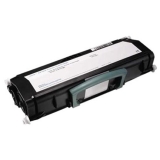
Dell Toner Cartridge - Black


Dell Imaging Drum
Free shipping! Dell genuine D20NH cyan imaging drum delivers excellent print quality, sharp images and text for 50000 pages.
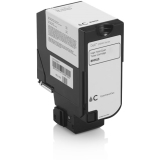
12K PG HIGH YIELD CYAN TONER CARTRIDGE YIELD U&R 9DJ63 FOR S5840
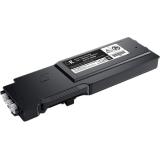
3K BLACK TONER CARTRIDGE 50Y0W 593-BBZX
Dell genuine OEM toner cartridges are made for your Dell Printer. Dell 50Y0W toner delivers excellent print quality, sharp images and text for 3000 pages.

DELL PRO 5 KEYBOARD AND MOUSE - KM526 - LIGHT ASH (OFF WHITE)
Designed for comfort | Fatigue-free typing
Full-size keyboard with fluid keys for a lighter and more comfortable typing experience during extended use.
Enhanced palm support and grip
Symmetrical mouse that is thoughtfully designed with an optimal angle and shape for a more natural grip and all day comfort.
Smoother glide
New feet material ensures smooth mouse movement across most surfaces, reducing strain and making navigation effortless.
Maximize productivity and improved reliability | Extended power performance
Stay productive longer with an industry-leading battery life of up to 48 months
Precise tracking, better control
Adjustable cursor speed (DPI) up to 6K ensures greater accuracy and control for all your needs.
Durable and reliable design
Spill-resistant and abrasion-resistant keys provide longevity in high-use environments, minimizing work disruptions.
Customize for efficiency
Streamline your tasks with 16 programmable keys, 1 programmable scroll wheel, and new shortcuts like audio switch and talk-to-text
Streamlined manageability and advanced security | Enhanced security for peace of mind
Dell Secure Link USB Receiver (WR3) provides 128-bit AES encryption, advanced security, powered by FIPS-approved algorithms - trusted by government and enterprise and is made more secured with Dell proprietary security technology.
Centralized control for IT managers
The Dell Device Management Console (DDMC) enables mass firmware deployment.
Dell Display and Peripheral Manager
Experience Dell's singular, innovative application to optimize the performance of your entire Dell PC workspace
Tuned to your specifications
Program shortcuts to gain instant access to frequently used applications or functions and enhance your productivity.
More manageable
Save time and boost IT efficiency with the Dell Device Management Console to manage your Dell peripheral fleet at scale, from a single cloud-based console. Discover expanded Command Line Interface features from Dell Display and Peripheral Manager.


14 PREMIUM (DA14250) CORE ULTRA 7-255H 32GB (-1DIMMS) 1TB SS NVIDIA
Power in motion
A perfect balance of performance and mobility in an iconic design. Powered by AI-capable Intel®Core™ processors and up to NVIDIA©RTX ™ 4050 graphics.

DELL PRO PLUS EARBUDS - EB525
Distraction-free communication
Experience unmatched voice clarity with an AI-based noise-cancelling mic, Adaptive ANC, and a comfortable fit that's ideal for any workspace.
Intelligent audio
Your voice is heard loud and clear with an AI-based noise-cancelling mic.
Hear the difference
Engineered to recognise your voice, this mic intelligently filters out background noise to deliver best-in-class call quality. Compare our AI-based noise-cancelling mic to standard earbud mic quality.
Certified clarity for open offices
Elevate your calls with the world's first Microsoft Teams Open Office Certified Earbuds. Designed to isolate your voice while filtering out nearby distractions, this technology enables you and your audience to experience seamless communication. Also Zoom-certified, you'll get exceptional call clarity wherever you work.
Play video about Dell Pro Plus earbuds - EB525
Video illustrating the capabilities of Dell Pro Plus Earbuds.
Block out noise or stay aware
Easily switch between deep focus and heightened awareness with a simple pinch to activate Adaptive ANC or enhanced transparency mode.
Adaptive active noise-cancelling mode
Adaptive ANC dynamically adjusts to your surroundings, ensuring the perfect balance of noise cancellation and comfort, wherever you are.
Enhanced transparency mode
Enhanced transparency mode provides natural, true-to-life sound while keeping you effortlessly aware of your surroundings.
Adaptive ANC vs. ambient sound
Discover how Adaptive ANC redefines audio quality compared to wearing no earbuds at all.
Control at your fingertips
On-device touch controls make it easy to switch between Adaptive ANC and enhanced transparency mode, handle calls with a pinch, and manage music while adjusting volume easily with a swipe.
Custom fit for all-day comfort
Enjoy a fit that's tailored to you with four ear tip sizes (XS, S, M, L), intentionally designed to provide lasting comfort while effectively blocking external noise. Plus, get everyday durability with IP54 dust and water resistance.
Effortless connectivity
Transition smoothly between devices with advanced connectivity features that drive uninterrupted productivity.
Dell Display and Peripheral Manager
Experience our singular, innovative application to optimise the performance of your entire Dell PC workspace
Customise your audio experience
This app allows users to adjust the device settings and customise audio preferences by assigning preset modes such as Speech, Bass Boost, and Treble Boost. Additionally, users can create personalised audio presets using the Audio Equalizer. Users can customise earbud controls for calls and multimedia use and receive the latest firmware updates.
More manageable
Save time and boost IT efficiency with the Dell Device Management Console to manage your Dell peripheral fleet at scale, from a single cloud-based console. Discover expanded Command Line Interface features from Dell Display and Peripheral Manager.


DELL PRO DOCK - WD25
Powerful compatibility
Power essential productivity across the AI PC workplace. The Dell Pro Dock offers enhanced compatibility and drives up to 100W of power to new mainstream Dell AI PCs and non-Dell PCs.
Upgraded for modern work
Expand your views with native support for up to four high-res displays. Keep your PC accessories connected and charged with the latest ports, while staying productive with faster USB and network speeds.
Modern manageability
The Dell Pro Dock is part of the world's most manageable commercial docking family, with flexible management capabilities, designed to uplevel IT efficiency and keep users working without disruption.
A leader in sustainable innovation
Experience up to 72% reduction in power consumption on standby mode. Built with at least 65% postconsumer recycled materials and packaged with 100% recycled or renewable packaging.
Thoughtful design
Configure your workspace with an ambidextrous USB-C cable that can be routed left or right. Features a new robust USB-C connector, designed for enhanced durability
Elevate IT efficiency | Simplify PC workspace modernization at scale | Unified IT experience
Centralize management through a single cloud-based console. When connected to a PC, the Dell Pro Dock, and other Dell peripherals, offer streamlined manageability from the Dell Device Management Console.
Simplify firmware updates
Reduce IT complexity by deploying a single firmware file across PC workspaces. Minimize end-user disruption with silent firmware updates that are executed upon dock disconnection.
Enhance compatibility
Dell Pro Docks provide more universally compatible features, such as MAC Address Pass-Through and Power Button Sync, for a better docking experience across brands.

DELL RUGGED USB-C 65 W AC ADAPTER WITH 1 METER POWER CORD - UNITED STATES

DELL PRO 16 PC16250 ULTRA 7 255U 16GB 512GB 16IN WIN11PRO
Essential productivity in a new, modern design
16-inch AI capable PC with a built-in AI chip, exceptional battery life, Intel® Core™ Ultra processors, and a sleek, modular design for enhanced durability.

DELL PRO 16 PC16255 RYZ 5 220 8 GB 256GB 16IN WIN11PRO
Essential productivity in a new, modern design
16-inch laptop offering built-in AI capabilities and exceptional battery life with AMD processors in a sleek and durable design.

DELL PRO 14 PLUS PB14255 RYZ AI 7 PRO 350 32GB 512GB 14IN WIN11PRO
Dell Pro 14 Plus Laptop
14-inch laptop or 2-in-1 with up to AMD Ryzen AI PRO processors offering a built-in AI chip for long-lasting battery life in a sleek and durable design.

DELL PRO 14 PC14255 RYZ 5 220 16GB 256GB 14IN WIN11PRO
Essential productivity in a new, modern design
14-inch laptop offering built-in AI capabilities and exceptional battery life with AMD processors in a sleek and durable design.

