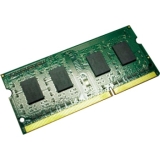

2M MINI SAS 12G CABLE SFF-8644 ES/EJ SERIES TVS-ECX80U-SAS SERIES


QVRPRO LIC 8 CH/UNLIMITED PLAY QTS/QUTS HERO 5.0.0+ QVP 2.3.0+

QNAP 24-BAY 4U RACKMOUNT PCIE INTERFACE
TL-R2400PES-RP | PCIe Interface 24-bay JBOD, supporting SATA drives, for petabyte-scale expansion designed specifically for QNAP NAS
The TL-R2400PES-RP TL PCIe interface JBOD storage enclosure allows you to expand the storage capacity of a QuTS hero or QTS NAS by using SATA hard drives. Providing large data capacity and fast transfer speed, the TL-R2400PES-RP is the ideal solution for archiving/backing up virtualization applications, surveillance recordings, large data, and multimedia.
4.1 PB capacity
Expand up to 4.1 PB capacity for QuTS hero NAS, by connecting twelve expansion enclosures (up to 288 hard drives in total).
Economy
The TL-R2400PES-RP supports SATA hard drives, which are common, budget-friendly, and available with large capacities.
Up to 64 Gb/s
The TL-R2400PES-RP features PCIe Gen 3 x8, providing up to 64 Gb/s data transfer speed.
Easy setup
Just connect your TL-R2400PES-RP to the host NAS to expand NAS capacity. RAID re-building on the host NAS is not required, and setup is finished within a few minutes.
Host-based power management
The TL-R2400PES-RP power on/off is linked with the host NAS.
Redundant power supply
Ensures service continuity with stable and reliable power supplies.
QNAP enterprise NAS with petabyte-class storage
Use QNAP enterprise and all-flash QuTS hero NAS paired with multiple TL-R2400PES-RP JBODs, to obtain both breakthrough performance and massive capacity. The TL-R2400PES-RP supports SATA hard drives, providing greater choice in selecting high-capacity drives. This configuration is ideal for enterprises, science research institutions, and media production companies that require high-capacity storage for backing up or storing virtual machines, containers, and what is produced/generated by their high-performance NAS.
Cascades multiple expansion units
Install the QXP-3X8PES (PCIe Gen 3 x8) or the QXP-3X4PES (PCIe Gen 3 x4) storage expansion cards in your QNAP NAS depending on your requirements for flexible storage expansion.
Expand existing NAS storage pools
You can expand existing storage pools on the host NAS by simply adding a new RAID created on the TL-R2400PES-RP. RAID re-building or complicated settings are not required. All settings can be configured using Storage & Snapshots Manager on the host NAS. The TL-R2400PES-RP is a great solution for accommodating ever-increasing data or backup files.
Power on/off linked with host QNAP NAS
The TL-R2400PES-RP power status is linked with the host NAS, which helps to reduce hardware management tasks for IT staff.

QNAP AC QXP-3X8PES 2 ports SFF-8644 1x2 Expansion card PCIe Gen3x8 f QNAP PCIe

QNAP ULTRAHIGH SPEED 6 BAY NAS ICORE I5-12400 6C/12T UP TO 4.6GHZ
With an Intel® Core™ i5 six-core Processor or Intel® Core™ i3 quad-core Processor to support the ZFS-based QuTS hero operating system, the TVS-h674 SMB NAS ensures data integrity and supports block-level inline data deduplication and compression, near-limitless snapshots, real-time SnapSync, and SSD optimization. Whether for mission-critical file servers, virtualization servers, collaborative video editing, or efficient data backup and recovery applications, the TVS-h674 delivers an ideal NAS solution. The high-performance TVS-h674 provides PCIe Gen 4 (up to twice the transmission speed of Gen 3) expandability, M.2 NVMe SSD caching, and 2.5GbE connectivity for high-speed virtualization network environments.
M.2 PCIe Gen 4
Enable NVMe SSD caching or Edge TPU empowered AI image recognition.
2.5GbE connectivity2.5GbE ports provide higher transmission speeds with existing Cat 5e cables.
Flexible PCIe Gen4 expansionPCIe slots allow for installing 2.5/5/10/25GbE adapters, QM2 cards, or entry-level graphics cards to increase application performance.
Virtual machines and containersHost multiple virtual machines and containers with optimized resource utilization.
Full HD HDMIDirectly view creative works on an HDMI display. Enjoy smooth full HD media playback and real-time transcoding.
Faster image recognition with AI accelerationThe built-in Intel® OpenVINO™ and Intel® UHD Graphics help boost AI image recognition and offload CPU workloads.
High-performance Intel® Core™ processor bursts up to 4.4 GHz
The TVS-h674 adopts an Intel® Core™ i5 six-core Processor or Intel® Core™ i3 quad-core Processor with Intel® UHD Graphics 730 to increase multi-tasking capabilities, offering SMBs a secure, reliable, and high-performance NAS solution.
Processor
Intel® Core™ i5 6-core/12-thread Processor (burst up to 4.4 GHz)
Memory
Supports up to 128 GB dual-channel DDR4 memory
Connections
Three USB 3.2 Gen 2 (10Gbps) ports
Encryption Engine
Features Intel® AES-NI 256 hardware-accelerated encryption to boost system performance while securing sensitive data.
Boost NAS performance with M.2 SSDs or TPU
The TVS-h674 has two M.2 PCIe slots, enabling SSD caching or SSD storage pools for improved performance, or other applications.
Install M.2 NVMe SSDs for cache acceleration
The TVS-h674 supports SSD caching and features two M.2 slots that support M.2 PCIe NVMe SSDs with 2280 form factors (sold separately) for boosting overall NAS performance.
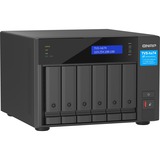
QNAP ULTRAHIGH SPEED 6 BAY NAS I CORE I3-12100 4C/8T UP TO 4.3GHZ
With an Intel® Core™ i5 six-core Processor or Intel® Core™ i3 quad-core Processor to support the ZFS-based QuTS hero operating system, the TVS-h674 SMB NAS ensures data integrity and supports block-level inline data deduplication and compression, near-limitless snapshots, real-time SnapSync, and SSD optimization. Whether for mission-critical file servers, virtualization servers, collaborative video editing, or efficient data backup and recovery applications, the TVS-h674 delivers an ideal NAS solution. The high-performance TVS-h674 provides PCIe Gen 4 (up to twice the transmission speed of Gen 3) expandability, M.2 NVMe SSD caching, and 2.5GbE connectivity for high-speed virtualization network environments.
M.2 PCIe Gen 4
Enable NVMe SSD caching or Edge TPU empowered AI image recognition.
2.5GbE connectivity2.5GbE ports provide higher transmission speeds with existing Cat 5e cables.
Flexible PCIe Gen4 expansionPCIe slots allow for installing 2.5/5/10/25GbE adapters, QM2 cards, or entry-level graphics cards to increase application performance.
Virtual machines and containersHost multiple virtual machines and containers with optimized resource utilization.
Full HD HDMIDirectly view creative works on an HDMI display. Enjoy smooth full HD media playback and real-time transcoding.
Faster image recognition with AI accelerationThe built-in Intel® OpenVINO™ and Intel® UHD Graphics help boost AI image recognition and offload CPU workloads.
High-performance Intel® Core™ processor bursts up to 4.4 GHz
The TVS-h674 adopts an Intel® Core™ i5 six-core Processor or Intel® Core™ i3 quad-core Processor with Intel® UHD Graphics 730 to increase multi-tasking capabilities, offering SMBs a secure, reliable, and high-performance NAS solution.
Processor
Intel® Core™ i5 6-core/12-thread Processor (burst up to 4.4 GHz)
Memory
Supports up to 128 GB dual-channel DDR4 memory
Connections
Three USB 3.2 Gen 2 (10Gbps) ports
Encryption Engine
Features Intel® AES-NI 256 hardware-accelerated encryption to boost system performance while securing sensitive data.
Boost NAS performance with M.2 SSDs or TPU
The TVS-h674 has two M.2 PCIe slots, enabling SSD caching or SSD storage pools for improved performance, or other applications.
Install M.2 NVMe SSDs for cache acceleration
The TVS-h674 supports SSD caching and features two M.2 slots that support M.2 PCIe NVMe SSDs with 2280 form factors (sold separately) for boosting overall NAS performance.

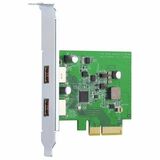
USB 3.2 GEN 2 DUAL PORT PCIE EXPANSIONCARD NAS W/A PCIE SLOT WIN
The QNAP USB 3.2 Gen 2 Expansion Card provides speeds of up to 10Gbps - double that of USB 3.2 Gen 1 - to greatly boost data transfer speeds. With two ports, the QNAP USB 3.2 Gen 2 Expansion Card provides compatibility with newer, faster USB 3.2 Gen 2 devices to accelerate file transfers and backup. The QNAP USB 3.2 Gen 2 Expansion Card can be installed in either a QNAP NAS or Windows®/Ubuntu® PC.
- Dual-port USB 3.2 Gen 2 Type-A connectivity. Both ports provide up to 10 Gbps data transfer speeds and are backwards compatible with previous-generation USB devices.
- Supports USB Attached SCSI Protocol (UASP) to provide convenient fast file sharing and intensive data transfer.
- Uses advanced low-power processes, following standard PCIe/USB bus Power Management to reduce power consumption.
- Supports overcurrent detection and short circuit protection.
- Supports Windows 8.x / 10 (32/64-bit) and Ubuntu desktop 20.04 LTS. No driver is required.

DUAL PORT 2.5GBE 4-SPEED NETWORK CARD PC/SERVER OR NAS WITH
QNAP offers various cost-effective network expansion cards for businesses and home users to easily upgrade the bandwidth of their QNAP NAS, servers and computers to accommodate high-speed data transfer and bandwidth-hungry applications.
2.5 GbE network expansion card
2.5 GbE network expansion card delivers speeds of up to 2.5 Gbps. You can easily upgrade your home and office network infrastructure with existing cables.
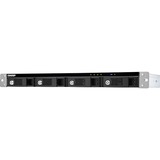
4BAY 1U 12IN SHORT DEPTH RACK MNT 3.5IN SATA USB3 TYPEC RAID ENCL
The TR-004U USB 3.0 RAID expansion enclosure allows you to expand the capacity of your QNAP NAS and PC. The TR-004U can also be utilized as a DAS (Direct-attached Storage) device, allowing you to directly access its content by connecting it via USB. The TR-004U features four 3.5-inch SATA drive bays with multiple RAID configuration options and USB 3.0 Type-C connectivity to bring you a highly-reliable and secure storage capacity expansion solution.
USB 3.0 Type-C port for faster data transfer.
Supports up to four SATA drives for reliable read and write performance.
Disk mode DIP switch to change from Hardware Control and Software Control configurations for setting RAID group.
Lockable hard drive trays to prevent accidental drive removal.
Users can configure RAID and monitor disk health using Storage & Snapshots Manager on a QNAP NAS.
Can be used to add storage space to a QNAP NAS, serve as hardware-based RAID storage, and offers cross-platform file sharing for users.
Supports various RAID levels
The TR-004U supports a variety of RAID configurations. Depending on your requirements, you can switch between hardware- or software-controlled RAID modes. Move the DIP switches to corresponding positions for your ideal RAID mode: Individual, JBOD, RAID 0, RAID 1/10 or RAID 5. You can also configure the RAID settings from your QNAP NAS, or by using the QNAP External RAID Manager utility on your computer.
Individual ModeTreats every disk as separate storage spaces, allowing you to independently access each one.
JBOD ModeAll the disks are recognized as a single drive. This allows maximal storage utilization but provides no data protection.
RAID 0 ModeData is split amongst the drives. RAID 0 provides the fastest performance but does not protect data from drive failure.
RAID 1/10 ModeHalf of the total storage capacity is used to store data, and the other half keeps a copy of this data. This provides high data protection at the cost of only being able to use half the installed storage space.
RAID 5 ModeRAID 5 requires at least three drives to use and parity information is distributed among the drives, providing optimized storage capacity and protection against one disk failing.
Software Ctrl ModeUse this mode to control the RAID configuration from your NAS or computer.
Flexible storage configuration and management
Compared with other RAID enclosures, the TR-004U provides software-controlled configurations for greater management flexibility. Users can configure RAID and monitor disk health using the Storage & Snapshots Manager on a QNAP NAS, or by using the QNAP External RAID Manager utility on their computer.
QTS Storage & Snapshots
Use Storage & Snapshots Manager to configure the TR-004U as a storage expansion unit for your QNAP NAS. In addition to RAID configuration, the NAS expansion storage mode supports various NAS functions, including storage pools and snapshots. By choosing external storage mode, you can use the TR-004U as a DAS.
QNAP External RAID Manager
The QNAP External RAID Manager is a utility for Windows and Mac users to set up, monitor, and view the status of the TR-004U. Users can easily configure RAID groups on the TR-004U and quickly obtain the status of RAID performance and health at a glance.

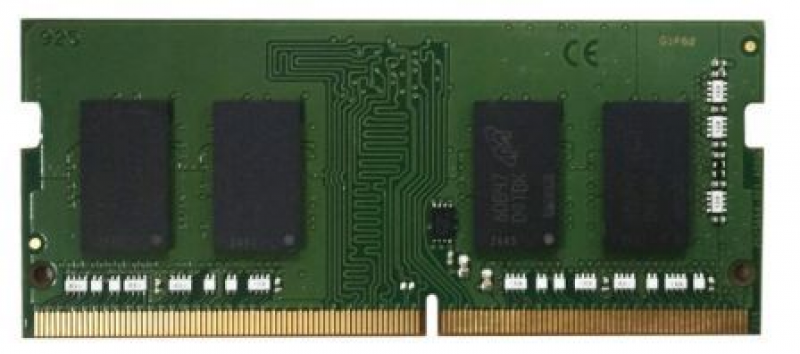
32GB DDR4 ECC RAM 2133MHZ REGISTERED DIMM TDS-16489U TES-1885
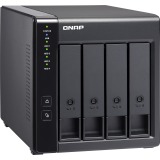
TR-004 4BAY USB3 TYPEC HW RAID ENCL/DAS SINGLE RAID 0/1/5/6/10

3M SFP+ 10GBE TWINAXIAL DIRECT ATTACH CABLE S/N & FW UPDATE
SFP+ 10GbE twinaxial direct attach cable, 3.0M