
RADINETPRO NETWORK CENTRALIZED QC MGMNT SOFTWARE 20U CLIENT ACCESS LICS

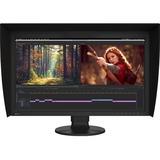
27IN WS WIDE COLOR GAMUT TFT IPS LCD BLACK 3840X2160 UHD
The ColorEdge CG2700X is one of the flagship models for the latest generation of ColorEdge color management monitors. It features HDR gamma support, USB Type-C connectivity, a built-in calibration sensor, and a new cabinet design.
4K UHD Resolution
The ColorEdge CG2700X displays at 4K UHD (3840 x 2160) resolution, which is four times the size of Full HD. The remarkable detail ensures that high resolution content is displayed crisply. The 27-inch screen provides ample space for displaying 4K content natively or Full HD content in full with enough space to show toolbars, palettes, and other windows or applications. This makes the monitor versatile for video editing, 3DCG creation, game development, photography, and other creative fields.
Single Cable Connection with USB Type-C
The ColorEdge CG2700X features USB Type-C connectivity that allows you to display video, transmit USB signals, and supply power to a connected device such as a tablet or notebook PC. This convenient multi-purpose connectivity makes it faster and easier to connect when moving between workstations or working remotely.
Power Delivery
The ColorEdge CG2700X reliably charges a MacBook Pro or other high-end laptops with 94 W power delivery. This eliminates the need for a laptop's bulky power supply unit, freeing up space in your bag and on the desk.
Stable Network Connection
While many modern laptops are not equipped with a dedicated LAN port, the monitor has one directly built in for stable wired connection. Connecting a laptop via USB Type-C provides access to the network through the monitor for sharing creative assets and files, carrying out post production work remotely, and enables network-based color management via ColorNavigator Network.
EIZO MAC Address Clone Utility software temporarily assigns the MAC address of a connected PC to the monitor, granting network access to authenticated devices, and preventing network access from unauthenticated devices.
Built-In Sensor to Automate Your Workflow
ColorEdge were the first monitors in the world to have a built-in calibration sensor for color critical applications. The ColorEdge CG2700X's built-in sensor can be set to calibrate the monitor automatically at designated times. This eliminates the need for a third-party calibration device and ensures your screen stays color-accurate. In addition, the sensor swings onto the screen, taking up minimal space and allowing you to continue working even during calibration.
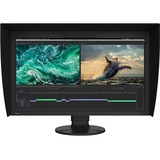
LCD SHADING HOOD ONLY AVAILABLE IN BLACK
The ColorEdge CG2700S is one of the flagship models for the latest generation of ColorEdge color management monitors. It features HDR gamma support, USB Type-C connectivity, a built-in calibration sensor, and a new cabinet design.
2K WQHD Resolution
The ColorEdge CG2700S displays at 2K WQHD (2560 x 1440) resolution. The 27-inch screen provides ample space for displaying Full HD content in full with enough space to show toolbars, palettes, and other windows or applications. This makes the monitor versatile for video editing, 3DCG creation, game development, photography, and other creative fields. EIZO also offers a 4K UHD (3840 x 2160) model with the ColorEdge CG2700X for creators focused on 4K content.
Streamlined Connection | Single Cable Connection with USB Type-C
The ColorEdge CG2700S features USB Type-C connectivity that allows you to display video, transmit USB signals, and supply power to a connected device such as a tablet or notebook PC. This convenient multi-purpose connectivity makes it faster and easier to connect when moving between workstations or working remotely.
Power Delivery
The ColorEdge CG2700S reliably charges a MacBook Pro or other high-end laptops with 92 W power delivery. This eliminates the need for a laptop's bulky power supply unit, freeing up space in your bag and on the desk.
Stable Network Connection
While many modern laptops are not equipped with a dedicated LAN port, the monitor has one directly built in for stable wired connection. Connecting a laptop via USB Type-C provides access to the network through the monitor for sharing creative assets and files, carrying out post production work remotely, and enables network-based color management via ColorNavigator Network.
Reliable Color Management | Built-In Sensor to Automate Your Workflow
ColorEdge were the first monitors in the world to have a built-in calibration sensor for color critical applications. The ColorEdge CG2700S's built-in sensor can be set to calibrate the monitor automatically at designated times. This eliminates the need for a third-party calibration device and ensures your screen stays color-accurate. In addition, the sensor swings onto the screen, taking up minimal space and allowing you to continue working even during calibration.
ColorNavigator 7 Color Management Software
A monitor needs to be calibrated at regular intervals to maintain color accuracy. EIZO's proprietary ColorNavigator 7 software provides an intuitive and highly precise solution to color management. It allows you to schedule automatic recalibration, calibrate all color modes simultaneously, and conduct correlation with external sensors to match the studio's internal color management framework.
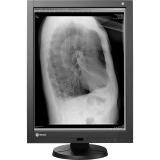
Eizo RadiForce GX240-CL-P 21.3" LED LCD Monitor - 4:3 - 40 ms
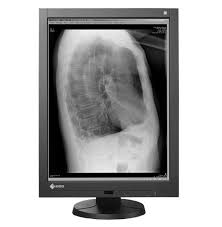
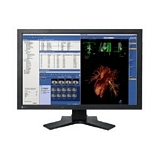
Eizo FlexScan MX240W 24" LCD Monitor - 16:10 - 16 ms
FlexScan MX240W LCD monitor with 90° pivot for portrait mode gives you versatility with images or applications requiring more vertical viewing space. The Digital Uniformity Equalizer (DUE) function provides optimum backlight luminance uniformity which is considered difficult to attain due to the characteristics of LCD monitors.
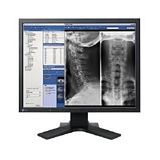
Eizo FlexScan MX210 21" LCD Monitor - 16 ms
FlexScan MX210 LCD monitor with the backlight saver function allows for the monitor's backlight to turn off when the screen saver is activated and the monitor's backlight to turn on when the computer comes out of the screen saver mode. This function helps to reduce power consumption when the monitor is used for a prolonged period of time. 90° pivot for portrait mode gives you versatility with images or applications requiring more vertical viewing space.
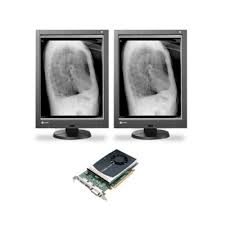
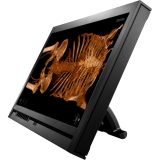
Eizo RadiForce MS231WT 23" LCD Touchscreen Monitor - 16:9 - 25 ms
The 23-inch RadiForce MS231WT offers a multitouch interface via Windows 7 that provides an intuitive way to use your applications with simple hand gestures. With its DICOM preset mode the RadiForce MS231WT is uniquely designed to meet the needs of a filmless environment where clinical records and medical DICOM images need to be displayed.

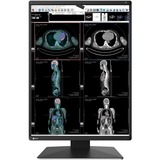
RADIFORCE 3MP 21.3 LCD LED COLOR IFS
Streamlined Modern Image Reading
The workload of various tasks involved in reading images has been increasing in recent years due to the diversification of image reading environments. RadiForce monitors provide a total solution that contributes to work efficiency in various scenes, such as quality control and connectivity options in addition to image quality.
Evolve Your Image Reading
As more image modalities become digitalized, radiologists are viewing an increasing amount of information on their screens. EIZO's unique Work-and-Flow technology alleviates the complexity of the imaging workflow with new functions developed with the radiologist in mind. Users can take advantage of Work-and-Flow functions with the RadiForce monitor and bundled RadiCS LE software.
Boost Images for Easy Viewing
The Instant Backlight Booster function temporarily maxes the brightness of the monitor for quickly viewing details in medical images. A single hotkey allows users to turn the function on for multiple monitors at once so they can easily view more than one screen under the same high-brightness conditions.
Barrier-Free Workstyle
With the Switch-and-Go function, you can operate two different workstations at the same time with a single mouse and keyboard. Work across several monitors by moving the cursor from one screen to the other or switch the signals between workstations as needed without having to change your mouse or keyboard each time. This makes it possible to reduce the number of monitors in the workflow and improves work efficiency.
Eye Relief with Gentle Light
RadiLight is an optional light that attaches to the back of a RadiForce monitor and illuminates the wall behind it. This reduces eye strain for the radiologist viewing a bright monitor in a dark environment, while ensuring there are no reflections on the screen to interfere with reading. It can be attached directly to the monitor without removing the stand and does not take up additional desk space.
High Fidelity Images for Peace of Mind | Display Both Monochrome and Color
The Hybrid Gamma PXL function automatically distinguishes between monochrome and color images pixel by pixel, creating a hybrid display where each pixel has optimum grayscale.
As a result, monochrome images such as CR and DR are displayed in the ideal grayscale that corresponds to DICOM Part 14, while color images such as those used in endoscopy, nuclear medicine, 3D rendering, and fusion imaging are faithfully reproduced corresponding to Gamma 2.2. This improves the efficiency of viewing both monochrome and color images together on one screen.

RAPTOR 24.1IN 1920X1200 ATC TOWER MONITOR VESA MOUNT
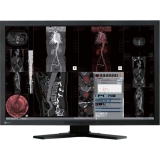
Eizo RadiForce MX241W 24.1" CCFL LCD Monitor - 16:10 - 13 ms
To ensure the most accurate and consistent shadings possible, EIZO carefully measures and sets every grayscale tones on the production line to produce a monitor compliant with DICOM Part 14.
View More with WidescreenThe widescreen 16:10 or 16:9 aspect ratio provides significantly more horizontal space than the 4:3 or 5:4 aspect ratios of conventional square monitors. The screen is wide enough so that you can keep tool palettes open without covering the window you're working on.
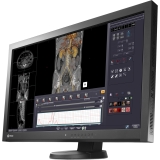
Eizo RadiForce MX270W 27" LED LCD Monitor - 16:9 - 12 ms
The RadiForce MX270W features a 27-inch large screen size and a 2560 x 1440 high-resolution which are ideal for displaying multiple imaging applications or windows to improve the work efficiency of physicians and radiologists.

LCD SHADING HOOD ONLY AVAIL IN BLK CLREDGE CG248-4K CG2420 CS2420

RADICS UX2 CALIBRATION KIT FOR RADIFORCE COLOR & MONO DISPLAYS

19IN CLR LED 1280X1024 1000:1 EIZO S1934H-BK VGA DVI-D BLK 14MS
The Auto EcoView function is a sensor on the front of the monitor that measures ambient light and optimizes the screen's brightness to a level akin to viewing a sheet of paper under typical office lighting conditions. Since the screen is never too bright, eye strain is reduced while power consumption is cut by up to 50% compared to operating the monitor with Auto EcoView turned off and set to the default factory brightness of 100%.
IPS Panel with Wide Viewing Angles
The IPS (in-plane switching) panel offers 178° viewing angles to minimize color shift and contrast when viewing the screen at an angle. This ensures stable and consistent display when two or more people view the screen at once or in a multi-monitor environment.
Three Inputs Including DisplayPort
DisplayPort, DVI-D 24-pin, and D-Sub mini 15-pin inputs are included for connection with various graphics boards.
Viewing Comfort with an Ergonomic Stand
Adjust the screen to the most comfortable position with 100 mm height adjustment, 30° tilt, 70° swivel, and 90° rotation for portrait mode. A stand with 30° tilt only is available as an option.
Reduced Blue Light
A preset mode called "Paper" adjusts the brightness, contrast ratio, and color temperature to simulate those of printed paper. Paper mode significantly reduces the amount of blue light emitted from the screen for more comfortable viewing.
Built to Last Five Years
EIZO's five-year warranty is two years or 67% longer than the standard three-year warranty of most brands. Even if the initial purchase price of the FlexScan S1934 is higher than another 19-inch monitor, the TCO (total cost of ownership) will likely be lower due to the significantly longer buying cycle and less need for repair.
Optional LCD Panel Protector
The FP-1901 protector fits easily between the LCD screen and bezel, has a light transmission rate of more than 90%, and includes both an anti-glare coating side to reduce light reflection and a glossy side for crisper, more vibrant image
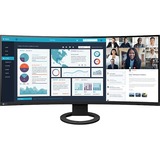
37.5IN WS 3840X1600 1000:1 5MS 5MS FLEXSCAN EV3895 ULTRASLIM FRAME
More Space, Seamless Viewing
The 37.5-inch EV3895 is a UWQHD+ (3840 x 1600) curved ultrawide monitor with a 24:10 aspect ratio. The monitor has nearly triple the pixels to work with compared with Full HD monitors. Users can freely arrange multiple applications across its vast screen without the obtrusive bezels typical of multi-monitor setups
See Everything at Comfortable Distance
The closer a user sits to large monitor, the greater the distance between their eyes and the far edges of the screen. A curved monitor gently brings those edges in to a more comfortable distance, improving visibility, focus, and immersion.
Operate Multiple PCs Without Switching SourcesConvenient Multi-Input Connection
The Picture-by-Picture (PbyP) function allows the monitor to receive up to three video signals simultaneously. This saves the time and hassle of switching between video and audio sources when operating more than one computer. The monitor comes with six pre-defined PbyP layouts.
Swap Layouts at the Touch of a Button
When simultaneously displaying content from three video inputs via Picture-by-Picture (PbyP), the Main Window Swap function allows you to instantly change the layout of the windows. This provides a simple and fast way of shifting focus to any screen freely.
One Keyboard and Mouse Across Multiple PCs
The monitor is equipped with four easy-access USB Type-A ports on the side. When using PbyP, the monitor's USB Selection function allows you to use a single mouse and keyboard to operate each screen from multiple computers. This eliminates the need for additional peripherals for each computer and keeps your desk tidy.
Streamlined Connection with USB Type-C
The monitor is equipped with a USB Type-C connection that allows users to display video, playback audio, transmit USB signals, supply power to connected devices, and even access a network signal. This convenient multi-purpose connectivity makes it faster and easier to connect your laptop when moving between workstations or working away from the office.
USB Type-C equipped PCs Compatibility information
No Need to Carry a Bulky Power Supply
The monitor's 85 watt power delivery via USB Type-C reliably charges laptops and small desktop PCs. This eliminates the need for a laptop's bulky power supply unit, freeing up desk space.
Network Connection via USB Type-C
While many modern laptops are not equipped with a dedicated LAN port, the monitor has one directly built in for a wired connection. Connecting any laptop via USB Type-C allows access to the network through the monitor. This allows you to conduct conference calls or data transfers reliably and at high speed.
Take Your Settings with You
Screen InStyle's Color Briefcase feature effortlessly maintains display preferences and allows users to take those settings with them. Individual settings are automatically reflected simply by connecting the laptop to the monitor. This streamlined feature takes away the hassle that comes with connecting and setting up a monitor when telecommuting or working in hot desking or shared workspace environments.
Aesthetically Pleasing Design
A monitor's aesthetic can go a long way in creating a more comfortable atmosphere. The monitor's minimalistic design and ergonomic functions, down to its stand concept, allow it to fit naturally in your work environment at the office or at home.
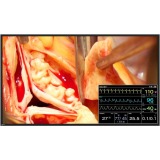
48.5IN WS LCD 1920X1080 1300:1 RADIFORCE LX-SERIES LX491W-BK 8MS
Large Display Area
With an image diagonal of 49" and a resolution of 1920 x 1080 pixels, the monitor is suited for displaying different image sources simultaneously. For example, DICOM X-rays and endoscopic images can be shown side-by-side in the surgical environment. The large image diagonal makes the monitor ideal for mounting on the OP wall and viewing images from a greater distance. Images can be scaled full screen, reproduced in their original size, or displayed in or next to one another with the PiP and PaP functions.
Flexible Usage
The monitor supports a wide spectrum of timings and can be adapted easily to the various signal requirements in the operating room. Together with its numerous input and output connectors, the monitor can be used in a variety of ways with established imaging systems. Depending on the procedure and requirements, users for example can quickly switch between endoscopic images, X-ray images in DICOM, and modality images with specialized timing, or combine these with other images.
Comfortably View from Any Angle
Wide viewing angles allow the monitor to be viewed from the side with minimal color shift, thus offering a quality image to multiple persons watching from different perspectives simultaneously.
Preset Look-Up Tables
The monitor is pre-calibrated in the factory. With five applicationoriented look-up table (LUT) presets and a user-configurable LUT function, the monitor is easy to install and maintain. It can be quickly adapted to the local viewing and lighting conditions or application preferences as needed.
User-Defined LUT Function
With the user-defined look up table (LUT), the default gamma model, color coordinates, and brightness of the LX491W can be adapted to individual requirements without additional sensors and software. With Force Mode, even the unknown timing of an older medical system can be analyzed and implemented in the monitor. As a result, even timing outside the standard range can be displayed on the monitor. This ensures compatibility, especially with older medical systems. And adaptations in the field, for example when replacing a device, become very easy.
Numerous Video Inputs
The LX491W can be connected to imaging systems via the various video inputs, such as DVI, 3G-SDI, Composite, S-Video and VGA. The monitor can be simultaneously connected to both digital and traditional video signals (PAL, NTSC). If necessary, the video input settings can be adjusted using the OSD (On Screen Display) menu.
Simultaneous Display of Different Image Sources
Thanks to the monitor's widescreen format, the various input signals can be displayed in "picture-in-picture" (PiP) or side by side (PaP) orientations. This reduces the need for additional monitors, allowing users to view critical source image while simultaneously maintaining a view over other vital information.
Laminated Safety Glass for Easy Cleaning
The anti-reflective laminated safety glass ensures excellent image quality while protecting the monitor from scratch damage or liquid ingress during surgery or when cleaning and disinfecting the monitor.
LED Backlight
The monitor is equipped with an LED backlight that has been optimized for bright environments. LED technology offers a long lifetime expectancy even at high luminance settings.
