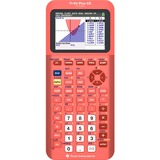
TI84 PL CE Teach Pk
- Thirty Percent lighter and thinner than earlier generation TI-84 Plus models
- Vibrant backlit color screen
- TI Rechargeable Battery
- Available in a variety of fun colors
- Preloaded apps and images
- MathPrint™ featur
Captivating color. Optimal display.
Visualize concepts clearly and make faster, stronger connections between equations, data and graphs in full color.
- Enhanced screen readability with high-resolution, backlit display
- Distinguish between multiple graphs and plots with color-coded equations, plots and objects
- Make graphs easier to read by adding grid lines
Approved for exams
The TI-84 Plus CE is approved for use on the following exams:
- PSAT®, SAT®, and ACT® college entrance exams
- AP® exams that allow or require a graphing calculator
- Approved for use on the IB® Diploma Programme exam
Familiar TI-84 Plus family functionality
Use more, replace less
The TI Rechargeable Battery conveniently recharges using a USB cable, wall charger or TI-84 Plus C Charging Station.
best handheld calculator ever created
Familiar TI-84 Plus family functionality
The same menu structure and navigation as the TI-84 Plus family make it easy to pick up and learn. The built-in MathPrint™ feature allows you to input and view math symbols, formulas and stacked fractions exactly as they appear in textbooks.
Make real-world connections
Deepen student understanding of math concepts with images. Import photos from a computer to the calculator and graph on top of the images to create an engaging learning experience.
A complete learning resource
84 Activity Central
Subject-specific lessons and tools that help students gain an understanding of math and science concepts. Find activities written for the TI-83 Plus, TI-84 Plus and TI-84 Plus CE.
Professional development
Webinars, tutorials, workshops and courses delivered by experienced, certified T³™ instructors to help you meet your classroom goals. For more than 25 years, the T³™ organization has been providing professional development that combines content-rich curriculum, hands-on technology training and compelling instruction on best teaching practices.



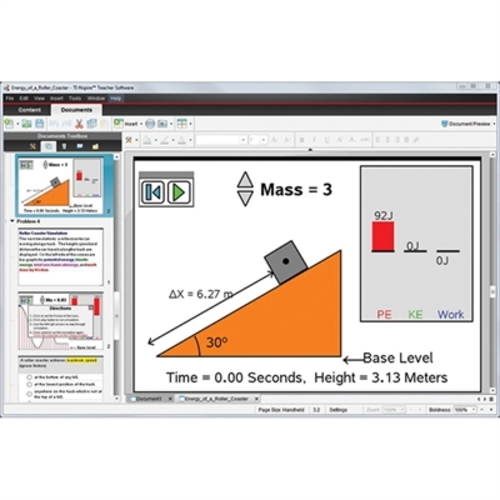



TI 30XS MultiView TK Yellow
TI-30XS MultiView EZ Spot Calculator Teacher Kit with EZ Spot yellow calculators with School Property on the front. Teacher Kit includes ten (10) calculators, (1) storage box, (1) poster and (1) DVD with full set of instructional materials.
View more calculations at a time - Four-line display allows you to enter more than one calculation, compare results and explore patterns, all on the same screen.
MathPrint™ feature - Use the MathPrint™ feature to display expressions, symbols and fractions just as they appear in textbooks.
Scientific notation output - View scientific notation with the proper superscripted exponents and see the output in scientific notation.
Explore (x,y) table of values - Students can easily explore an (x,y) table of values for a given function, automatically or by entering specific x values.
Key features:
- Four-line display
- One- and two-variable statistics
- MathPrint™ feature
- Fraction/decimal conversion
- Fraction math
- Edit, cut and paste entries
- Solar and battery powered
- Ideal for general math, pre-algebra, algebra I and II, geometry, statistics, general science, biology and chemistry.
- Exam acceptance:
- The TI-30XS MultiView™ scientific calculator is approved for use on SAT®, ACT®, and AP® exams.

TI84 Plus CE Graph Python
Enhanced graphing for everyday math
The TI-84 Plus CE offers core graphing capabilities in a sleek design for middle school through college - with full color, more memory, and more speed than the TI-84 Plus.
The fundamental tool for all kinds of math | Full-color display
Color-coordinate various graphs and values to boost visual learning.
Rechargeable battery
Built to last through class time, study time, and exam day.
30% slimmer design
Built slimmer and lighter than the TI-84 Plus for more comfort in your hands.
Approved for use on exam day:
- PSAT/NMSQT®
- ACT® and SAT®
- IB® Diploma Programme
- AP® course exams
The graphing calculator that makes math problems no problem | Familiar notation, better understanding
The unique MathPrint™ feature enables proper notation and clearer formatting, letting students enter expressions, symbols and fractions exactly as they appear on their assignments and exams.
Visualize more with split-screen mode
Use split-screen mode to view equations, graphs, and tables simultaneously. Teach students ways to see connections between expressions, numerical data, and graphical representations, making complex concepts easier to understand.
Turn abstract equations into real visuals
Use customizable styles, colors, and shading options to graph functions, parametric equations, and even polar relationships.
Put concepts in real-world context
Overlay graphs and equations on top of real images - even ones you upload yourself - to help students connect math and science concepts to the world around them.
Distraction-free learning
Your math class deserves better than a web browser. The TI-84 Plus CE unplugs students from the web and social media, so teachers can keep them focused on math.
Solve problems in style
Brighten up math class with a color that's uniquely you.
Your calculator, your curriculum
expand learning for every math and science student
Graphing and Visualization Features
Expand graphing capabilities with built-in apps that help students visual and explore mathematical concepts.
Inequality Graphing
Graph inequalities, display intersections and unions in distinct colors, and use calculation functions to find, trace, and store coordinate pair intersections between linear programming constraints.
Transformation Graphing
Observe how changes to coefficients affect the graphs of functions in real time. This interactive feature makes transformations of functions visually dynamic and easier to understand.
Conic Graphing
Present equations in function, parametric, or polar form and let students easily graph the four conical shapes - circle, ellipse, hyperbola and parabola.
Cabri™ Jr. App
Add a new dimension to student learning with interactive geometry for the calculator. Construct, analyze and transform mathematical models and geometric diagrams.
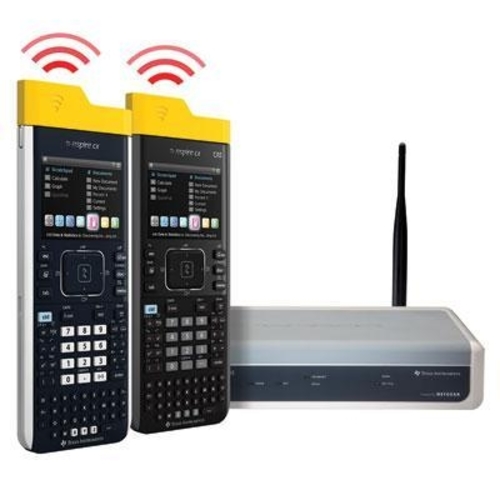


TI 34 Multi View Calc.
View more calculations at a time
Four-line display allows you to enter more than one calculation, compare results and explore patterns, all on the same screen.
MathPrint™ feature
Use the MathPrint™ feature to display expressions, symbols and fractions just as they appear in textbooks.
Explore fractions
Explore fraction simplification, integer division and constant operators.
Investigate patterns
Explore patterns via list conversions to see different number formats like decimal, fraction and percent side-by-side.
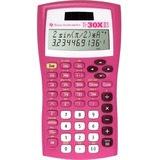
TI30XIIS Raspberry
Key features
- Two-line display
- Fraction features
- Conversions
- Basic scientific and trigonometric functions
- Edit, cut, and paste entries
- Solar and battery powered
- One- and two-variable statistics
Exam acceptance
The TI-30XIIS™ scientific calculator is approved for use on SAT, ACT, and AP exams.
Ideal for General math, Pre-Algebra, Algebra 1 and 2, Geometry, Statistics and General science
Broaden exploration of math and science concepts
Review previous entries and look for patterns. A two-line display shows entries on the top line and results on the bottom line.
Perform advanced scientific functions
Features one- and two-variable statistics, recognizes ? as a symbol in radian mode, and provides menus that allow you to select settings appropriate for your calculation needs.
Perform operations with fractions and mixed numbers
Adds, subtracts, multiplies, and divides fractions entered in traditional numerator/denominator format.


Texas Instruments TI1706 SuperView Handheld Calculator
Well equipped for home, work or school with a giant SuperView™ display and dual power.

Texas Instruments TI BA II Plus Professional Financial Calculator
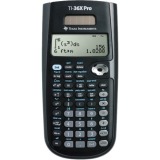
TI36X Pro Scientific Calc Bulk
- Four-line display
- One- and two-variable statistics
- MultiView™ display shows multiple calculations at the same time on screen
- Select degrees/radians, floating/fix, number format modes
- Choose from three solvers: numeric equation, polynomial and system of linear equations
- Display a defined function in a tabular form
- Determine the numeric derivative and integral for real functions
- Perform vectors and matrices using a vector and matrix entry window
Exam acceptance
The TI-36X Pro scientific calculator is approved for use on SAT, ACT, and AP exams.
Ideal for
- Algebra 1 and 2
- Geometry
- Trigonometry
- Statistics
- Calculus
- Biology
- Chemistry
- Physics
- Computer Science
- College math
- College Science
- College Engineering
View multiple calculations at the same time
Compare results and explore patterns on-screen with the MultiView™ display, which supports up to four lines.
See math exactly as it appears in textbooks
See math expressions, symbols and stacked fractions exactly the way they appear in textbooks - no need to adapt to a technical syntax; also provides quick access to frequently used functions.
Built-in solvers
Intuitive prompts allow one to easily solve numeric equation, polynomial and system of linear equations.
Easy-to-use mode menu
The menu is structured for easy, intuitive access to commands; select degrees/radians, floating/fix, Classic/MathPrint™ or number format.
Explore (x,y) table of values
Students can easily explore an (x,y) table of values for a given function, automatically or by entering specific x values.
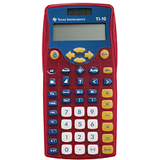
TI 10 Elementary Basic Calc
The TI-10 is perfect for the primary grades. It combines popular features of the TI-15 Explorer, which makes it a unique tool for grades K-3. The TI-10's comfortable, colorful design helps students find patterns in daily activities and helps educators reinforce math concepts in all elementary subjects.
