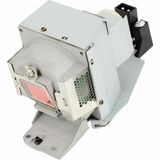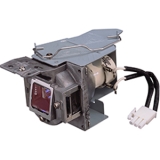

Just like an ordinary light bulb, with extended use the lamp in your BenQ projector will begin to dim and eventually fail. After your BenQ projector has been operated for a thousand hours or more over many months or even years, you may begin to notice that the projected image seems dimmer, the colors faded. It's likely that the problem is a failing projector lamp.
Luckily, with your BenQ projector's thoughtful lamp housing design, replacing a worn lamp is little more difficult than replacing a light bulb. And when it is time for a new projector lamp, a BenQ replacement lamp offers several key advantages.
BenQ lamps offer exceptional quality, validated through an extremely rigorous battery of tests in three key areas: reliability, performance, and safety. The tests meet or exceed industry standards for lamp quality testing, ensuring that you are installing the best possible replacement lamp in your BenQ projector.
Reliable
BenQ's reliability tests include checks on spot temperatures on the lamp at key locations that might be vulnerable to overheating. In addition, temperature monitoring is conducted on key components in a projector in which the lamp is installed, to verify that the lamp doesn't create an undue thermal burden for the unit as a whole.
High-performance
Performance tests for BenQ bulbs include rigorous individual tests for brightness, brightness uniformity, color, and color uniformity. Together, these tests ensure that with a BenQ replacement lamp installed, your BenQ projector will deliver the same dazzling picture quality it did on first use.
Safe
BenQ also applies strict safety tests to its lamps, carefully gauging their behavior in extreme conditions such as when burst due to excessive heat, physical damage or other unforeseen factors, and when a projector is subjected to various hazards, such as liquid spills or impact shocks.
Long-lasting
BenQ lamps are designed and constructed for the longest possible lamp life. Contrast this to the hit-and-miss durability of most replacement lamps, which are vulnerable to failure at any time. In addition, BenQ lamps incorporate our Lamp Care System, a sophisticated cooling system that prevents heat damage, extending lamp life and thereby reducing maintenance costs.
Finally, of course, a BenQ projector lamp is designed to work seamlessly with your BenQ projector, with design features like a protective shield that surrounds the lamp to prevent injury in the rare event of a burst lamp. To ensure that your older BenQ projector continues to deliver like-new picture quality, choose a BenQ replacement lamp.
A Cloud-Ready Projection to Streamline Your Meetings
Seamless Device Compatibility
Connect to any external device and start your presentation. It's that simple.
Bluetooth keyboard & mouse for easy control without a PC
USB webcam for real-time remote meetings
USB plug-and-play supporting a wide range of file formats
Streamline Meetings with Built-in Apps
Pre-installed business apps for Cloud-based file sharing, video conferencing, and web browsing. With everything in one place, meetings become more efficient, saving you time in preparation.
Easy Video Conferencing
Direct login and webcam integration make video conferencing a breeze. Let the BenQ smart projector run video conference meeting, enabling you to use your personal devices for other tasks
Present Directly From The Cloud
With your BenQ AMS account you can present files directly from the cloud and even make real-time edits.
One-Touch Search Engine Access
Carry out web searches during meetings directly through the projector, without the need to interrupt your meeting flow.
Intuitively Screencast Any Device
Connect your smartphone, tablet, or laptop, without the need for a dongle or software download, and mirror your screen seamlessly from any Windows, Mac/iOS or Android device.
Complete Control Over What's Seen
BenQ gives presenters complete control over what is being projected, including a temporary disable feature to prevent unexpected interruptions to a presentation.
Adapted to your needs
Adjust your monitor to the optimal height and get the most comfortable position for ensured productivity throughout the day.
Auto-adjusted screen brightness, low blue light protection, flicker-free, and Eye-Care technologies for comfortable viewing all day long.
Flexible Work Setup | One Click to Switch Between Devices
Stay effortlessly connected to your daily devices with multiple ports and make switching between activities easy with only one click. Streamlining your journey from every input source for your preferred setup has never be easier.
Ergonomic Design | Adjust for Better Efficiency
The monitor has tilt, pivot, swivel, and height adjustment to offer easy customization for flexibility in an ideal comfortable user environment, ensuring productivity throughout the day.
Distinct Creation Meets a Well-Organized Work Space
The compatible accessory monitor base cover, GC01, organizes and decorates your setup. Get your tasks done fast and with style.
Arrange with Simplicity
No more clutter as the functional base design organizes stationery and clears your desk for better productivity.
VIP Seat for Your Phone
GC01 comes with a phone holder in front of your monitor for easy access, viewing, and stability.
Personalize Your Space
Bring your stationary collection to life and complement your working environment with passion and joy.
Seamless Viewing: 100Hz Smooth Motion
100Hz refresh rate reacts more quickly to changes, resulting in a clearer and smoother user experience with eye comfort for webpage reading, video streaming, gaming, etc.
VESA Certified MediaSync Guarantees
VESA Certified MediaSync guarantees jitter-free playback, supporting all international broadcast video formats for an optimal multimedia experience.
Color Modes for Multitasking
With Coding Mode and ePaper Mode, effortless readability and eye comfort for all your needs is ensured.
Lasting Well-Being on Your Eyes
BenQ Eye-Care technologies safeguard your eye health with multiple features, ensuring that you see every image with clarity and comfortability.
Brightness Intelligence Technology
The Brightness Intelligence Technology (B.I.Tech.) detects content intensity to avoid overexposure of bright scenes while enhancing dark areas to maintain clear visibility. With a higher degree of adjustability and customizable screen brightness, the ideal display performance protects your vision with superb imagery quality tailored to your preferences.
Low Blue Light Plus Technology
This technology maintains vivid colors while filtering out shorter, higher energy blue-violet radiation that is harmful to the eyes.
Flicker-Free Technology
The exclusive BenQ Flicker-Free Technology eliminates flickering at all brightness levels to reduce eye strain, fatigue, and headaches.
Color Weakness Mode
The red and green filters on the monitor help individuals with color deficiency distinguish colors more easily.
ePaper Mode
The simulated e-book effect with clear black and white reading layout provides a better reading experience.
TÜV Rheinland Certified
Global safety authority, TÜV Rheinland, certified the GW2790T's Flicker-Free and Low Blue Light Technology as truly friendly and safe for your eyes. Eyesafe 2.0 certification ensures that the display reduces blue light while maintaining vivid colors.
Eye-CareU
Leave it to the compatible software of Eye-CareU on the GW2790T to set timers, light reminders, and distance reminders to c
BenQ Board Master | Explore new possibilities
Unleash your teaching potential with the best tools for today's classrooms.
Google-powered lessons
Harness the power of BenQ hardware and Google services for education with the EDLA-certified BenQ Board Master RM04.
Easy app access
Enhance your lessons with interactive educational apps from Google Play.
Google essentials
The RM04 comes with Google Core Services such as Google Drive and Meet.
Collaboration tools
Fully utilize Google Docs, Sheets, and Slides on a large touchscreen display.
Convenient file access
Open files from your Google Drive to teach with material you've prepared beforehand, and save them right back onto the cloud so you can always have access to the latest files.
Enhanced security
Google's security features on your RM04 prevent data leaks, phishing, malware, and data loss.
Personalized screen
You can change the layout of your Home screen by moving apps, putting them in folders, or dragging them to a new page.
Widgets
Add widgets to display the information that matters most to you and your students, like sticky notes, the calendar, or weather reports.
AI tools for more inclusive lessons | Text-to-speech
Hear text as it is displayed or written on screen.
Multilingual translation
Translate text in numerous languages for more context-rich lessons.
OCR
Easily edit text from photos and scanned pages.
Whiteboard without limits
Enhance your lessons using EZWrite, a powerful whiteboard that's packed with classroom tools you can use for more engaging face-to-face or hybrid classes.
More than just a whiteboard
EZWrite 6 lets you do a lot more than just write, draw, and add text. Use the expandable canvas, split the screen for competitions, insert templates, use math tools, or show a live camera feed.
Import and export files
Open PowerPoint, Word, Excel, and PDF files to teach with and make notes on during class. When you're done, save the lesson as an editable whiteboard file to pick up where you left off or as a PDF for students to review at home.
Extend your classroom
Cloud whiteboarding lets students join the session from their seats or even from home. Remote students can use the whiteboard as if they were right on the display.
A smarter teaching environment
Everything you need to enhance the way you teach is already on the RM04.
BenQ Board Master | Explore new possibilities
Unleash your teaching potential with the best tools for today's classrooms.
Google-powered lessons
Harness the power of BenQ hardware and Google services for education with the EDLA-certified BenQ Board Master RM04.
Easy app access
Enhance your lessons with interactive educational apps from Google Play.
Google essentials
The RM04 comes with Google Core Services such as Google Drive and Meet.
Collaboration tools
Fully utilize Google Docs, Sheets, and Slides on a large touchscreen display.
Convenient file access
Open files from your Google Drive to teach with material you've prepared beforehand, and save them right back onto the cloud so you can always have access to the latest files.
Enhanced security
Google's security features on your RM04 prevent data leaks, phishing, malware, and data loss.
Personalized screen
You can change the layout of your Home screen by moving apps, putting them in folders, or dragging them to a new page.
Widgets
Add widgets to display the information that matters most to you and your students, like sticky notes, the calendar, or weather reports.
AI tools for more inclusive lessons | Text-to-speech
Hear text as it is displayed or written on screen.
Multilingual translation
Translate text in numerous languages for more context-rich lessons.
OCR
Easily edit text from photos and scanned pages.
Whiteboard without limits
Enhance your lessons using EZWrite, a powerful whiteboard that's packed with classroom tools you can use for more engaging face-to-face or hybrid classes.
More than just a whiteboard
EZWrite 6 lets you do a lot more than just write, draw, and add text. Use the expandable canvas, split the screen for competitions, insert templates, use math tools, or show a live camera feed.
Import and export files
Open PowerPoint, Word, Excel, and PDF files to teach with and make notes on during class. When you're done, save the lesson as an editable whiteboard file to pick up where you left off or as a PDF for students to review at home.
Extend your classroom
Cloud whiteboarding lets students join the session from their seats or even from home. Remote students can use the whiteboard as if they were right on the display.
A smarter teaching environment
Everything you need to enhance the way you teach is already on the RM04.
Balance work and life efficiently and easily. With the GW2790QT, switching between devices and activities became even more effortless as one USB-C cable and integrated USB-hub connects all. Showcase your taste with impeccable details and quality, the GW2790QT presents a customizable design that accommodates every lifestyle.
Versatile Connectivity Directs Your Workflow
Perfect ports reduce cable clutter. One single USB-C cable simultaneously provides fast data transfer and 65W power delivery for your laptop. The thoughtfully-placed ports downstreams data and power to your phone and heightens convenience for various personal devices.
Expand to Multiple Displays
Connect your computer to create a multi-monitor setup for extra screen real estate and a decluttered workspace by daisy-chaining. Utilize pivot rotation to customize views on multiple displays.
Multi-Stream Transport (MST) allows you to daisy chain monitors with DisplayPort/USB-C, while Mac®Devices only support daisy chain via Thunderbolt. Apple computer users need to daisy chain your monitors via docking stations with Thunderbolt ports or other devices.
View More with Stunning Details
2K QHD showcases more space for contents on screen while delivering stunning details even in smaller fonts. Whether in working scenarios or leisure activities, GW2790QT effortlessly presents vivid contrast and lifelike images.
Tailored Modes for Multi-Usage | Coding Mode
Devised to make every color pop out for easy readability with optimized contrast and saturation of dark mode.
M-Book Mode
Dedicated to minimize the visual differences between the monitor and the connected MacBook series product.
Adjust for Higher Efficiency
The ergonomic design offers easy customization of the height, tilt, pivot and swivel of the monitor, boosting efficiency in an ideally comfortable user environment. See the whole picture and enjoy images in their full context.
Switch Seamlessly with One Click
Conveniently-placed buttons for switching between microphone, speaker, and Eye-Care needs. Utilize the 5-way controller as one-stop navigator to reach all settings.
Clear-Cut Vocals in Any Environment
No matter the environment, GW2790QT easily provides the best audio quality. Jump into meetings with clear vocals transmitted through Noise Filter Speakers and Noise Cancellation Microphone.
Noise Filter Speakers
Optimized noise-filtering technology within the built-in speakers help reduce background sound on the other end, leaving only clear vocals for better communication.
Noise Cancellation Microphone
With the integrated Noise Cancellation Microphone, ambient sound is filtered in your environment while bringing out important vocal cues.
Separating Signal from Noise
The Noise Cancellation Microphone only works on laptops and other external PCs when connected via USB-C.
Distinctive Creation meets High Functionality
The compatible accessory monitor base cover GC01 decorates and organizes. Get your tasks done fast, and with style.
Personalize Your Space
Decorate with style and fun. Bring your collection to life and complement your working environment with passion and joy.
Hold Cables Neat and Tidy
Keep your cords untangled and easy to use while the downstream USB-C™ port delivers data and power to your phone.
Arrange with Simplicity
No more scatter and search as the functional base design organizes stationery and clears your desk surface for higher productivity.
Let Your Innovation Shine through Accurate True Color
BlueCore Laser Technology
Revolutionary BlueCore Laser Technology
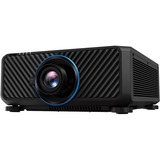
The world's No. 1 DLP brand BenQ introduces its full line of innovative corporate BlueCore laser projectors with LH710, unleashing the 1080P Full HD resolution for professional presentation in corporate settings.
Superior Brightness
Precision-Aligned High-Output Laser Source
Zero-deviation alignment of BlueCore laser diodes boosts luminous flux into the light tunnel, improving light efficacy to 4,000 lumens.
Superior Performance
Secondary Yellow-Infused Color Wheel
Dual synchronized BlueCore color wheels utilize an additive yellow segment, stimulating precise RGBY spectra for optimal chromatic performance.
Superior Durability
Hermetically Sealed DLP Chip
Comprising over two million micromirrors that reflect pure light through the color wheel, the DLP chip is hermetically sealed to resist heat for over 20,000 hours without degradation.
Superior Image Quality
Dual Color Wheels Produce 92% Rec.709 Color Coverage for Optimal Color Performance
LU710's powerful BlueCore laser projection utilizes a dual color wheel system to produce unparalleled color performance that achieves a 92% Rec.709 color coverage. By increasing color ratios and the purity of RGBY color, LU710 dramatically enhances color saturation to ensure superior presentation quality.
Advanced Infographic Mode for Supreme Presentation Quality
BenQ Infographic Mode perfectly fits the current corporate trend of mastering infographic-heavy presentations that all modern enterprises are striving for. Infographic Mode is great for showcasing the text and graphics of infographic in detail due to LU710's high brightness and better color gradation through the 92% Rec.709 color coverage, ensuring more saturated and lively color performance than presentation mode. Additionally, Video Mode, with BenQ enhancement technology, is designed for preseving dynamic color details when playing videos in meeting room with ambient light.
High Brightness and LumiExpert Ambient Light Detector for Maximum Eye Comfort
LU710's 4000lm high brightness allows presenters and participants to deliver presentation in comfortably lit medium-sized conference rooms (20-40 people). BenQ corporate projector's new LumiExpert technology can automatically detect the ambient light conditions of a meeting room and adjust the projector's brightness to maximize clarity and comfort. Whether presenting in the dark boardroom or a brightly-office, LumiExpert makes sure the BenQ Corporate projectors delivers peak performance.
High Brightness Vivid Clarity in Ambient Environments
LU710's 4000lm high brightness allows presenters and participants to deliver presentation in comfortably lit medium-sized conference rooms, while supporting uncompromised debate, collaboration, note-taking and interaction to facilitate the most productive meetings. The high luminance provides professional picture quality for installers to satisfy stringent corporate standards.
DLP Laser Projectors for Long-Lasting Vibrant Color
As the world's No. 1 DLP projector brand, BenQ brings the new whole series of high brightness laser projectors with superior image quality, flexible installation, and easy-to-maintain/manage features. Experience the next-generation public displays and brand-new visual effects for the most immersive visual experience.
Superior Laser Brightness
Zero-deviation alignment of laser diodes boosts luminous flux into the light tunnel, improving light efficacy to 5200 ANSI, offering superior image quality in bright environments with high brightness.
Designed with IP5X Protection
LU960ST2's design of sealed laser modules and enclosed light engines protects the DMD chip, color wheel sensor, laser package, and other optical components, prolonging the projector's lifespan up to 20,000 hrs.
Superior DLP Durability
Comprising over two million micromirrors that reflect pure light through the color wheel, the DLP chip is hermetically sealed to resist heat for over 200,000 hours without degradation.
Superior Contrast in Dark Scenes
The DLP technology performs at superior contrast level in dark scenes compared to 3LCD projectors, which contain too much brightness on the screen from internal light panel. This is important for training simulation applications because the dark scene of the night time need to be real to life for pilots to read the information and react correctly.
Exclusive Fast Mode with 17ms low latency
Based on expertise gained from BenQ experience with near-zero latency gaming, LU960ST2 employs a Fast Mode that provides latency as low as to 16.67ms (@WUXGA 60Hz) to achieve low-latency interactivity.
Superior Installation Flexibility in Limited Spaces
Highly installation-flexible for front and floor applications, LU960ST2 short throw DLP projector is the best choice for indoor simulation training and commercial space exhibitions.
Unobstructed Viewing with 0.5 Throw Ratio
The LU960ST2 is equipped with a TR 0.5 short-throw lens to create up to 200-inch sharp and clear images within only 2 meters away. This enables the audience to stand closer to the screen without casting a shadow.
H/V Lens Shift for mounting flexibility
The LU960ST2 features a vertical/horizontal lens shift to move the image up and down up to 55% of the screen height - and adjust the horizontal position by 23% for an off-axis mounting location. This feature allows you to adjust the location of the image precisely to where you want without moving the projector.
Large 2D keystone + Corner Fit
LU960ST2's digital trapezoid correction function allows users to correct images easily. Use the remote control, and you can correct the images in a few clicks. Besides, Corner Fit allows users for final fine-tuning.
White Balance Calibration for Seamless Edge Blending
BenQ's exclusive out-of-the-box white balance adjustments can reduce white balance variables between projection images to a level of Delta E<2. This allows for seamless and accurate picture quality without disruptive discrepancies and saves time for blending.
Maximized Savings, Uncompromised Performance
BenQ SmartEco technology adjusts light source power intelligently without sacrificing image quality, saving up to 70% more energy than traditional Eco Mode. Laser technology conserves energy an additional 23% compared to traditional mercury lamps, while the device dims itself to minimum power in just 1.5 seconds.
Save Smartly
SmartEco Mode dynamically adjusts light source power by intelligently adapting to the content without sacrificing image quality, delivering optimal performance.
Save Instantly
Press the Eco Blank button to turn off the image for a period of time, reducing light source power consumption by 70%. If no signal is detected for 3 minutes, the projector enters this mode automatically.
Save Effortlessly
Auto Power-off powers down the device after 20 minutes of inactivity to save energy and minimize worry about leaving equipment on.
Driver-Free Wireless Projection
Make your BenQ LH650 projector wireless with the optional WiFi dongle. Share multimedia content, including photos, documents, and full HD videos from mobile devices or laptops without addtional driver or software downloads.
Start Presenting in a Snap Our projector eliminates those long awkward delays that happen when slower projectors power up. Simply turn it on and you're good to go, fast.
Auto Turns On
Automatically turns on the projector once the HDMI input signal is detected.
2D Keystone & Corner Fit
Adjust your projector's angle and corners, regardless of its location, to achieve perfectly aligned presentations.
Digital Shrink & Shift
Resize and reposition your image without moving your projector for customizable and seamless viewing.
Image Blanking
The projector's Blanking feature allows you to eliminate unwanted image areas and maximize screen space for a cleaner and more professional presentation.
Be Heard, Clearly
The built-in 10W speaker makes your presentations are loud and clear.
Your Trustworthy DLP Projector
Choose BenQ with confidence for all your projection needs. As the world's top-selling DLP projector brand for over 10 years, we deliver unparalleled performance, with the quality you deserve.
uperior Picture Quality
DLP technology delivers a class-leading high fill factor, minimizing the black borders around each pixel, and producing superior clarity and detail in text and imagery.
Long-Lasting Performance
Industrial-grade DLP technology eliminates color decay, enabling long-term image perfection.
IP5X Dust Protection
The sealed light source, certified to IP5X standards, extends the projector's product life while providing reliable projection.
Projection Fits for Every Room
Project images larger than 100" from just 2 m~3 m away (via 1.3X zoom), enabling easy big-screen viewing in rooms of any size.
Versatile Connectivity with USB-C
Experience seamless connectivity with our LH650 projector featuring a USB-C port. Connect laptops, tablets, and smartphones effortlessly using a single cable. Say goodbye to extra connectors and embrace space-saving IT management.
USB Type-C
With ALT mode, additional connections are freed up, saving space.
Dual HDMI
For high-resolution streaming and flexible connectivity with other devices.
Dual USB Type-A (1.5A power supply)
For charging smart devices during meetings.
RS232
For easy centralized control of multiple projectors.
Essential Golf Simulation, Smarter Value
The AW30ST delivers authentic golf simulation with vivid colors and effortless setup, offering smarter value for your home.
Short Throw Lens Designed for Golf Sim
Swing safely without fear of damage or shadows. The AW30ST's short throw ratio is perfect for limited spaces with low ceilings.
More Swing Space, Less Risk
The AW30ST's short-throw ratio and low offset let you place the projector behind the golfer to avoid overhead or front placement, keeping the hitting zone clear and shadow-free and reducing pressure during swings for a smoother golf simulation experience.
Low Offset for Low Ceilings
With a 100% offset, the AW30ST eliminates the need for tilting and excessive keystone adjustments, maintaining picture clarity even in tight spaces.
Simplified, Precision Installation
Ideal for beginners, the AW30ST offers seamless installation that minimizes unnecessary image loss, ensuring every penny delivers an exceptional golf experience.
Kickstart your Simulator with BenQ's Planning Tool
Get started on the right foot with BenQ Golf-Sim 3D Planner tool, simplifying the initial installation process for first-timers.
Make Every Pixel Count
BenQ's exclusive Screen Fill feature automatically switches to 1:1, 4:3, 16:9, or 16:10 native resolutions, ensuring the image fully fills the screen without distortion. Remote hotkeys provide instant, seamless control.
Ready for Wireless Projection
With an optional dongle, AW30ST's Wi-Fi capability facilitates wireless projection from mobile devices, eliminating the need for cables
Bring the Course Home
AW30ST's LED technology, paired with BenQ's expert color calibration, delivers top-quality visuals, faithfully reproducing golf course colors.
True-to-Life Golf Course Colors
Experience authentic colors from the start with BenQ's exclusive Golf Mode, tailored for different golf course environments that ensure an immersive experience from the most famous courses in the world. With a default Golf Mode, presenting an exclusive experience for the golfers.
Golf First, Fun Everywhere
Built for dedicated golf simulation, the AW30ST also lets you enjoy movies and sports watching with accurate 95% Rec.709 and Cinema Mode, delivering rich colors. It also offers low input lag* for smooth, responsive gaming, adding more ways to enjoy your space.
Work with All-Day Eye Comfort
You can now ease eye strain from nonstop docs and spreadsheets with BenQ Eye-Care Triple Protection. Enjoy GW2790C's clean design, sharp visuals, and all-day adaptive eye comfort for great productivity.
Adaptive Eye-Care. Steady Eye Comfort.
You shouldn't have to adjust setting after setting just to protect your eyes. That's why BenQ Eye-Care Monitors come equipped with Triple Eye Protection, with Visual Optimizer, Low Blue Light, and Flicker-Free technology to deliver effortless, all-day eye comfort.
Your Screen Knows the Light
Visual Optimizer (formerly B.I.+), or V.O. for short, puts an end to eye strain. With a built-in sensor that optimizes brightness and color temperature for your environment, BenQ has thought of eye health well beyond just blue light protection. No guesswork, no fiddling-just comfortable viewing, from 9 to 5 and beyond.
Adaptive Comfort, Your Way
The Visual Optimizer (V.O.) Hotkey lets you tweak brightness and color temperature separately-for a screen that feels just right.
We Cut Blue Light, Not Color Quality
BenQ's TÜV-certified Low Blue Light technology protects your eyes during long hours of work, without giving your screen a yellowish tint. You can fine-tune the level to find the right balance, so your work always looks just the way it should.
Say Goodbye to Invisible Flicker
Even screens that seem perfectly fine can flicker-too subtle for you to see, but not for your eyes. BenQ's TÜV-certified Flicker-Free technology keeps the screen steady and your eyes comfortable, even during long workdays.
Try Eye-CareU for a Healthier Viewing Experience
Meet Eye-CareU-your screen-time sidekick on the BenQ GW monitor. It helps manage time and lighting with quick controls that keep you focused.
Certified Eye Comfort You Can Trust
Backed by TÜV Rheinland's Eye Comfort 4-Star certification and Eyesafe Certified 2.0 endorsement, the GW2790C meets strict international standards for visual wellness. It's proof your eyes are in good hands, every hour of the day.
Sharp Images, Gentle on the Eyes
Experience vivid colors and reliable clarity from any angle with the GW2790C's IPS panel and 99% sRGB color gamut. Its 4-sided ultrathin bezels help you stay focused and comfortable through document edits and multitasking throughout the day.
Streamlined Design, Smarter Workflow
Thoughtfully crafted for a clean desk, efficient connections, and comfortable workdays.
One USB-C Does It All
USB-C simplifies your workflow by transferring data and connecting to your devices with just one cable.
4-sided Ultrathin Bezel Design
Clean lines and a seamless viewing experience enhance focus and eliminate distractions.