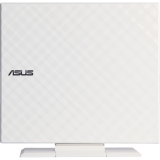
SDRW-08D2S-U W G ACI USB 2.0 8X EXTERNAL DVDRW WHT SLIM PORTABLE
Harmony of Technology and Aesthetics
Burn disc with enhanced data protection in just 3 quick steps and intuitive Disc Encryption lets you do this easily
- Elegant appearance embody the harmonious marriage of technology and aesthetics
- Disc Encryption doubles the security with password-controlled and hidden-file functionality
- Drag-and-burn interface accomplishes entire jobs in three easy steps

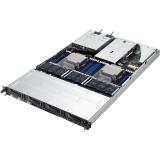
SERVER BAREBONE - RACK-MOUNTABLE - 3-YEAR WARRANTY W/ 1 DAY ARS IN 1ST YEAR
RS700-E8-RS4's internal layout is optimized for rack-mounted configurations, with both the CPU and memory placed in a parallel arrangement directly behind the fan inlet to promote maximum cooling for increased efficiency- and that makes it perfect for datacenters.

ASUS EXPERTBOOK/GREY/14.0 WUXGA(WU) NON-TOUCH/CORE ULTRA 5 325/16GB/INTEL UMA/51

ASUS ROG STRIX 1200W PLATINUM (80 PLUS AND CYBENETICS PLATINUM, FULLY MODULAR AT
ROG STRIX 1200W PLATINUM (ROG EQUALIZER) | Superior Stability. Next-Level Efficiency
The ROG Strix 1200W Platinum PSU delivers the top-tier performance and unwavering stability demanded by gamers. Featuring a next gen GaN MOSFET for premium power efficiency, it also incorporates the patented GPU-First Intelligent Voltage Stabilizer to maintain a steady and reliable flow of power to the graphics card.
The ROG Strix 1200W Platinum further includes the ROG Equalizer, a patented 12V-2x6 PCIe power cable engineered to reduce heat stress and keep cable and connector temperatures well to protect the graphics card. With full ATX 3.1 compliance and a native 12V-2×6 connector, the ROG Strix Platinum Series ensures your high-end rig has the power to conquer any challenge.
GaN MOSFET
Improved power efficiency, lower energy waste.
Patented GPU-First Intelligent Voltage Stabilizer
Enhanced voltage stability for unwavering performance.
- 80 PLUS Platinum
- Cybenetics Platinum
- Cybenetics Lambda A
- ATX 3.1 Compatible
- PCIe 5.1® Compatible
- GeForce RTX™ 50 and Radeon™ RX 9000 Ready
Patented ROG Equalizer PCIe Power Cable
Engineered to reduce heat stress and keep cable and connector temperatures well to protect the graphics card.
EXCLUSIVE FEATURES | GaN MOSFET
The ROG Strix Platinum PSU boasts an innovative GaN MOSFET that increases power efficiency by up to 30%, resulting in lower energy waste. Plus, the smaller size of a GaN MOSFET allows for a more organized internal layout. This optimized design provides space for larger heatsinks and enhanced airflow, improving heat dissipation within the PSU.
Patented GPU-First Intelligent Voltage Stabilizer (IVS)
Activate the GPU-First voltage sensing by connecting the GPU-First IVS cable. This innovative feature enhances voltage stability by up to 45%, even during demanding gaming sessions and overclocking scenarios. With this advanced technology, you can experience smooth and consistent gameplay. If you prefer conventional CPU-focused voltage sensing, simply disconnect the purple connector.
ROG EQUALIZER
The ROG Equalizer is a soft embossed 12V-2x6 PCIe cable engineered to reduce heat stress and keep cable and connector temperatures well to protect the graphics card.
Reduced Cable Temperature
In demanding 600W scenarios, uneven current distribution can cause hot spots in conventional 12V-2x6 cables over long periods of use.
ROG Equalizer helps balance power delivery to reduce thermal stress and maintain stable temperatures. Even under extreme conditions, it keeps cable and connector temperatures within the 105°C material limit for safer, more reliable operation.
Enlarge Wire Load Capacity
Standard 12V-2x6 cables are rated for 9.2A per wire, while ROG Equalizer cables boost current capacity to 17A per wire. This is designed to improve the handling of short-term current peaks that may be produced by high-end graphics cards during extreme overclocking or when otherwise drawing a high amount of wattage from the power supply.

ROG GR70-N90066AN AMD RYZEN 9 9 NVIDIA RTX 5070 MOBILE GPU 32GB DDR
ROG GR70 mini pc | Illuminate Your Play, Dominate Your Game
The ROG GR70 defies the conventions and expectations of what a mini gaming PC should be. The GR70 delivers groundbreaking gaming performance, courtesy of the latest AMD Ryzen™ 9 Series CPU with advanced 3D V-Cache, alongside a NVIDIA® GeForce RTX™ Laptop GPU. Proprietary triple-fan cooling technology with efficient thermal coverage keeps temperatures in check even in the most heated battles, while Wi-Fi 7 ensures lightning-fast, next-gen connectivity.

ASUS TUF GAMING SERIES 5 27-INCH FAST-IPS PANEL 240HZ 0.3MS
TUF Gaming Series 5 - VG279QM5A Gaming Monitor - 27-inch Full HD Fast-IPS panel, 240Hz, 0.3ms , G-SYNC® compatible, AMD FreeSync™ Premium, ELMB SYNC, 99% sRGB, DisplayWidget Center, Gaming AI
- 27" Full HD(1920 x 1080) Fast IPS panel with 240Hz refresh rate for fast paced gameplay
- ASUS Fast IPS technology enables a 0.3ms (min) response time for sharp gaming visuals with high frame rates
- FreeSync Premium and G-Sync compatible delivers a seamless, tear-free gaming experience
- ASUS Extreme Low Motion Blur Sync (ELMB SYNC) technology enables ELMB together with variable refresh rate, eliminating ghosting and tearing for sharp gaming visuals with high frame rates
- DisplayWidget Center enables easy OSD access and monitor settings adjustments with a mouse
- TUF Gaming A.I technology with AI-powered features to enhance users' gaming experience
TUF Gaming VG279QM5A
TUF Gaming VG279QM5A is a 27-inch Full HD monitor that delivers five advanced upgrades for top-tier gaming. It features a lightning-fast 240Hz refresh rate and 0.3ms response time, along with AMD FreeSync™ Premium and NVIDIA® G-SYNC® compatibility for ultra-smooth gameplay. With enhanced color performance, updated Gaming AI, and effortless control via DisplayWidget Center, this monitor keeps you ahead of the competition.
EXCEPTIONAL GAMING EXPERIENCES
The Fast IPS panel offers quick response times, supersmooth gameplay, and crisp visuals with 1920 x 1080 resolution to take your game to the next level.
UNSTOPPABLE GAMING PERFORMANCE
Boasting an impressive 240Hz refresh rate and a 0.3ms (min) GTG response time, VG279QM5A delivers lightning-fast gameplay with buttery-smooth, lag-free visual.
GAME WITHOUT LIMITS
Supports NVIDIA G-SYNC and AMD FreeSync Premium technologies for smooth, tear-free visuals. Additionally, ASUS ELMB Sync eliminates ghosting during high-frame-rate gaming.
VIBRANT COLORS, ENHANCED GAMPLAY
99% sRGB enables VG279QM5A to showcase vibrant colors and deeper contrast for stunningly-immersive visuals.
Eco-friendly Packaging
ASUS monitors are shipped in packaging made from 100% recycled cardboard. The packaging has been designed to minimize weight and volume, helping to conserve natural resources and allowing more devices to be transported in a single shipping container.

ASUS ROG RYUO IV SLC 360 ARGB WHITE EDITION ALL-IN-ONE CPU LIQUID COOLER, SHORTE
ROG Ryuo IV SLC 360 ARGB White Edition
ROG Ryuo IV SLC 360 ARGB White Edition features a 6.67-inch AMOLED display, enabling intuitive control through dedicated software to smoothly display 3D videos, customized content, or hardware information. The innovative curved-screen design breaks the boundaries between the virtual and the real. The shorter 200mm tubing and a sliding LCD panel also reduce component obstruction, maximizing the visual experience. The powerful pump and ROG ARGB fans provide stable cooling performance for CPUs, including the AMD Ryzen™ 9000 series and Intel® Core™ Ultra processors.
- 3D Visual Effects
- Server-Grade Tubing
- 6.67-Inch Curved 2K AMOLED Display
- ASUS InfoHub
- Daisy-Chained ARGB Fans
- Aura Fan Edge
- Sliding LCD Panel
- Powerful Pump & Pre-Applied Thermal Paste
High-Performance Pump
ROG Ryuo IV SLC 360 ARGB White Edition is equipped with a powerful pump to ensure that the CPU maintains optimal operating temperatures even under heavy workloads.
CURVED SCREEN | 6.67" 2K AMOLED
The 6.67-inch 2K AMOLED curved screen features a high-resolution, vibrant color display that provides the ultimate immersive visual experience.
Extraordinary Visual
The curved screen design supports naked-eye 3D video effects, creating an unprecedented visual feast. It also allows for customization of hardware information on the content, providing a remarkable combination of style and system monitoring.
Comprehensive pre-loaded material
A variety of built-in style libraries for players to choose from freely, making the AIO Cooler always the visual centerpiece of the computer.
Aesthetic Innovation
The specially designed 200mm tubing, centered tubing layout and adjustable positioning of the LCD panel can reduce component obstruction, providing a clean aesthetic.
Innovative Fan Design | Enhanced Fan Performance
ROG RYUO IV MF-12C ARGB Fan delivers strong and stable airflow, further enhancing the cooling capabilities of your system.
- 2650±10%RPM Fan Speed
- 5.45mmH2O Air Pressure
- 71.44CFM Airflow
- 39.6dB(A) Noise
Pre-Installed, Daisy-Chained Fans
The pre-installed, daisy-chained ARGB fans streamline the installation process. Users can power the ARGB lighting and the fan motor with a single cable, simplifying cable management.
Aura Fan Edge
ROG front and side ARGB lighting elevates the gaming build, adding style.

ASUS 24IN 1080P EYE CARE VA24EH IPS FULL HD 99 SRGB FRAMELESS 120HZ
ASUS VA24EHF2 Eye Care Gaming Monitor - 24-inch (23.8-inch viewable), IPS, Full HD, 99% sRGB, Frameless, 120Hz, Adaptive-Sync, 1ms MPRT, HDMI, VGA, Low Blue Light, Flicker Free, Wall Mountable
- 23.8-inch Full HD (1920x1080) frameless design with IPS 178° wide viewing angle panel
- SmoothMotion 120Hz refresh rate and 1ms MPRT delivers a seamless, tear-free visual experience by enabling VRR (variable refresh rate)
- Rich connectivity features HDMI and VGA, plus earphone jack
- VESA wall-mountable to save on desktop space
- ASUS DisplayWidget Center lets users easily change monitor settings via an intuitive interface
- ASUS Eye Care monitors feature TÜV Rheinland-certified Flicker-free and Low Blue Light technologies to ensure a comfortable viewing experience
ASUS Eye Care Gaming Monitor | SMOOTH YOUR WORK & PLAY
ASUS VA24EHF2 Eye Care Gaming Monitor features 23.8-inch IPS panel with Full HD (1920 x 1080) resolution, providing 178° wide viewing angle panel and vivid image quality. Fast 120Hz refresh rate with Adaptive-Sync technology and 1ms MPRT to eliminate screen tearing and choppy frame rates for the smoother-than-ever experience. It also features TÜV Rheinland-certified Flicker-free and Low Blue Light technologies to ensure a comfortable viewing experience.
Lifelike views with 178° wide view angle
Frameless IPS panel provides 178° viewing angles, both horizontally and vertically, so you can enjoy its beautiful visuals from almost any direction.f
fluid viewing experience with 120Hz SmoothMotion
With fast 120Hz refresh rate and Adaptive-Sync technology to eliminate screen tearing and choppy frame rates. It refreshes content on the display twice as fast as a standard 60Hz monitor, giving you more fluid animation in video, casual gaming, and day-to-day work, which can all benefit from the smoother-than-ever experience.
Hands-free Convenience
The handy design lets you place your phone, name cards, or other small items without cluttering your desktop, making your workspace tidier and more organized.
Expansive Connectivity
HDMI and VGA allow you to connect your desktop / notebook and another device at the same time and compatible with a wide variety of devices. It also has pass-through port for the headphone jack input.
ASUS DisplayWidget Center
ASUS DisplayWidget Center is an app that allows you to tweak monitor settings with a mouse instead of using the buttons on the monitor. It works with both macOS and Windows.
Smart Voice Control for Effortless Adjustments
Powered by advanced AI with high recognition capability, the DisplayWidget Center's Smart Voice Control feature enables intuitive voice adjustments, including brightness, display mode, and speaker volume.
Protect your eyes with ASUS Eye Care technology | ASUS blue light filter
For viewing comfort and for protection from potentially harmful blue light, it offers intuitive and flexible with seamless adjustment that are easily accessed through the onscreen display menu.

ASUS TUF GAMING X870-PRO WIFI7 W NEO AMD ATX MOTHERBOARD, 16+2+1 POWER STAGES, D
TUF GAMING X870-PRO WIFI7 W NEO
ASUS TUF GAMING X870-PRO WIFI7 W NEO takes all the essential elements of the latest AMD Ryzen™ processors and combines them with game-ready features and proven durability. Engineered with an upgraded power solution and a comprehensive cooling system, this motherboard goes beyond expectations with rock-solid and stable performance for marathon gaming. TUF GAMING motherboards also undergo rigorous endurance testing to ensure that they can handle conditions where others may fail. This platform delivers the power and connectivity that advanced AI PC applications demand.
Intelligent | Complete AI Solution
ASUS AI Solutions - including AI Cache Boost, AI Advisor, AI Overclocking, AI Cooling II for thermal control and AI Networking II for real-time bandwidth optimization - offer smart assistance, one click overclocking, efficient cooling and new levels of ultrafast connectivity.
AI CACHE BOOST
Supercharge your large language model (LLM) workflows with AI Cache Boost. Exclusive to ASUS AMD 800 and 600 series motherboards that use Ryzen™ 9000 Series CPUs, this BIOS setting optimizes CPU cache and memory pathways to deliver up to 29% faster local LLM performance with high-speed memory tuning.
AI Advisor
ASUS AI Advisor is an ASUS technical expert that's always available to answer your questions. Owners of compatible ASUS motherboards can interact with this AI-powered technology using natural language to learn more about their hardware. For DIY beginners, it can provide easy-to-understand explanations of one-click optimization features like AI Overclocking and AI Cooling II, and for seasoned PC-building veterans, it can offer guidance and instructions on the latest features offered by ASUS.
AI Overclocking
Maximized CPU performance, and predictions for ideal CPU and cooling settings, pushing your system to its limits.
AI Cooling II
Optimized thermals, and reduced noise via dynamic adjustment of fan speeds, based on CPU temperatures.
AI Networking II
Optimized network performance, helping to ensure seamless connectivity and maximized WiFi 7 speeds.

ASUS SY G700TF-DS767Ti Ultra7 265F 2x16GB 2TB RTX5060TI W11H Retail

ASUS TUF GAMING B850-PRO WIFI7 AMD ATX MB 14+2+1 POWER STAGES
TUF GAMING B850-PRO WIFI7 W NEO
ASUS TUF GAMING B850-PRO WIFI7 W NEO takes all the essential elements of the latest AMD Ryzen™ processors and combines them with game-ready features and proven durability. Engineered with an upgraded power solution and a comprehensive cooling system, this motherboard goes beyond expectations with rock-solid and stable performance for marathon gaming. TUF GAMING motherboards also undergo rigorous endurance testing to ensure that they can handle conditions where others may fail. This platform delivers the power and connectivity that advanced AI PC applications demand.
Intelligent | AI Solution
ASUS AI Solutions - including AI Cache Boost to supercharge large language model (LLM) workflows, AI Advisor as your technical expert with expertise in PC performance, and AI Cooling II for thermal control.
AI Cache Boost
Supercharge your large language model (LLM) workflows with AI Cache Boost. Exclusive to ASUS AMD 800 and 600 series motherboards that use Ryzen™ 9000 Series CPUs, this BIOS setting optimizes CPU cache and memory pathways to deliver up to 29% faster local LLM performance with high-speed memory tuning.
AI Advisor
ASUS AI Advisor is an ASUS technical expert that's always available to answer your questions. Owners of compatible ASUS motherboards can interact with this AI-powered technology using natural language to learn more about their hardware. For DIY beginners, it can provide easy-to-understand explanations of one-click optimization features like AI Overclocking and AI Cooling II, and for seasoned PC-building veterans, it can offer guidance and instructions on the latest features offered by ASUS.
AI Cooling II
Balance the thermals and acoustics of any build with a single click. An ASUS-exclusive algorithm slashes unnecessary noise while running a quick stress test, and then it monitors CPU temperatures to dynamically adjust fans to optimal speeds.
Intelligent | Overclocking | Asynchronous Clock
For next-level frequency flexibility, the TUF GAMING B850-PRO WIFI7 W NEO features a built-in clock generator that isolates CPU base clock from memory, PCIe, and the Infinity Fabric speed. Drive CPU performance to its absolute brink while maintaining the stability of related clock domains.
AMD Precision Boost Overdrive (PBO)
This pushes the CPU current and voltage budget to opportunistically increase performance. By aggressively tuning the PBO parameters, this AMD algorithm can leverage the motherboard's robust power solution to ramp up performance even higher.
Intelligent | Intelligent Control | UEFI BIOS
The UEFI interface delivers easy-to-use configuration options for PC beginners, and advanced features for veterans.
ASUS MB Manager
ASUS MB Manager provides fast, intuitive control of key system settings, plus seamless Armoury Crate integration.
ASUS DriverHub
Simplify driver management with automatic detection, one-click installation and update for smooth, efficient system performance.
ASUS GlideX
Enable seamless screen sharing and control across PCs, tablets, and smartphones via USB or WiFi, supporting multiple platforms.

ASUS NB CZ1204CM4A-YZ84 12.2 Kompanio540 8GB 64GB Mali-G57 Chrome Retail
The rugged, student-centric study mate
ASUS Chromebook CZ12 is an excellent study companion for K-12 students, with a portable and durable design that guarantees enduring value and empowers engaged learning - anywhere. Its 180° lay-flat design, coupled with a 12-inch 16:10 WUXGA display incorporating TÜV-certified technology, enhances the visual experience while emphasizing eye protection. The series boasts up to 19 hours of battery life for uninterrupted use throughout an entire day of classes, empowering students to extend their learning beyond traditional limits.
All-round rubber bumper
ASUS Chromebook CZ12 is built to shrug off everyday knocks, bumps, drops and spills. So, whether it's dropped from a classroom desk or the dining table, its tough rubber bumper helps ensure it keeps on going.
180° lay-flat design
The versatile and robust 180° hinge makes group discussion and sharing easier, as it allows a fully-flat position.


ASUS NB V3607VP-DS74 16 Core7 240H 16GB 1TB RTX5070 W11H Retail
Game On,Create Smart
Ready to kickstart your imagination? Meet ASUS V16 - your all-access pass to unbounded worlds of gaming and creativity. It features a futuristic design with uber-cool details - like the Turbo Blue keyboard backlight - that make it stand out from the crowd. Equipped with up to an Intel®Core™7 processor (Series 2) and a GeForce RTX™50 Series Laptop GPU , it delivers an immersive gaming experience with unparalleled performance and stunning graphics. Whether you're conquering virtual realms or unleashing your newfound creativity, ASUS V16 is your gateway to limitless possibilities.

ASUS A31 PLUS WHITE ATX CASE (HIDDEN-CONNECTOR MOTHERBOARDS, 360MM RADIATORS AND
Discover Hidden Potential
The ASUS A31 PLUS is a PC case crafted for minimalist mainstream DIY PC builders. It supports a variety of AIO coolers and graphics cards, and easily accommodates motherboards with hidden connector designs, ensuring a clean, clutter-free setup.
Ready for Hidden Connectors
In addition to providing a clean PC build experience, the A31 PLUS is compatible with the ROG MAXIMUS Z790 HERO BTF , a motherboard that features innovative hidden connectors and headers located on the underside to maximize clean cable management.
Broad Compatibility
The A31 PLUS ATX case supports up to 360mm radiators, graphics cards up to 380mm in length, and CPU air coolers up to 165mm in height, giving builders plenty of options while assembling their next PC.
Support
360 mm
- Radiator
380 mm
- Graphics Card Length
165 mm
- CPU Cooler Height
Boundless Panoramic Views
Experience a seamless view unobstructed by a front pillar, offering an unparalleled visual display of the internal components and ensuring your build shines from every angle.
Capable Cooling
The A31 PLUS provides 80mm of clearance for AIO coolers at the top, allowing for thicker radiators and larger fans. Four pre-installed ARGB fans also enhance cooling performance.
8° Angled Base
The 8° angle of the base integrates functionality and elegance, promoting efficient cooling and offering a wider view for maximum immersive experiences. The base design is also ideal for showcasing your system's personalized style and ARGB effects.
Cable Management
The A31 PLUS provides a compartment behind the motherboard that is 34mm wide to help keep cables tucked away and tidy.
Color-Coordinated Builds
Both variants of the A31 PLUS come with color-coordinated black or white internal I/O cables to compliment any build theme.

INTEL N355/ DDR5 16GB / 256G SSD / WIFI 6E / WIN 11 IOT
Power efficient Mini PC powered by Intel®Core™ N-Series processor, featuring triple 4K display supports and easy access design, perfect for education and office tasks
- Energy-efficient:Ideal for lightweight office productivity and embedded applications.
- Triple display support:Boosting Office Workflow Efficiency.
- Easy access design:Ease of upgrades, lower maintenance costs and reduced downtime.
- Multiple high-speed connection options:Experience heightened productivity with a diverse array of high-speed connectivity options, ensuring accelerated and stable data transfers.
- Abundant I/O:High flexibility to meet various workflow and scenarios.
- Compact size:Easy to deploy for small offices, retail settings, educational institutions.
ASUS NUC 14 Essential | Efficient Performance. Smart Savings.
ASUS NUC 14 Essential is the next-generation mini PC that takes performance, portability, and versatility to greater heights. Powered by the latest energy-efficient Intel®Core™ N-series processors and equipped with diverse connectivity options, this sleek, compact device is built to boost productivity and makes light work of diverse applications.
Achieve More With Less | Intel® Core™ N-Series | Faster Performance
Exceptional responsiveness makes NUC 14 Essential ideal for image editing and speedier web navigation
Reduced Power Consumption
The energy-efficient Intel Core N-series processor that powers NUC 14 Essential delivers outstanding performance while consuming less power.
Learn, Create, and Stream Anywhere
The Intel®Core™ N-series processor supports improved graphics processing so you can create digital content and stream videos at the same time without slowing down
Multitask with Triple Display Support
Unleash the power of multitasking in a compact 0.56L chassis, supporting up to three 4K displays with reduced latency, minimized power consumption, and smoother data transfer.

VP227HF
ASUS VP227HF Eye Care Gaming Monitor - 22-inch (21.45-inch viewable), Full HD, 99% sRGB, Frameless, 100Hz, Adaptive-Sync, 1ms MPRT, HDMI, Low Blue Light, Flicker Free, Wall Mountable
- 21.45-inch Full HD (1920x1080) frameless design with 178° wide viewing angle panel
- SmoothMotion 100Hz refresh rate and 1ms MPRT delivers a seamless, tear-free visual experience by enabling VRR (variable refresh rate)
- ASUS DisplayWidget Center is an app that allows you to tweak monitor settings with a mouse instead of using the buttons on the monitor
- VESA wall-mountable to save on desktop space
- ASUS Eye Care monitors feature TÜV Rheinland-certified Flicker-free and Low Blue Light technologies to ensure a comfortable viewing experience
ASUS VP227HF Eye Care Gaming Monitor | SMOOTH YOUR WORK & PLAY
ASUS VP227HF Eye Care Gaming Monitor features 21.45-inch VA panel with Full HD (1920 x 1080) resolution, providing 178° wide viewing angle panel and vivid image quality. With fast 100Hz refresh rate and Adaptive-Sync technology to eliminate screen tearing and choppy frame rates for the smoother-than-ever experience. It also features TÜV Rheinland-certified Flicker-free and Low Blue Light technologies to ensure a comfortable viewing experience.
Fluid viewing experience with 100Hz SmoothMotion
ASUS VP227HF with fast 100Hz refresh rate and Adaptive-Sync technology to eliminate screen tearing and choppy frame rates. It refreshes content on the display 1.67-time faster than the one with a standard 60Hz refresh rate, giving you more fluid animation in video, casual gaming, and day-to-day work, can all benefit from the smoother-than-ever experience.
Smooth Game Play
A 100Hz refresh rate and 1ms Moving Picture Response Time (MPRT) help reduce smearing and motion blur, making VP227HF perfect for fast-paced games that require quick reactions to what's happening onscreen. In addition, Adaptive-Sync technology helps eliminate screen tearing and choppy frame rates for ultra-smooth gameplay.
ASUS-exclusive GamePlus Technology
When it comes to design, ASUS always has customers in mind - ASUS exclusive GamePlus hotkey with Crosshair, Timer, FPS counter and Display Alignment functions to give you in-game enhancements that help you get more out of your game. This function is co-developed with input from pro gamers, allowing them to practice and improve their gaming skills.
DisplayWidget Center
ASUS DisplayWidget Center is an app that allows you to tweak monitor settings with a mouse instead of using the buttons on the monitor.
Flexible Connectivity
ASUS VP227HF gives you unparalleled compatibility with HDMI, VGA and earphone jack for most multimedia devices, such as Blu-ray Disc players, gaming consoles and digital camera through a single cable.
ASUS Blue Light FilterThe TÜV Rheinland-certified ASUS Blue Light Filter protects you from harmful blue light. It's easy to access, intuitive and flexible with seamless adjustment (0 to Maximum) via the OSD menu. ASUS displays has undergone stringent performance tests and has been certified by TÜV Rheinland laboratories, a global provider of technical, safety, and certification services.

ASUS VCX DUAL-RX9060XT-16G Radeon RX 9060 XT 16GB GDDR6 16GB GDDR6 128bit RTL
Dual Radeon™ RX 9060 XT | Dual Fans, Perfect Fit
ASUS Dual Radeon™ RX 9060 XT combines powerful thermal performance with broad compatibility. Advanced cooling solutions from flagship graphics cards - including two Axial-tech fans for optimizing airflow to the heatsink. Designed in a compact 2.5-slot form factor, delivering more power in less space. These enhancements make ASUS Dual the perfect choice for gamers who want heavyweight graphics performance in a compact build.
Cooling 2.5-slot Design
A carefully designed shroud, heatsink, and heatpipe layout enables the two Axial-tech fans to leverage chassis side-panel ventilation, delivering thermal performance that beyond the compact size.
Axial-tech Upgrades
Two tried-and-true Axial-tech fans feature a smaller hub facilitates longer blades and a barrier ring to increase downward air pressure.
0dB Technology
To eliminate unnecessary noise, the stop mode automatically halts all fans when the GPU temperature drops below 55°C and power consumption is low.
Dual Ball Fan Bearings
Fan bearings come in different types, each with its own advantages. Dual ball bearings provide superior durability and can last up to twice as long as sleeve-bearing designs.
Vented Backplate
A vented backplate significantly enhances heat dissipation, helping to keep the GPU cooler during intense tasks. This additional airflow helps ensure optimal temperatures, boosting performance, longevity and stability by defending against overheating and thermal throttling.
Dual BIOS
Do you prioritize lower core temperatures or quieter operation? Performance mode increases fan speed to keep the card running cool all the time. Quiet mode maintains the same power target and performance settings, but applies a less aggressive fan curve for quieter operation at medium temperatures. Want more control? Customize your experience with GPU Tweak III software for fine-tuned fan profiles and performance adjustments.

ASUS VCX PRIME-RTX5060-8G GeForce RTX 5060 8GB GDDR7 128bit PCIE Retail
Primed for Power
Experience Primal performance with the Prime GeForce RTX 5060, featuring a 2.5-slot design for expansive compatibility, enhanced by a triple-fan setup for supreme airflow design for supreme cooling.
NVIDIA Blackwell Architecture
The Ultimate Platform for Gamers and Creators
Fifth-Gen Tensor Cores
Max AI performance with FP4 and DLSS 4
New Streaming Multiprocessors
Optimized for neural shaders
Fourth-Gen Ray Tracing Cores
Built for Mega Geometry
AI-Enhanced Graphics and Performance
NVIDIA DLSS 4 with Multi Frame Generation
Game-Winning Responsiveness
NVIDIA Reflex 2 with Frame Warp
True-to-Life Graphics
Full ray tracing with neural rendering
Digital Humans and AI Assistants
NVIDIA ACE
Accelerate Your Creativity
NVIDIA Studio creator tools and technology
Enhance Any Video with AI
NVIDIA Broadcast and ninth-gen NVIDIA Encoder
Performance and Reliability
NVIDIA app with Game Ready and Studio Drivers
The Ultimate Gaming Display Technologies
NVIDIA G-SYNC
Cooling 2.5-slot Design
The Prime RTX 5060 features a 2.5 slot design with a carefully arranged layout for the shroud, heatsink and heat pipes to let the three Axial-tech fans leverage chassis side-panel ventilation and deliver optimal thermal performance.
Axial-tech Upgrades
Three tried-and-true Axial-tech fans feature a smaller hub that facilitates longer blades and a barrier ring to increase downward air pressure for lower temperatures, less noise and higher performance.
0dB Technology
All three fans come to a standstill when GPU temperatures are below 50°C, letting you play less demanding games or perform light tasks in relative silence. Fans start up again when temperatures are over 55°C, establishing a speed curve that balances performance and acoustics for work or play.
